Accepting payments in Europe has never been more competitive or more confusing. Whether you run a buzzing online store, a cozy café, or a fast-growing chain, the platform you pick directly impacts your cash flow, customer experience, and admin workload. Two names that pop up again and again in 2026 are Mollie vs Flatpay.
Mollie is the Dutch powerhouse that made online payments elegantly simple for eCommerce brands. Flatpay is the Danish challenger shaking up in-store card terminals with brutally transparent pricing.
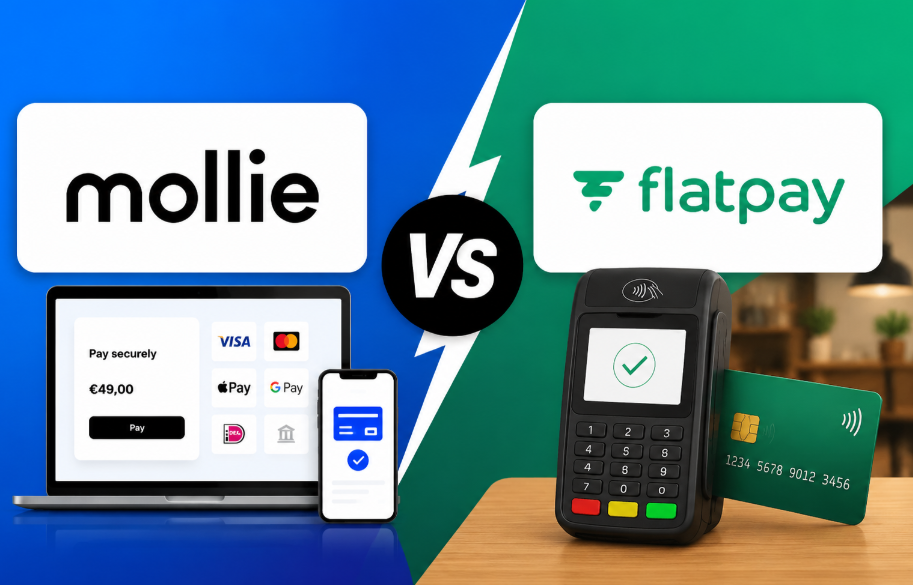
They solve different problems, but many business owners find themselves comparing the two especially if they sell both online and offline.
So which one should power your business? In this deep dive, we’ll break down Mollie vs Flatpay across features, pricing, ease of use, security, and more. By the end, you’ll know exactly which payment solution deserves your hard-earned revenue in 2026.
Let’s get started 💳⚡
🌐 Mollie vs Flatpay: Overview & Key Differences
When it comes to modern payment solutions, businesses today need flexibility, speed, and reliability. Both Mollie and Flatpay are popular in Europe, but they serve very different types of businesses and use cases.
While one focuses heavily on online payment processing and developer-friendly integrations, the other is built around physical point-of-sale (POS) systems for in-store transactions. Understanding this core difference is the first step in choosing the right solution for your business.
💳 What is Mollie?
Mollie is a powerful online payment service provider (PSP) designed to help businesses accept payments through websites, apps, and digital platforms.
It is widely used by eCommerce stores, SaaS companies, and online businesses because of its simplicity and strong API infrastructure.
Key highlights of Mollie:
- Supports online payments across multiple channels 🌍
- Easy integration with platforms like Shopify, WooCommerce, and Magento
- Developer-friendly API for custom payment flows ⚙️
- No complex setup or long-term contracts
- Supports subscriptions, invoices, and recurring payments
👉 In simple terms, Mollie is built for digital-first businesses that operate online.
🧾 What is Flatpay?
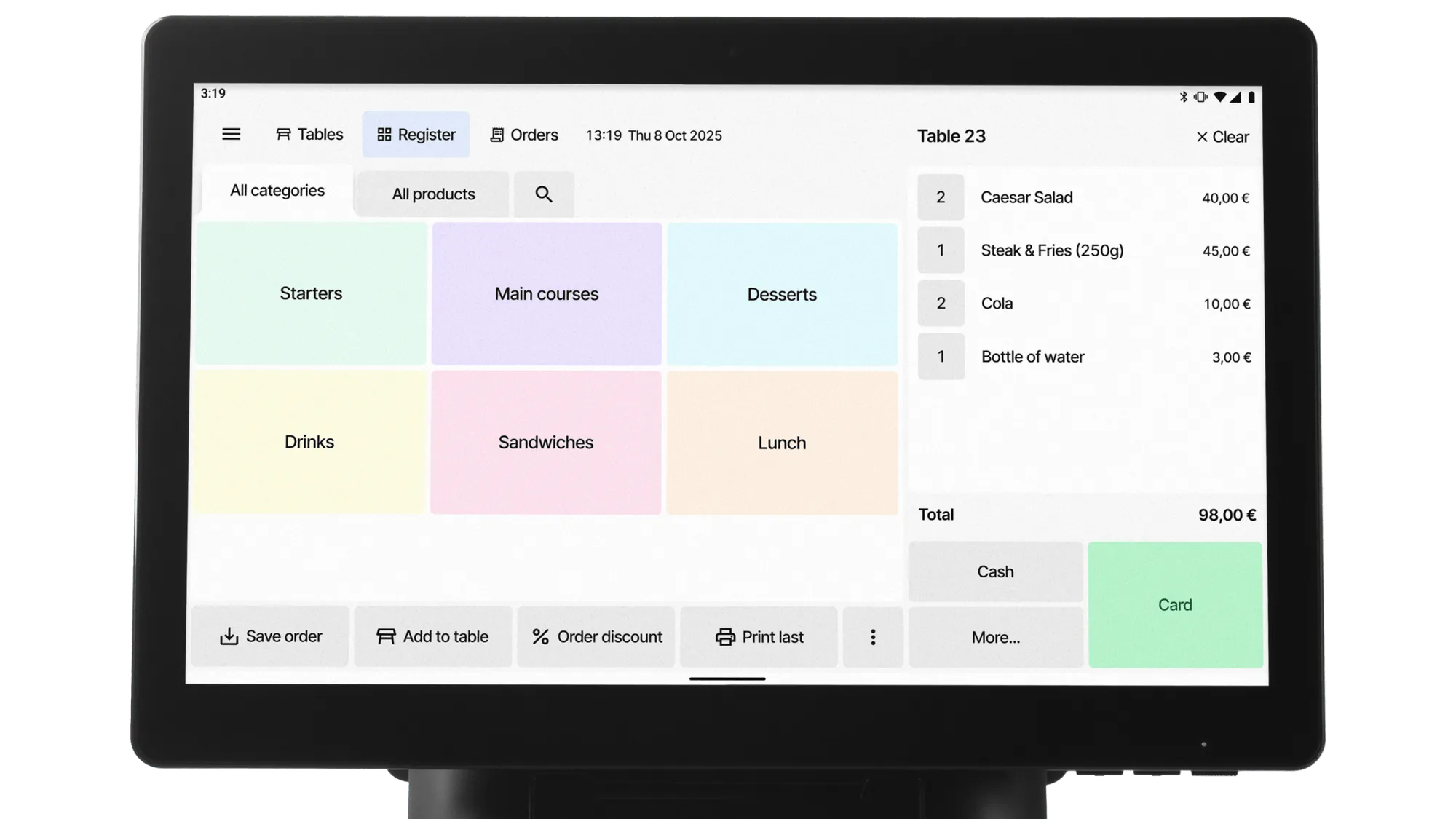
Flatpay is a point-of-sale (POS) payment solution designed mainly for physical retail businesses, restaurants, cafés, and in-store transactions.
It provides businesses with card terminals and payment hardware that allow them to accept payments directly at physical locations.
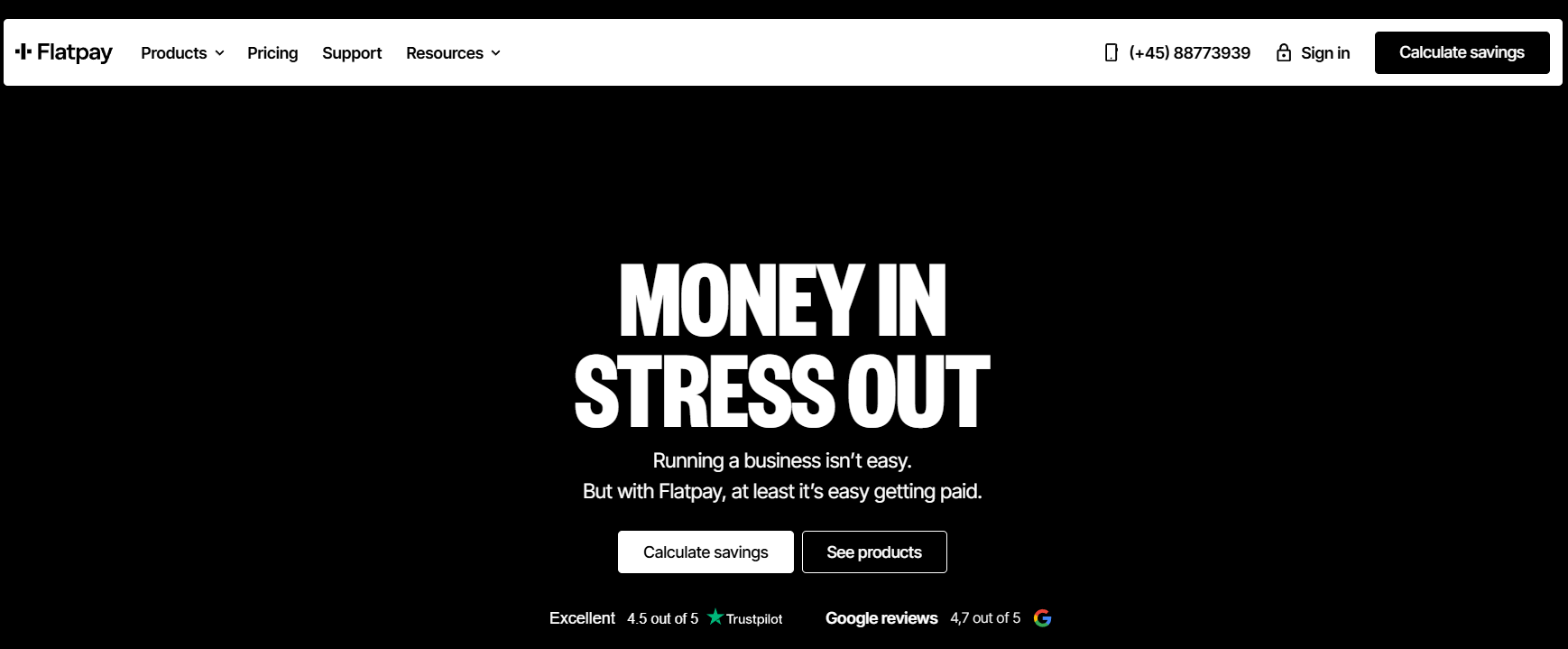
Key highlights of Flatpay:
- Physical card terminals for in-store payments 🏪
- Simple flat-rate pricing structure
- Fast setup for retail businesses
- Focus on face-to-face transactions
- Designed for small and medium-sized physical businesses
👉 In simple terms, Flatpay is built for offline businesses that need in-person payment solutions.
📊 Quick Comparison Table: Mollie vs Flatpay
Before going into deep feature analysis, it’s important to understand how both platforms differ at a fundamental business level. This table gives you a more detailed, decision-focused comparison so you can instantly see which solution fits your needs.
💡 Side-by-Side Detailed Comparison
| Category | Mollie 💻 (Online Payment Platform) | Flatpay 🏪 (POS Payment System) |
|---|---|---|
| Core Purpose | Built for processing online payments through websites, apps, and digital platforms | Designed for in-person payments using POS terminals in physical stores |
| Ideal Business Type | eCommerce stores, SaaS companies, subscription businesses, marketplaces 🌍 | Retail shops, restaurants, cafés, salons, and walk-in businesses |
| Setup Process | Fully digital onboarding — activate account and start integrating instantly ⚡ | Requires hardware installation (card terminals and POS devices) |
| Payment Experience | Customers pay through online checkout pages or embedded payment flows | Customers pay using physical card machines at checkout counters |
| Pricing Model | Pay-per-transaction model (you pay based on usage) 💰 | Typically fixed/flat-rate pricing for predictable costs |
| Customization Level | Very high — developer-friendly API allows custom payment flows and automation 🔧 | Limited customization — mostly standardized POS system |
| Integration Options | Strong ecosystem: Shopify, WooCommerce, Magento, custom APIs, SaaS tools 🔗 | Limited integrations, mainly focused on POS hardware ecosystem |
| Scalability | Highly scalable for global businesses and digital growth 📈 | Best suited for local or regional physical expansion |
| Supported Payments | Cards, Apple Pay, Google Pay, local European payment methods 🌍 | Mainly card payments via POS terminals |
| Technical Requirement | Requires basic or advanced technical setup (depending on use case) | Minimal technical setup, but hardware-dependent |
| Business Flexibility | Works for multiple business models (subscriptions, marketplaces, SaaS) | Works mainly for retail and physical transaction businesses |
| Global Reach | Strong European + international support 🌍 | Mostly focused on local in-person payments |
💳 Payment Processing Model: How Both Systems Work
To truly understand the difference between these two platforms, you need to look at how their payment systems actually function behind the scenes. While both help businesses accept payments, their architecture and processing models are completely different.
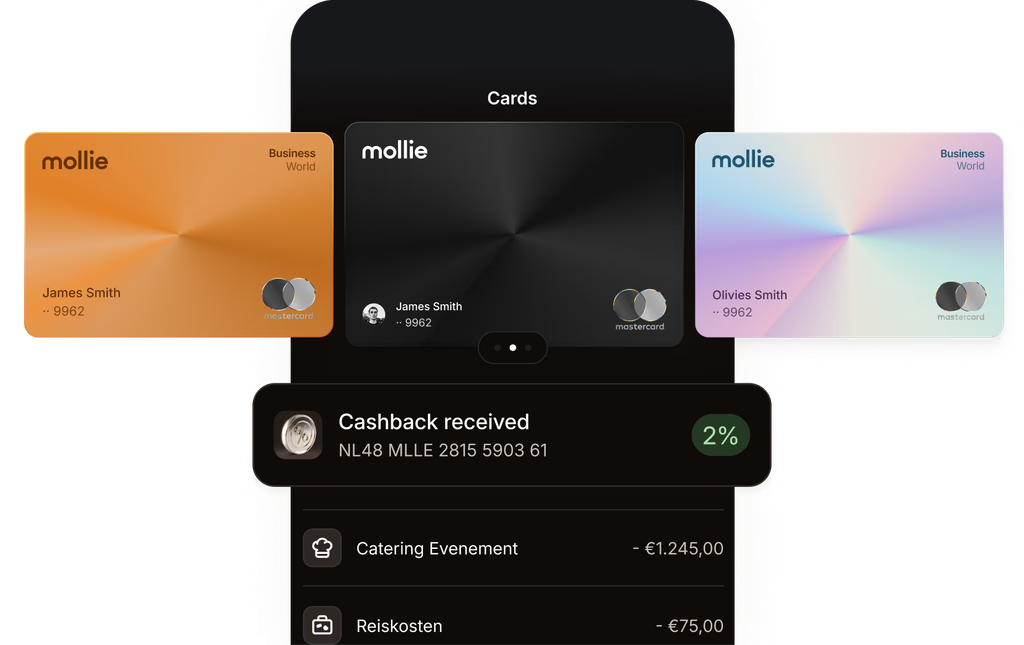
💻 How Mollie Processes Payments
Mollie works as a modern online payment gateway (PSP – Payment Service Provider). It acts as a secure bridge between your business, your customer, and the bank.
⚙️ Step-by-step working:
- A customer places an order on your website or app 🛒
- They choose a payment method (card, wallet, local payment, etc.)
- Mollie securely processes the transaction using its API 🔐
- The payment is verified through banks or providers
- Funds are transferred to your business account 💰
🌍 Key Strengths of Mollie’s Payment System:
- Works entirely online (no hardware needed)
- Supports multiple payment methods in one integration
- Instant payment processing for digital businesses ⚡
- Highly scalable for international transactions
- Developer-friendly API for custom checkout flows
👉 Essentially, Mollie acts like a central payment engine for online businesses, handling everything from checkout to settlement.
🏪 How Flatpay Processes Payments
Flatpay works as a POS (Point of Sale) payment system, designed specifically for in-person transactions using physical card terminals.
⚙️ Step-by-step working:
- Customer comes to a physical store 🏬
- They select products or services
- At checkout, payment is made using a card terminal 💳
- Flatpay processes the transaction through banking networks
- Payment is confirmed instantly on the POS device 📟
- Funds are settled into the merchant’s account
🧾 Key Strengths of Flatpay’s Payment System:
- Built for face-to-face transactions
- Works through dedicated POS hardware
- Fast and simple checkout experience ⚡
- Fixed-rate pricing makes costs predictable
- Ideal for retail, cafés, and restaurants
👉 Flatpay functions as a physical payment acceptance system, focusing on speed and simplicity at the counter.
⚖️ Core Difference in Payment Logic
The biggest difference lies in where and how transactions happen:
🏪 Flatpay = Physical POS transaction system
→ Payments happen through card terminals in real-world stores
💻 Mollie = Digital-first payment processing system
→ Everything happens online through APIs and checkout pages
🎯 Final Insight
While both platforms ensure secure and reliable payments, they are designed for completely different business environments:
- If your business exists online → Mollie is built for you 💻
- If your business operates in physical locations → Flatpay is the better fit 🏪
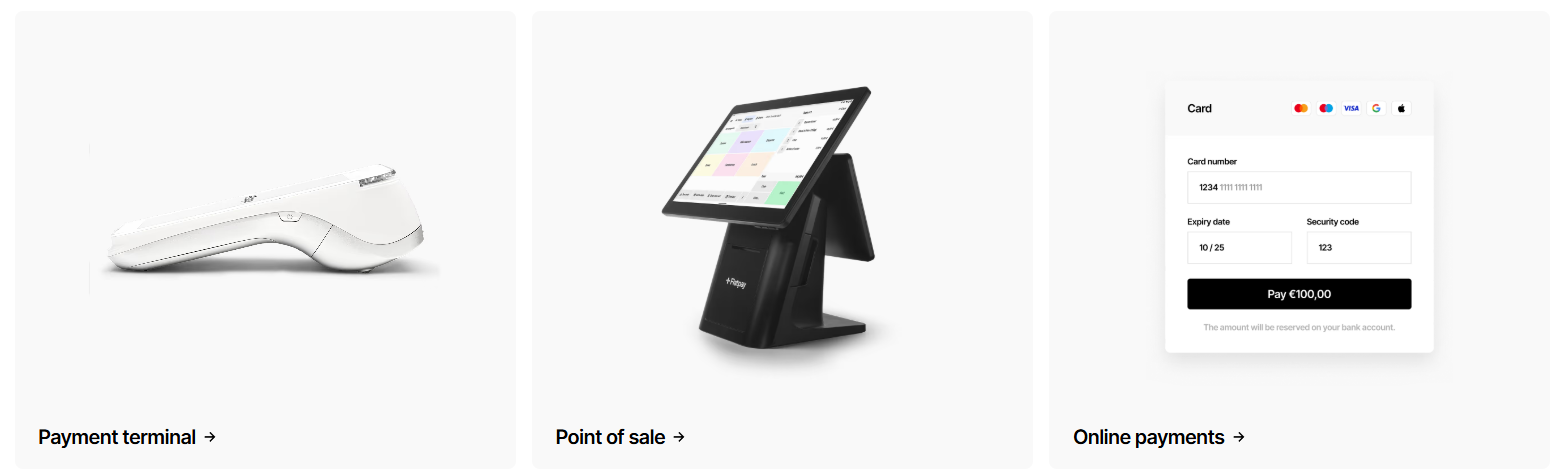
Features Comparison: Mollie vs Flatpay ⚙️
Now let’s unpack the actual tools you get in the Mollie vs Flatpay feature set.
Card Payments
- Mollie: Accepts Visa, Mastercard, American Express, and Maestro online. Supports 3D Secure for strong customer authentication. Card details entered on a Mollie-hosted checkout or via API.
- Flatpay: Accepts all major cards (chip & PIN, contactless, Apple Pay, Google Pay) through its terminal. No manual entry; it’s tap, dip, or swipe.
Mobile Payments & Digital Wallets
- Mollie: Integrates Apple Pay, Google Pay, and other wallets into your online checkout with a single toggle.
- Flatpay: Terminal supports NFC wallets natively — customers tap their phone just like a card.
Online Checkout
- Mollie: Offers a fully hosted payment page or a fully customisable checkout via API components. You control look and feel. Payment links can be sent for remote sales.
- Flatpay: No online checkout. Payments are in-person only. For remote orders, a Flatpay terminal can process a keyed-in transaction in rare cases, but it’s not designed for eCommerce.
POS Terminals
- Mollie: Does not offer physical hardware. You could pair it with a third-party POS system (like Lightspeed or SumUp) but Mollie doesn’t provide terminals.
- Flatpay: Its sole focus. The Flatpay terminal is compact, portable, and battery-powered. It connects via Wi-Fi or mobile data and prints receipts or sends them via email/SMS.
Invoicing Tools
- Mollie: You can generate payment links for invoices and send them to customers. Recurring invoice payments can be automated via API. No full accounting suite, but integrates with apps like Xero, QuickBooks.
- Flatpay: Generates e-receipts. For invoicing, Flatpay’s POS system can create simple invoices, but it’s not an invoicing platform. Pair it with accounting software for full capabilities.
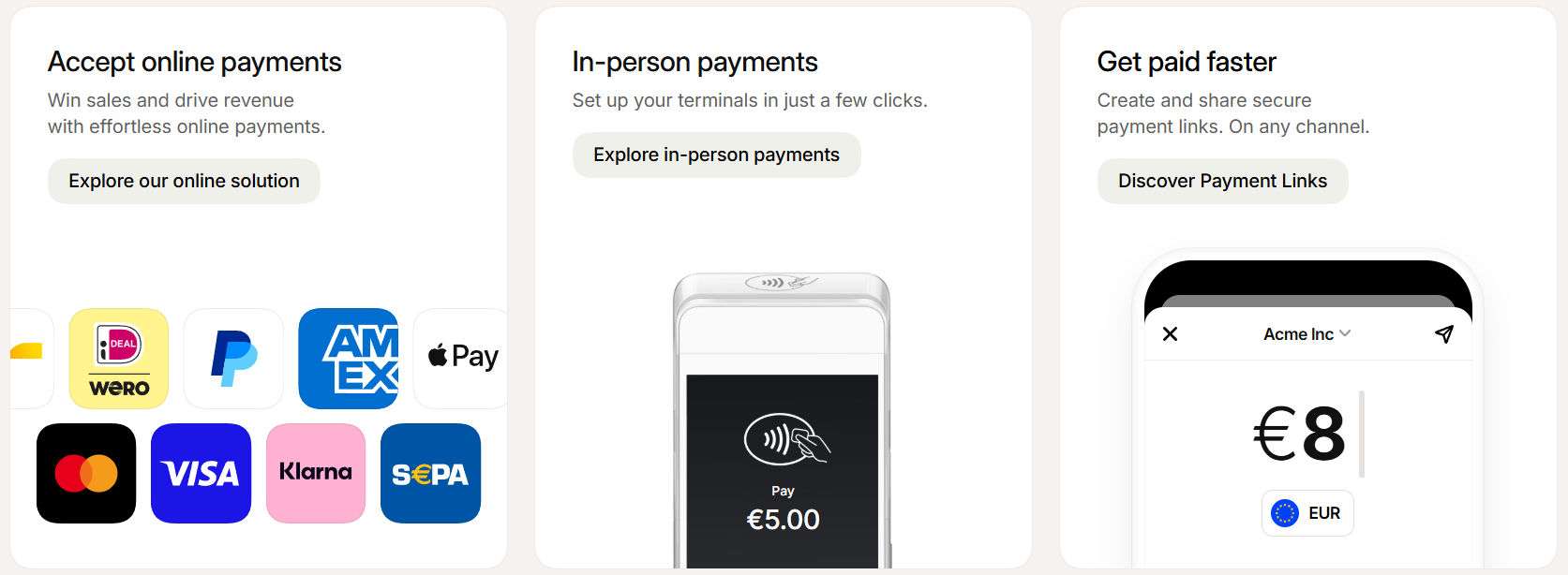
Subscriptions & Recurring Payments
- Mollie: Strong subscription engine. Set up recurring credit card or SEPA direct debit payments, manage billing cycles, and handle failed payment retries. Ideal for SaaS, memberships, and boxes.
- Flatpay: Not built for subscriptions. You can save a customer’s card on file for future in-store charges, but there’s no automated recurring billing system.
Multi-Currency Support 🌍
- Mollie: Accepts payments in multiple currencies and can settle in EUR. You can present prices in the customer’s local currency.
- Flatpay: Processes card payments in EUR (or local currency where it operates). Multi-currency not a focus; the terminal handles whatever currency the card is in, but settlement is typically in EUR.
In the Mollie vs Flatpay feature battle, Mollie covers the entire digital payments spectrum, while Flatpay dominates the in-store experience. Your sales channel dictates which feature set matters.
🛠️ Ease of Use & Setup Process
Time is money. How fast can you go live with Mollie vs Flatpay?
💳 Mollie’s Onboarding
📝 Sign up online: Create an account, verify your business (KYC), which usually takes a few hours to a day.
🔌 Integration: If you use Shopify, WooCommerce, or Magento, install the Mollie plugin from the marketplace and enter your API keys. The plugin immediately enables all major payment methods at checkout — zero coding.
⚙️ Custom integration: Developers can use Mollie’s REST API, which is praised for its clean documentation and quick implementation. A basic integration can be live in one afternoon.
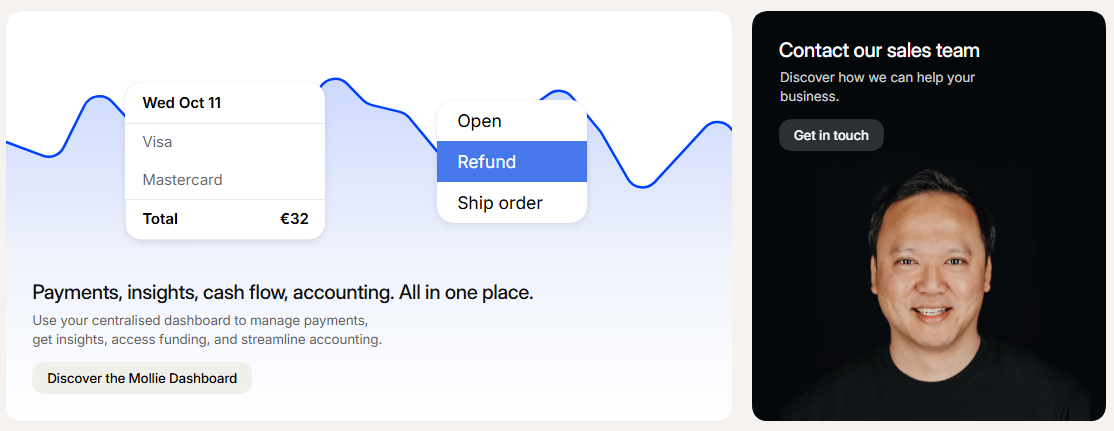
📊 Dashboard: Mollie’s dashboard is intuitive, with clear transaction overviews, refunds, and payout schedules.
Overall, Mollie is very beginner-friendly for eCommerce merchants. The guided process and pre-built plugins remove technical friction.
🏪 Flatpay’s Setup
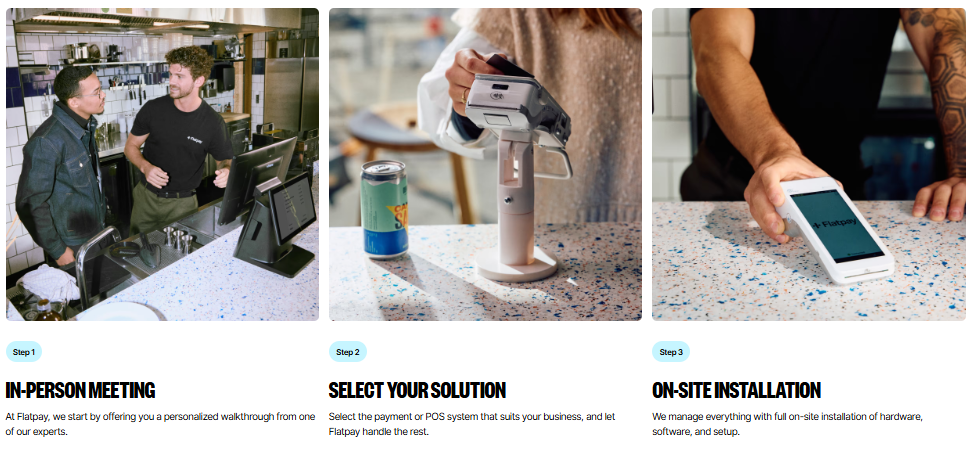
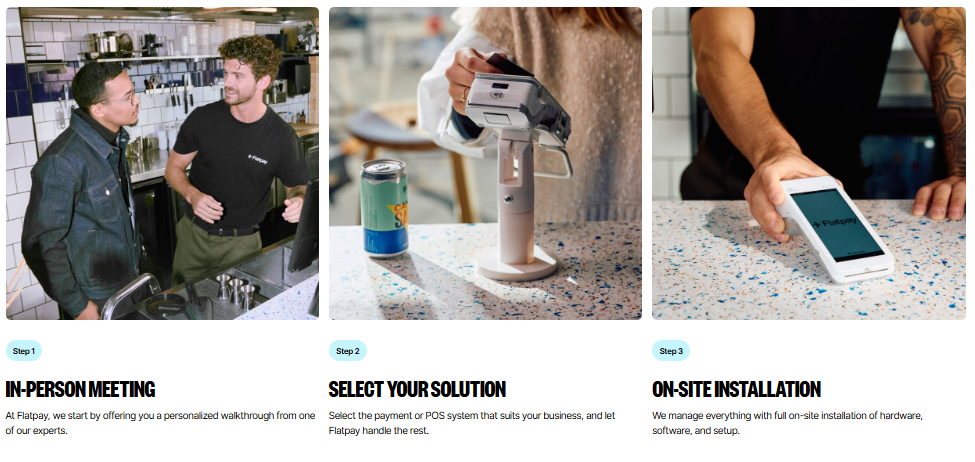
📦 Order terminal: Choose a Flatpay terminal (outright purchase or rental). It arrives within days, pre-configured.
🔌 Plug it in: Connect to Wi-Fi or insert a SIM card. Power on, and it’s ready to accept payments within minutes. No merchant account setup — Flatpay handles acquiring.
🧾 Receipt management: Configure digital receipts via the Flatpay portal. You can connect the terminal to accounting software if needed.
⚡ Minimal technical skill needed: Literally, unpack, switch on, and start tapping cards.
Flatpay’s ease of use is a massive selling point for time-poor shop owners. No website, no code, no complex compliance paperwork.
🏆 Winner for ease:
If you run a physical store, Flatpay’s unbox-and-go simplicity is hard to beat. For online sellers, Mollie’s plugin ecosystem makes setup nearly as painless. In Mollie vs Flatpay, setup friction depends entirely on where you sell.
💰 Pricing & Fee Structure Comparison
The wallet question. Mollie vs Flatpay pricing is dramatically different, reflecting their opposite business models.
💳 Mollie Pricing (2026)
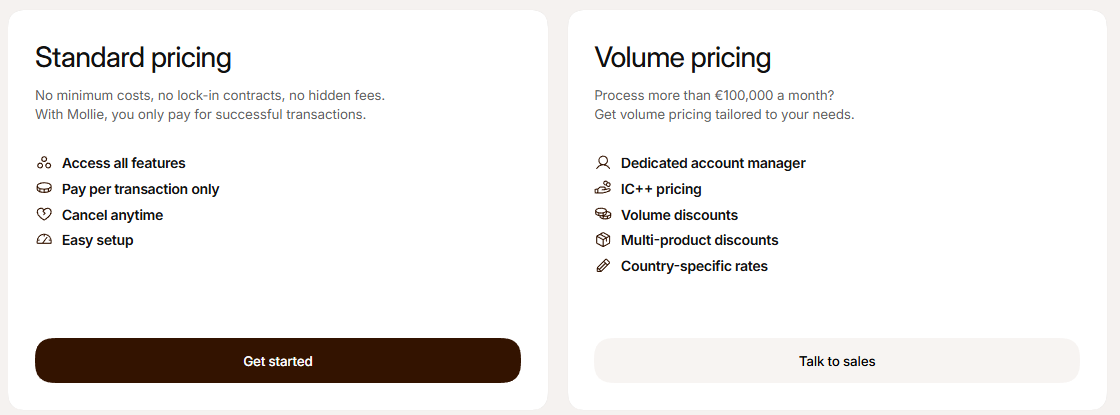
Mollie charges per transaction. The fee varies by payment method:
🇳🇱 iDEAL (Netherlands): ~$0.32 flat fee
💳 Credit Cards (Visa/Mastercard): ~0.25% + $0.27 per transaction (European cards). Non-EU cards higher.
🅿️ PayPal: ~2.5% + $0.38
📊 Klarna: Percentage-based, depending on country
🏦 SEPA Direct Debit: ~ $0.27 per transaction
Mollie has no monthly fee for basic accounts, but they introduced an optional “Mollie Plus” plan for ~$11/month that offers priority support, advanced analytics, and lower fees on some methods. For high-volume merchants, custom enterprise rates are available.
There are no setup costs, no hardware costs. Refunds may carry a small fee. Payouts are free to your bank. Overall, Mollie’s pricing is transparent and scalable — you pay only when you sell.
🏪 Flatpay Pricing (2026)
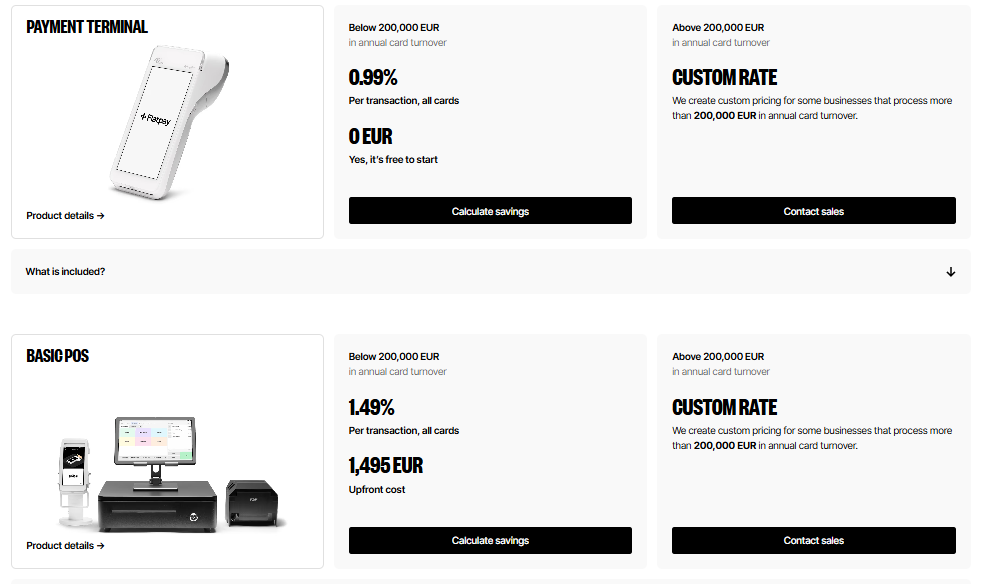
Flatpay’s slogan is “No hidden fees.” Their model:
💰 Transaction fee: A flat percentage, typically ~1.5% for consumer cards (European). Premium and commercial cards may be higher (e.g., ~2.5%).
📅 No monthly subscription, no minimum volume, no contract lock-in. You can cancel anytime.
🖨️ Terminal cost: You can buy the terminal outright (~$180–$260 depending on model) or rent it for a small monthly fee (e.g., ~$15/month). The terminal is yours or you return it.
📦 Additional services: Receipts, settlement, and basic reporting all included.
Flatpay’s simplicity is striking — if you process $1,000 in card sales, you pay ~$15. No fixed cents per transaction means small purchases don’t get eaten up by flat fees. For coffee shops with lots of small ticket sales, this is a huge win.
📊 Cost Comparison Scenario
Imagine a boutique shop that also sells a few items online.
🏪 In-store (Flatpay): 100 transactions/month averaging $32 each. Total volume $3,200. At 1.5%, monthly fee = ~$48. Terminal rental ~$15. Total ~ $63/month.
💻 Online (Mollie): 50 transactions/month, average $65, using card + iDEAL. Mixed fees: roughly ~$16–$28 depending on method mix. Total ~ $20–$30/month.
Here, online is cheaper per sale because Mollie’s iDEAL fees are low. But in-store, Flatpay’s flat percentage is competitive. If you switch volumes, the economics change.
⚖️ In Mollie vs Flatpay, neither is universally cheaper. It depends on your average transaction size, payment method mix, and channel.
🌍 Payment Methods & Global Availability: Mollie vs Flatpay
Another important factor when choosing a payment solution is where it works and what payment methods it supports. This directly impacts your ability to serve customers locally and internationally.
💻 Mollie – Wide Payment Method Coverage & Global Reach
Mollie is designed for online and cross-border digital commerce, which means it supports a very wide range of payment methods across Europe and beyond.
💳 Supported Payment Methods:
Mollie supports almost every major online payment option, including:
- Credit & debit cards (Visa, Mastercard, Amex) 💳
- Apple Pay & Google Pay 📱
- Bank transfers & instant payments 🏦
- Local European payment methods 🌍 (iDEAL, Bancontact, SEPA, etc.)
🌐 Global Availability:
- Strong presence across Europe 🇪🇺
- Supports multiple currencies 💱
- Works for international customers
- Ideal for cross-border eCommerce businesses
💡 Key Advantage:
Mollie allows businesses to offer local payment preferences in different countries, which helps increase conversion rates significantly.
👉 Example: A customer in the Netherlands can pay using iDEAL, while a German customer can use SEPA.
🏪 Flatpay – Localized In-Store Payment System
Flatpay is mainly focused on physical retail payments, so its payment method support is centered around card-based in-person transactions.
💳 Supported Payment Methods:
- Card payments (chip & PIN) 💳
- Contactless payments (NFC) 📲
- Mobile wallet payments (Apple Pay / Google Pay depending on terminal support)
🌍 Availability Scope:
- Primarily focused on local in-store transactions
- Best suited for physical businesses in specific regions
- Not designed for international online payment processing
💡 Key Advantage:
Flatpay ensures fast and secure checkout experiences in physical stores, making it perfect for high-traffic retail environments.
⚖️ Key Difference in Coverage
- 💻 Mollie = Global online payment support with multi-currency & local methods
- 🏪 Flatpay = Local in-store card-based payment acceptance system
🎯 Final Insight
If your goal is to accept fast in-person payments in a physical store → Flatpay is ideal 🏪
If your goal is to sell globally online with multiple payment options → Mollie is the winner 💻🌍
POS System vs Online Payment Platform 🧾
This is the defining fork in the Mollie vs Flatpay road.
Flatpay’s POS System Capabilities
Flatpay is a fully-fledged POS system in a box. The terminal acts as a payment device and a basic point-of-sale. It can:
- Process sales and print/digital receipts
- Manage a product catalogue (with prices and VAT)
- Track cash payments (if you also take cash alongside card)
- Generate end-of-day reports
- Connect to a barcode scanner or cash drawer (via some integrations)
- Offer tipping options
For a small café, a hair salon, or a market stall, the Flatpay terminal replaces a clunky cash register. It’s not an advanced inventory management system, but it covers daily sales needs beautifully.
Mollie’s Online Ecosystem
Mollie is purely an online payment gateway. It has no built-in inventory or POS terminal. If you sell in-person, you’d need a separate POS system (like Square, SumUp, or a full ERP) that integrates with Mollie for online transactions. Mollie’s dashboard shows online sales, refunds, and payouts, but won’t help you manage stock or staff.
Which is Better for Retail vs eCommerce?
- Pure eCommerce: Mollie is the obvious choice. Flatpay has no role here.
- Pure physical store: Flatpay shines. A single device handles all card payments with transparent fees. Mollie alone can’t do this.
- Hybrid (omnichannel): You likely need both or a unified platform that offers both. Mollie doesn’t offer hardware; Flatpay doesn’t offer online checkout. Some businesses use Flatpay for in-store and Mollie for their website, feeding data into the same accounting software. It works, but it’s two separate systems.
So, in Mollie vs Flatpay, your business location decides the winner. There’s no one-size-fits-all.
🔗 Integrations & Developer Ecosystem
💳 Mollie Integrations
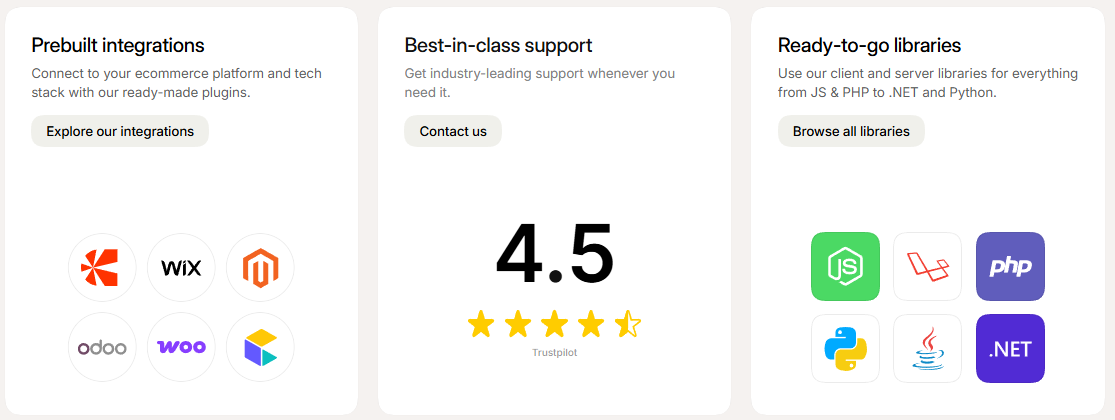
🛒 E-commerce platforms: Shopify, WooCommerce, Magento, BigCommerce, PrestaShop, Shopware
🔌 One-click plugins: Easy install, no coding needed
📊 Accounting tools: Xero, QuickBooks, Exact
🏢 CRM & ERP: Salesforce, Microsoft Dynamics, Odoo
🔁 Subscriptions: Chargebee, Recurly, MemberPress
🧑💻 Developer tools: REST API + SDKs (PHP, Python, Node.js, Ruby)
⚡ Webhooks: Real-time payment updates
🤖 Automation tools: Zapier, Make (5000+ apps)
🏪 POS systems: Limited support (e.g., Lightspeed, SumUp for hybrid setups)
🏪 Flatpay Integrations
📊 Accounting: e-conomic, Dinero, Billy (Europe-focused)
🧾 Digital receipts: Auto-sync sales + invoicing data
🖥️ POS systems: API support for select retail POS providers
🔌 Cash register systems: Partner integrations available
🧑💻 Developer API: Available but less mature vs Mollie
🧾 No eCommerce plugins: No Shopify/WooCommerce support (no online checkout)
⚖️ Summary
🚀 Mollie = Full ecosystem + deep integrations + developer-friendly + online business ready
🏪 Flatpay = Lightweight, POS-focused, minimal setup, self-contained system
Security, Compliance & Fraud Protection 🔒
Payment security is non-negotiable. Let’s see how Mollie vs Flatpay protect you and your customers.
Mollie’s Security
- PCI DSS Level 1 compliant: The highest standard. Mollie hosts payment pages securely, so your website never touches sensitive card data.
- Strong Customer Authentication (SCA): Supports 3D Secure 2.0 for EU compliance.
- Fraud monitoring: Mollie’s risk engine flags suspicious transactions. You can set custom fraud rules (e.g., block by country or amount).
- Data encryption: All data encrypted in transit and at rest.
- GDPR compliant: Handles customer data in line with European regulations.
Flatpay’s Security
- Terminal security: Flatpay terminals are PCI PTS certified. They encrypt card data at the point of entry using end-to-end encryption.
- No sensitive data stored: The terminal only holds transaction logs, not full card numbers.
- SCA compliance: Supports contactless limits and PIN entry as required.
- Fraud protection: Card-present fraud is lower risk, but Flatpay monitors for suspicious patterns. Chargeback management is handled via their support.
- Software updates: Terminals receive automatic security updates over the air.
Both platforms take security seriously. Mollie’s fraud tools are more sophisticated because online transactions face higher fraud risk. Flatpay’s physical security is robust for face-to-face payments. In Mollie vs Flatpay, you’re safe with either.
Pros and Cons of Mollie vs Flatpay ⚖️
Let’s sum up the Mollie vs Flatpay battle with clear advantages and limitations.
Mollie Pros 👍
- Huge range of payment methods (20+)
- Perfect for eCommerce and subscriptions
- Developer-friendly API and extensive plugins
- No monthly fee (optional cheap Plus plan)
- Transparent per-transaction costs
- Multi-currency and European coverage
- Strong security and fraud tools
- Payout scheduling flexibility
Mollie Cons 👎
- No physical POS hardware
- Transaction fees can stack for high-ticket items using credit cards
- Less suitable for pure brick-and-mortar businesses
- Some methods (Klarna, PayPal) have higher fees
- Customer support wait times can vary
Flatpay Pros 👍
- Simple, flat % pricing with no fixed per-transaction fee
- No monthly subscription, no lock-in contracts
- Easy unbox-and-use terminal
- Ideal for small-ticket, high-volume in-store sales
- Transparent hardware cost
- Digital receipts and basic POS features built-in
- Strong presence in Denmark, Finland, Germany with expanding coverage
- Minimal setup time
Flatpay Cons 👎
- Only card-present payments; no online checkout
- Limited to physical retail and service businesses
- Not suitable for subscription or recurring billing
- Geographic coverage still expanding (not all EU yet)
- Basic POS feature set; not a full retail management system
- Fewer integrations compared to Mollie
The Mollie vs Flatpay pros and cons make it crystal clear: Mollie is the eCommerce champion, Flatpay is the in-store ace.
Final Verdict: Which One Should You Choose in 2026? 🏆
So, after this deep Mollie vs Flatpay analysis, where should you put your money?
Choose Mollie if:
- You run an online store (Shopify, WooCommerce, custom website).
- You need to accept a wide range of local payment methods (iDEAL, Bancontact, Klarna).
- You sell subscriptions, digital products, or services.
- You want a scalable, API-driven payment infrastructure.
- You sell across multiple European countries.
- You have no physical storefront or use a separate POS system.
Mollie is the clear winner for any business that transacts online. It’s reliable, well-integrated, and built for eCommerce growth.
Choose Flatpay if:
- You operate a physical shop, café, salon, or pop-up store.
- You want a straightforward, no-surprises card terminal.
- You process many small transactions (flat % saves you money compared to per-transaction fixed fees).
- You want to avoid monthly fees and long contracts.
- You’re in Denmark, Finland, Germany, or the expanding Flatpay EU zone.
- You need a minimal-fuss POS replacement that also prints digital receipts.
Flatpay is the obvious choice for brick-and-mortar businesses that value simplicity and transparent costs above all.
What If You Sell Both Online and Offline?
Then you might need both. Use Flatpay for your physical checkout counter and Mollie to power your website. They can coexist, and the combined cost might still be lower than a single legacy merchant service provider.
In the grand Mollie vs Flatpay debate, there is no universal winner — only the perfect match for your sales channel. But one thing is certain: in 2026, both are among the best payment solutions Europe has to offer.
Must Read:-
- FreshBooks Review 2026: Is It Worth Your Accounting Needs?
- Teachable vs LearnWorlds: Which is Right for You in 2026?
FAQs: Mollie vs Flatpay ❓
1. Which is cheaper, Mollie or Flatpay?
It depends on your business. For small in-store purchases, Flatpay’s flat 1.5% is often cheaper than payment methods with a fixed per-transaction fee. For online sales with low-cost methods like iDEAL, Mollie can be cheaper.
2. Is Flatpay available in all European countries?
Not yet. As of 2026, Flatpay is expanding quickly but is strongest in Denmark, Finland, and Germany. Mollie is available in most EU countries and the UK.
3. Can Mollie handle in-store card payments?
Mollie alone cannot. It doesn’t offer physical terminals. You’d need to integrate a third-party POS terminal that connects to Mollie’s gateway, but that’s less common.
4. Does Flatpay support online shops?
No. Flatpay is a POS terminal provider. It has no online payment gateway or eCommerce plugin.

👨💻 Hi, I’m Anas Khan, a digital marketing expert with over 5 years of experience in e-commerce and affiliate marketing. I specialize in finding the best coupon codes 💸, Black Friday promotions 🛍️, and discount offers 💥 to help you save big!
I’ve dedicated myself to staying on top of the latest trends 📈 in online deals, so I can offer you the most reliable, tested advice. Whether you’re looking for promo codes or exclusive Black Friday deals, you can trust that my recommendations are based on solid research and personal expertise 🏆.