Creating and selling online courses has never been more rewarding or more competitive. The platform you choose directly shapes how you teach, engage students, and get paid.
In 2026, two names still dominate the conversation for solo creators, coaches, and professional training companies: Teachable vs LearnWorlds.
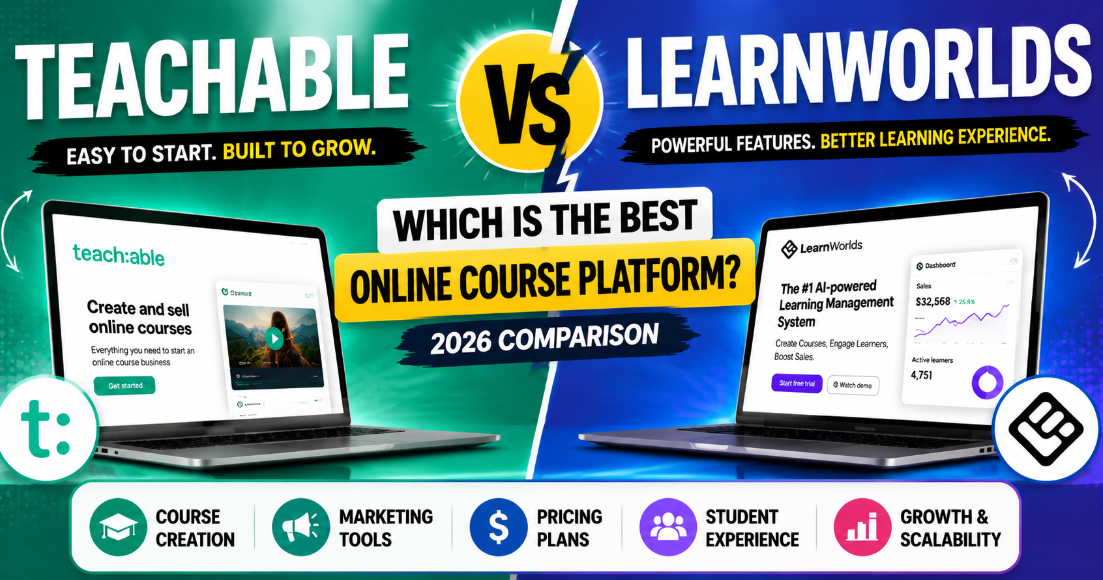
Teachable is the veteran that made course selling simple, with millions of students and billions in creator earnings. LearnWorlds, on the other hand, is the Swiss Army knife of online education an all-in-one LMS that builds interactive learning experiences, not just video libraries.
But which one fits your vision? Do you need dead-simple course delivery, or do you want a full-blown digital school with interactive eBooks, assessments, and community?
In this detailed, 4000+ word comparison, we’ll break down Teachable vs LearnWorlds across 12 key categories. By the end, you’ll know exactly which platform will turn your knowledge into income in 2026.
Let’s dive in. 🎓
Teachable vs LearnWorlds: Overview & Key Differences
Before we get into the nitty-gritty, let’s frame the two platforms.
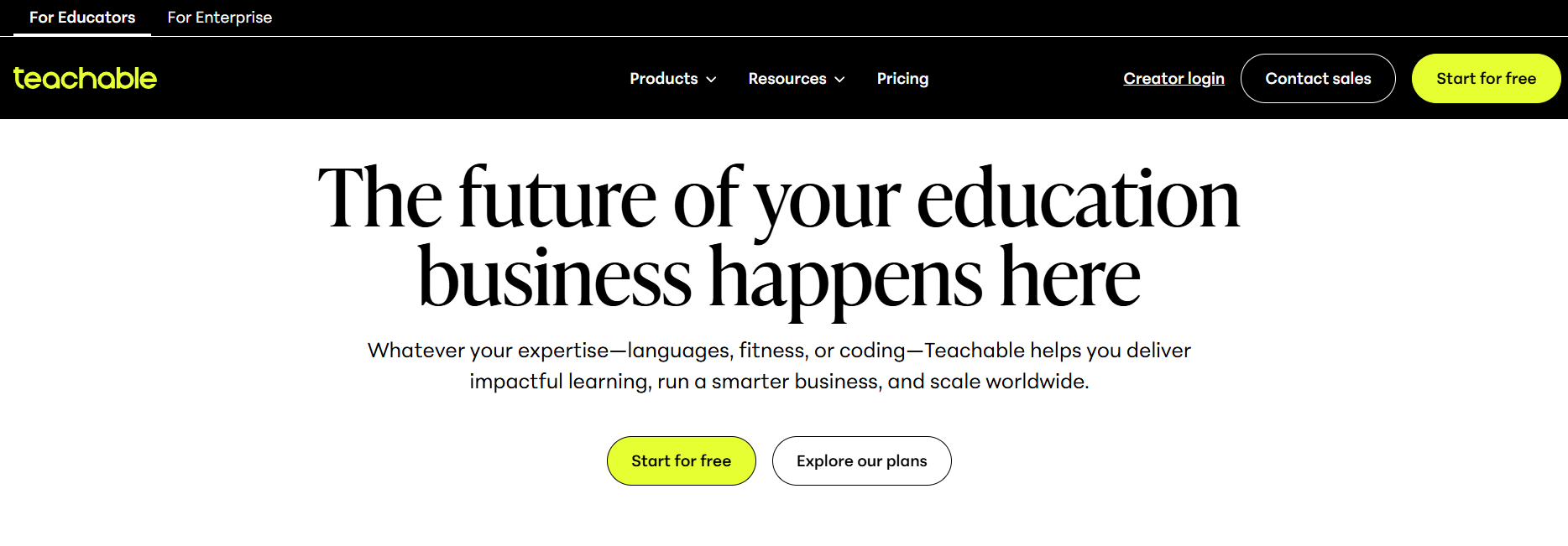
Teachable launched in 2014 (originally Fedora) and quickly became the “Shopify for courses.” It’s purpose-built for creators who want to upload content, put it behind a paywall, and accept payments — all without touching code. Over 100,000 creators have sold courses on Teachable, and in 2026 it remains one of the most popular platforms for solopreneurs and small course catalogs.
LearnWorlds started in 2014 as well, but with a fundamentally different philosophy: it’s a complete learning management system (LMS) designed to create interactive, engaging, and branded academies. LearnWorlds puts pedagogy first — interactive video, built-in community, assessments, certificates, SCORM compliance — making it a favourite among professional trainers, corporate academies, and serious edupreneurs.
The key difference? Teachable is a course marketplace builder that prioritises simplicity and sales. LearnWorlds is a true online school platform that prioritises learning experience and engagement. When you’re weighing Teachable vs LearnWorlds, you’re really choosing between effortless course sales versus an engaging learning academy.
Quick Comparison Table: Teachable vs LearnWorlds at a Glance 📊
Here’s a high-level snapshot of Teachable vs LearnWorlds in 2026:
| Feature | Teachable | LearnWorlds |
|---|---|---|
| Primary Focus | Course selling & marketing | Interactive learning academy |
| Ease of Use | Very beginner-friendly ⭐⭐⭐⭐⭐ | Moderate learning curve ⭐⭐⭐⭐ |
| Course Creation | Video, text, quizzes, coaching | Interactive video, ebooks, quizzes, certificates, SCORM |
| Website Builder | Simple drag-and-drop, limited design flexibility | Powerful site builder with full customization and templates |
| Student Engagement | Basic comments, drip, completion certificates | Built-in social community, interactive video, gamification, notes |
| Marketing Tools | Order bumps, bundles, coupons, affiliate center | Funnels, upsells, advanced coupons, landing pages, built-in affiliate |
| Pricing (Monthly) | Basic: $39; Pro: $119; Pro+: $199 (annual billing) | Starter: $29; Pro Trainer: $99; Learning Center: $299 (annual billing) |
| Transaction Fees | 0% on Pro and above; Basic has $1 + 10% | 0% on all plans (plus $5 per course sale on Starter) |
| Integrations | Zapier, email tools, basic API | Zapier, webhooks, full API, native integrations, SSO |
| SCORM & Corporate | Not supported | Full SCORM, xAPI, corporate academy features |
| Mobile App | No branded native app; students use Teachable iOS app | White-label mobile app (iOS/Android) available on higher plans |
| AI Features | AI course outline generator, quizzes (limited) | AI-powered course creation, assessments, and learner insights |
This table sets the stage. But a big question remains: which one matches how you want to teach? Let’s explore every angle of Teachable vs LearnWorlds.
🎓 Course Creation Features Comparison (Teachable vs LearnWorlds)
This is where Teachable vs LearnWorlds really diverges. Course creation isn’t just about uploading videos — it’s how you structure, enrich, and deliver learning.
🧑🏫 Teachable’s Course Builder
Teachable lets you create courses with:
🎥 Video and audio lessons (native cloud hosting)
📝 Text and image blocks
❓ Quizzes (multiple-choice, graded or non-graded)
📜 Custom completion certificates
📅 Drip scheduling (by date or by days after enrollment)
📌 Course compliance (require students to complete lessons in order)
🤝 Coaching integrations (sell coaching sessions as upsells)
In 2026, Teachable added an AI video quiz generator — drop a video, and AI creates comprehension questions. You can also add downloadable resources, embed YouTube, and use basic HTML. It’s solid and covers 90% of what an independent creator needs.
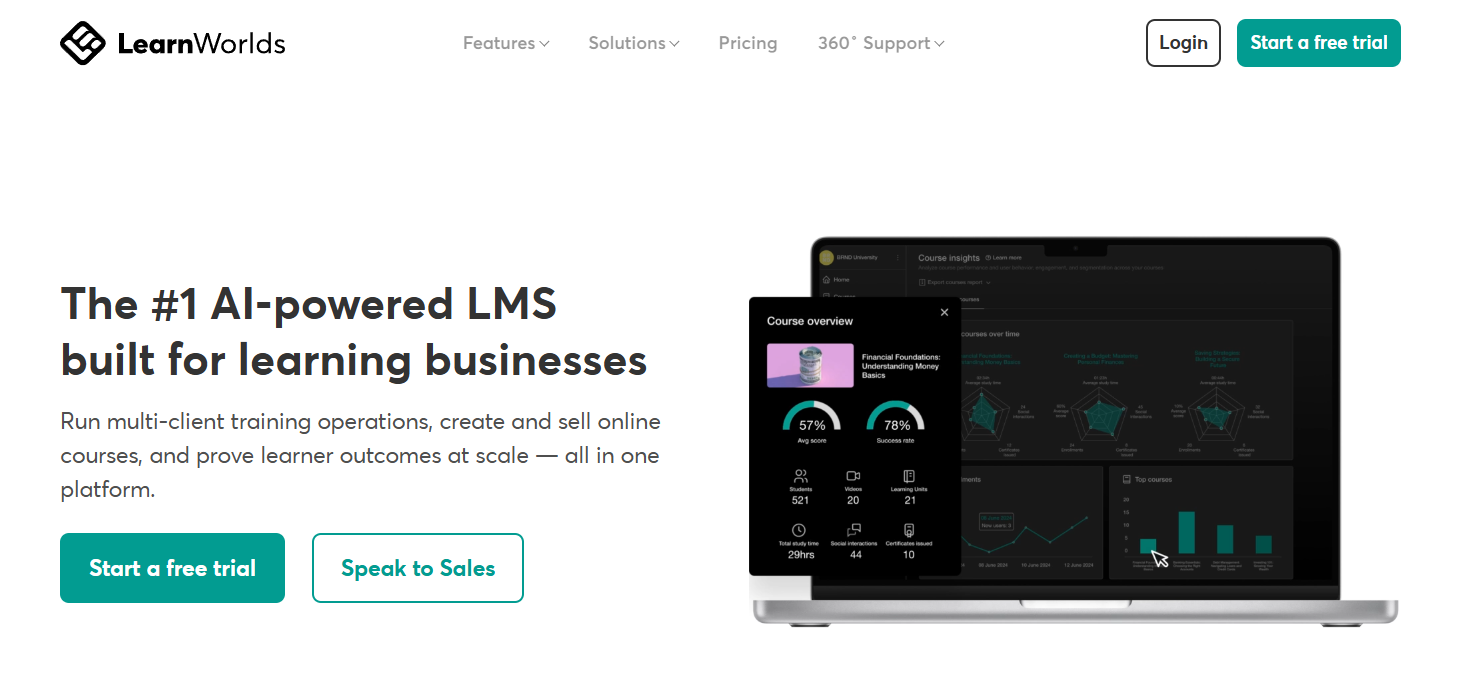
🚀 LearnWorlds’ Course Builder
LearnWorlds is on another level. Beyond the basics, you get:
🎬 Interactive Video: Add questions, overlays, buttons, and tables of contents directly inside videos. The video pauses, asks a question, and tracks the answer — powerful for engagement.
📖 Interactive eBooks: Convert your content into flipbook-style ebooks, which can be embedded in courses or sold separately.
🧠 Advanced Assessments: Formal exams, question banks, self-assessments, and surveys. You can create randomized quizzes and set pass thresholds.
📦 SCORM & xAPI: Upload SCORM packages from other authoring tools or export your own. This makes LearnWorlds the only choice for many corporate training departments.
🧩 Learning Activities: 16+ types of activity blocks including assignments, reflections, and interactive elements.
✍️ Notes & Highlighting: Students can highlight text, take notes, and even save notes to their personal study area — a game-changer for long-form education.
📜 Certificates: Fully customizable certificates of completion, plus you can set expirations and recertification.
In Teachable vs LearnWorlds, if you’re simply selling video-based courses with minimal interaction, Teachable is more than enough. But if you want to truly teach with active learning methods, LearnWorlds is unmatched. Its interactive video alone can boost completion rates by 30%+, according to internal LearnWorlds data.
Website Building & Customization Options 🎨
Your school’s website is your storefront. How much can you make it yours?
Teachable provides a straightforward site builder. You can:
- Customize colours, fonts, and logo
- Choose from a handful of templates
- Edit the sales page for each course using a block-based builder
- Add custom pages (about, contact)
- Use custom HTML/CSS on Pro+ plan
In 2026, Teachable improved its template library and added a “hero image library.” But the design flexibility remains limited. Most Teachable schools share a similar look, and if you want a truly unique brand presence, you might need developer help via the Power Editor.
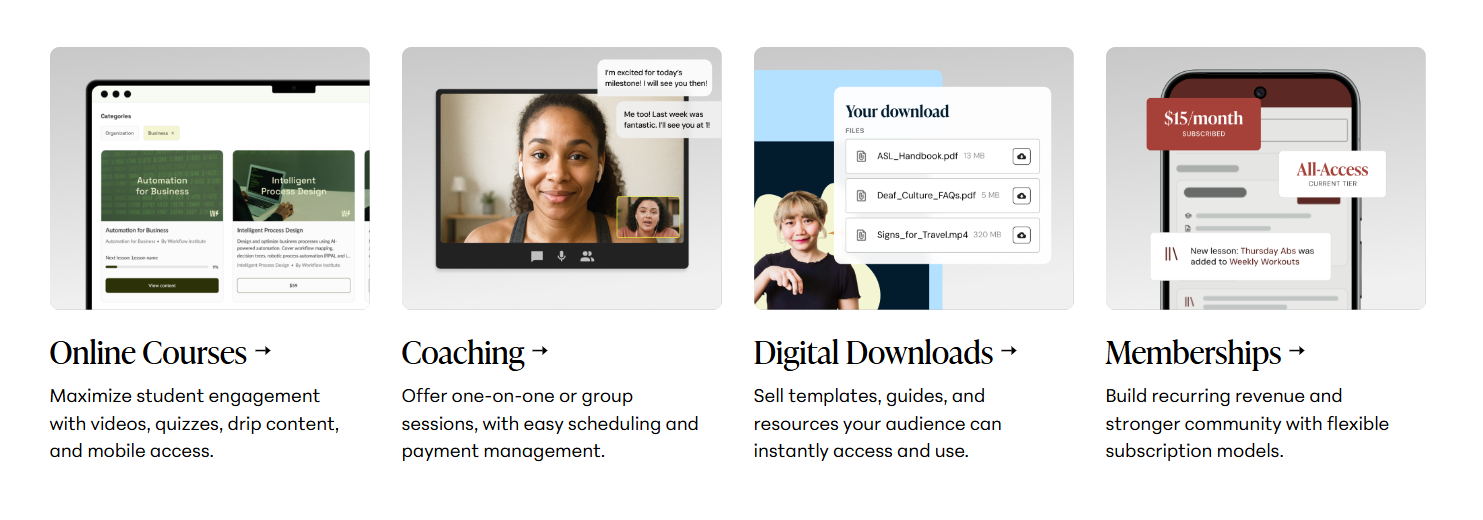
LearnWorlds started as a site builder with LMS features, so its customization is exceptional. It offers:
- Full drag-and-drop website editor with sections, widgets, and columns
- 200+ professionally designed templates (fully customizable)
- Advanced styling options for headers, footers, blog, and course player
- Custom HTML, CSS, and JavaScript
- Pop-ups, lead generation forms, and dynamic content
- Mobile-responsive design with fine control
You can build a complete online school website that looks nothing like anyone else’s. Want a homepage with a course catalog, a blog, a community feed, and a full about page? LearnWorlds lets you do it without touching code. For serious branding, LearnWorlds wins Teachable vs LearnWorlds hands down.
The trade-off: More design power means more decisions. Teachable keeps it simple but rigid. LearnWorlds gives you creative freedom that can be overkill if you just need a single sales page.
Student Engagement Tools & Learning Experience 👩🎓
Student engagement is the secret sauce of course completion and repeat sales. Let’s see how Teachable vs LearnWorlds stack up.
🧑🏫 Teachable’s Engagement Features
📝 Basic Quizzes: Good for knowledge checks.
💬 Comments on lessons: Students can leave comments and instructors can reply. A simple but functional interaction channel.
📜 Completion Certificates: Automatic generation upon course completion.
📅 Drip & Prerequisites: Control the learning journey sequentially.
📧 Email Integrations: Trigger emails based on course progress using external tools (via Zapier or native integrations).
Teachable’s engagement model is primarily instructor-driven and external. The platform itself doesn’t have a native community or social feed.
🚀 LearnWorlds’ Engagement Features
LearnWorlds treats engagement as a core feature:
🌐 Built-in Social Community: A Facebook-like community feed where students can post, like, comment, and share. You can create community groups and moderate discussions. This keeps learners inside your ecosystem.
🎬 Interactive Video: As described, forces active participation while watching.
🏆 Gamification: Award badges and points for completing lessons, passing quizzes, or engaging in community. Leaderboards foster healthy competition.
✍️ Note-taking & Highlighting: Students can study actively and refer back to their notes.
💬 Discussion Forums: Course-specific discussions.
👤 Student Profiles: Learners can build profiles, see their achievements, and track their learning journey.
In Teachable vs LearnWorlds, if you want your students to passively consume content, Teachable works. If you want them to actively participate and build a learning community, LearnWorlds is a universe ahead. The social community alone can replace a separate Facebook group and keep your students engaged long-term.
Marketing & Sales Features Comparison 💰
Creating a great course is half the battle; selling it is the other half. Let’s examine the marketing muscle in Teachable vs LearnWorlds.
🧑🏫 Teachable’s Marketing Toolkit
Teachable is built to sell. It offers:
🧲 High-converting sales pages: Block-based builder with video embeds, testimonials, and pricing tables.
🔼 Order bumps: One-click upsells during checkout.
📦 Bundles and product packages: Sell multiple courses together at a discount.
🎟️ Coupons & discounts: Flexible codes.
🤝 Affiliate Center: Built-in affiliate management. Recruit affiliates, track sales, and pay commissions. Powerful for scaling.
📧 Email marketing: Basic email blast to students; integrates with Mailchimp, ConvertKit, etc.
💳 Checkout customization: Accept payments via credit card, PayPal, Apple Pay, Google Pay.
⏳ Abandoned cart: Automatically follow up with people who don’t complete purchase.
🤖 AI insights: Smart product recommendations for students.
Teachable focuses on converting visitors into buyers with minimal friction. Their checkout flow is optimized for conversions and supports multiple currencies and tax handling (VAT, EU compliance).
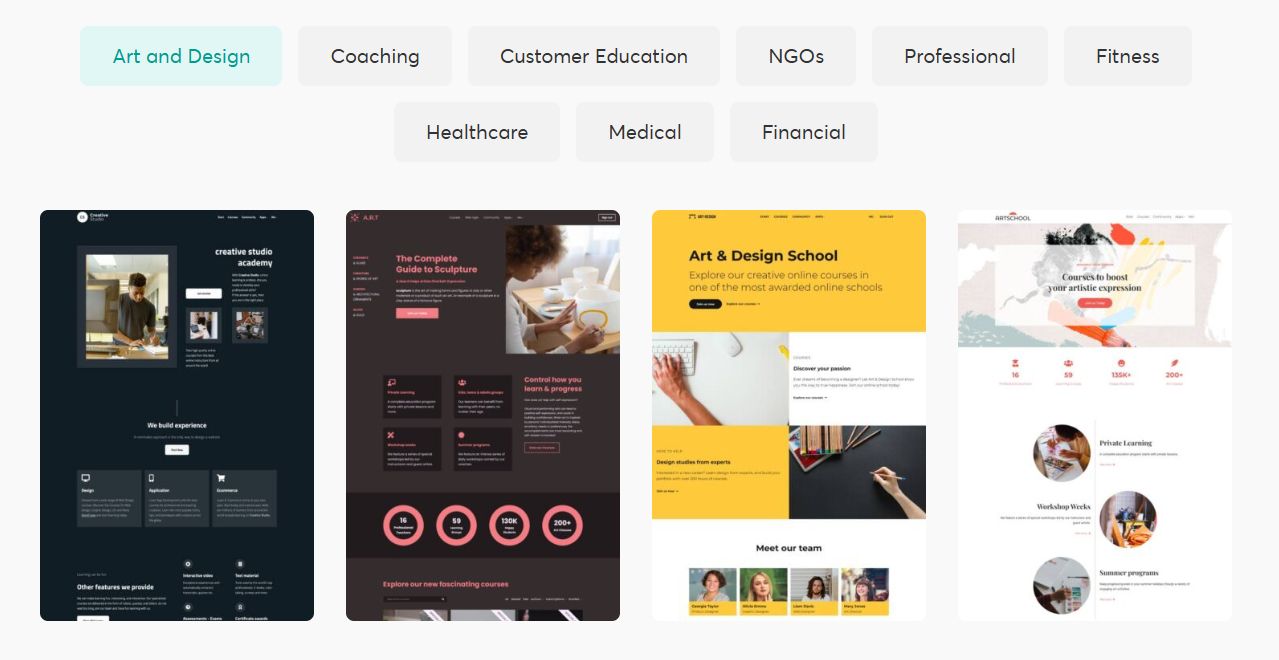
🚀 LearnWorlds’ Marketing Arsenal
LearnWorlds initially lagged in marketing, but in 2026 they’ve caught up significantly:
🧩 Sales funnel builder: Create high-converting landing pages, lead capture, and thank-you pages.
🔼 Upsells & cross-sells: Offer order bumps at checkout or recommend courses post-purchase.
🎟️ Coupons & bundles: Flexible pricing, subscriptions, and memberships.
🤝 Affiliate management: Built-in, with detailed commission settings.
📈 Lead generation: Pop-ups, sign-up forms, and email list integrations.
⚙️ Automations: Advanced user tagging and email triggers based on behaviour (purchased course X, then send email Y).
💳 Checkout: Accepts all major payment gateways, with multi-currency and local payment support.
📚 Landing page library: Professionally designed templates for webinars, free courses, etc.
In Teachable vs LearnWorlds, while Teachable’s affiliate center is slightly more mature and its checkout is famously smooth, LearnWorlds’ funnel builder and automation capabilities are now extremely competitive.
If you’re a marketing-first creator who wants to run complex affiliate programs, Teachable has a slight edge. If you want integrated marketing and learning funnels, LearnWorlds is now extremely capable.
Pricing Plans & Fees Breakdown 💳
LearnWorlds offers a tiered pricing structure designed for different stages of growth, from beginners to large-scale education businesses.
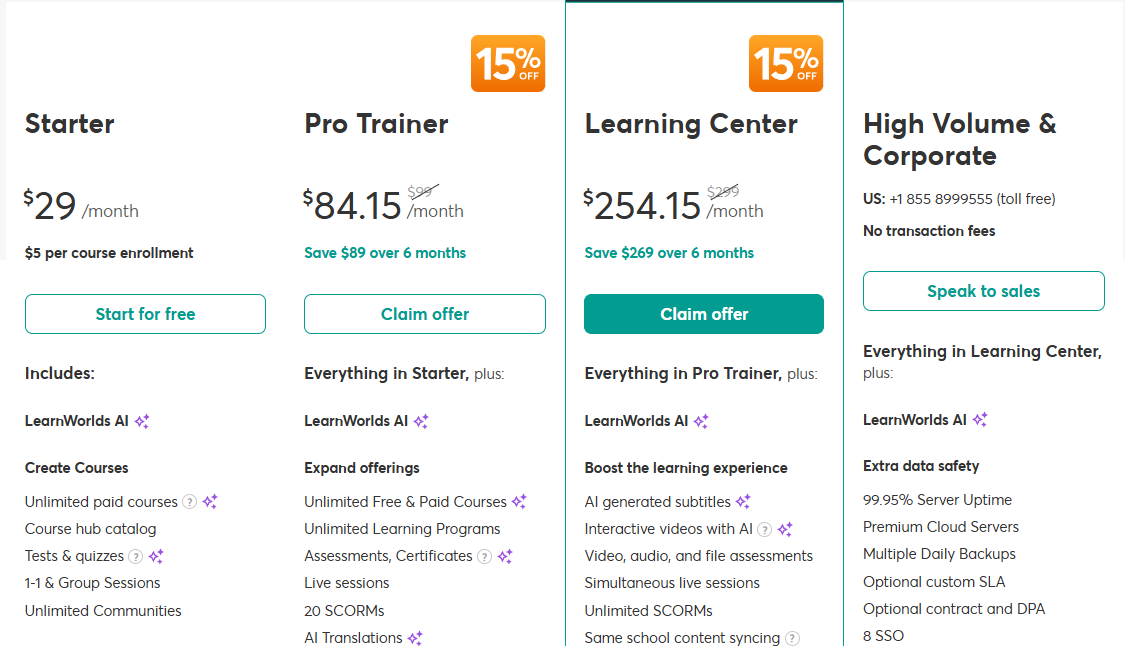
💰 LearnWorlds Pricing Plans
LearnWorlds offers a tiered pricing structure designed for different stages of growth, from beginners to large-scale education businesses.
- Starter – $29/month
Best for beginners getting started with course creation. Includes basic course building tools, quizzes, communities, and limited advanced features. Some plans include a per-course enrollment fee. - Pro Trainer – $84.15/month
Designed for growing creators. Adds advanced learning features, certificates, live sessions, SCORM support, and more flexibility for expanding course offerings. - Learning Center – $254.15/month
Built for established educators and businesses. Includes advanced AI tools, interactive video features, stronger analytics, higher scalability, and enhanced performance tools. - High Volume & Corporate (Custom Pricing)
Tailored for large institutions. Includes enterprise-level security, dedicated infrastructure, SSO, multiple backups, and premium support options.
👉 Overall, this platform is structured to scale from solo creators to enterprise-level organizations.
💳 Teachable Pricing Plans
Teachable follows a simpler and more straightforward pricing model focused on ease of entry and business growth.
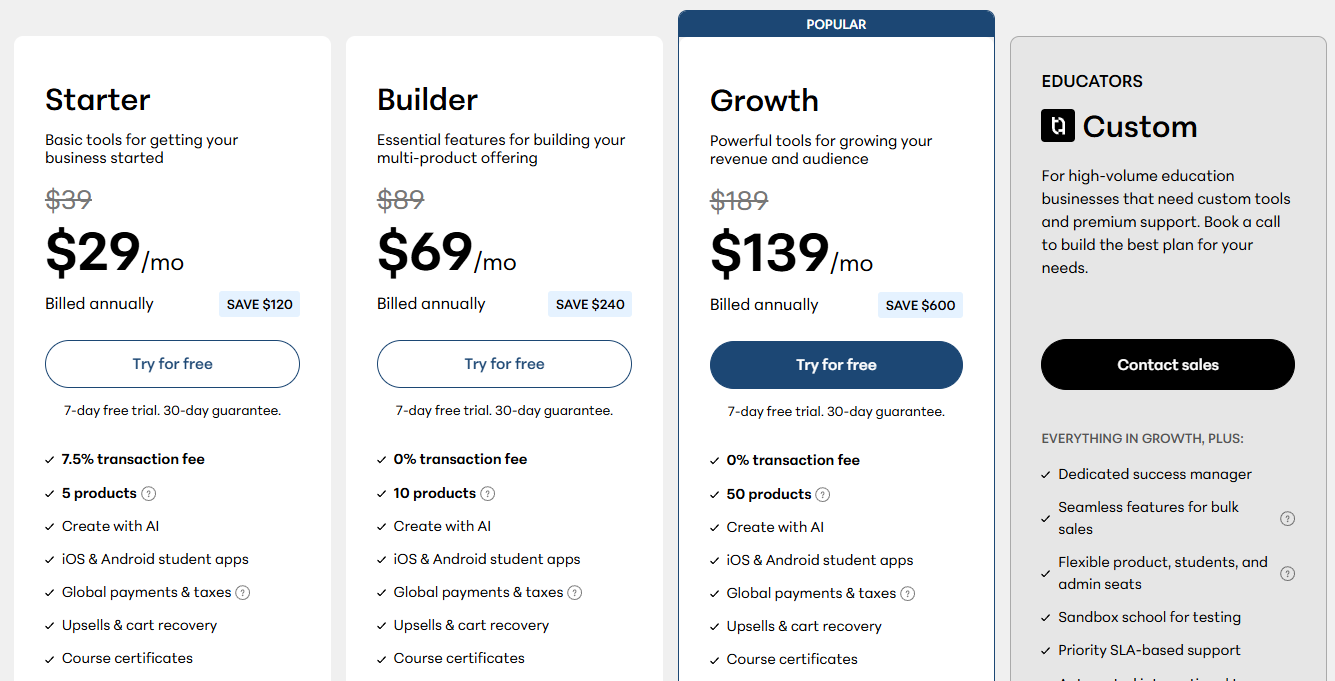
- Starter – $29/month
Entry-level plan for beginners. Includes basic course creation tools, but comes with a transaction fee (around 7.5%) and limits on number of products. - Builder – $69/month
A more advanced plan with 0% transaction fees, support for more products, email tools, affiliate programs, and improved customization features. - Growth – $139/month
Best for scaling creators. Includes higher product limits, advanced marketing tools, priority support, and stronger student engagement features. - Custom Plan (Enterprise)
Designed for high-volume creators and businesses. Includes full customization, dedicated support, and advanced scaling infrastructure.
👉 In short, Teachable is structured to help creators start quickly and upgrade as their business grows.
Pros and Cons of Teachable vs LearnWorlds
Let’s boil down Teachable vs LearnWorlds into clear strengths and weaknesses.
Teachable Pros 👍
- Extremely easy to use; fast course creation
- Proven, high-converting checkout optimized for sales
- Strong affiliate management on Pro plan
- 0% transaction fees on Pro and above
- Reliable hosting and video delivery
- AI course outline builder saves time
- Good for selling a handful of video-based courses quickly
Teachable Cons 👎
- Limited student engagement tools (no built-in community, no interactive video)
- Website customization is restrictive
- No SCORM/xAPI; not suited for corporate training
- No white-label mobile app
- Basic plan transaction fees are high
- Lacks advanced assessment and gamification
- Feels outdated for interactive learning demands
LearnWorlds Pros 👍
- Unmatched interactive learning features (interactive video, ebooks, gamification)
- Built-in social community fosters student engagement
- Extremely flexible website builder with beautiful templates
- Rich monetization options (subscriptions, bundles, digital products)
- 0% transaction fees on Pro Trainer and above
- SCORM, xAPI, and corporate academy friendly
- White-label mobile app on higher plans
- Powerful automation and lead generation tools
- Great for building a true academy, not just a course store
LearnWorlds Cons 👎
- Steeper learning curve; can be overwhelming initially
- Starter plan’s $5 per sale fee may add up
- More features than a solo creator might need
- Course marketplace functionality not as streamlined as Teachable’s
- Pricing higher for advanced features (Learning Center $299)
In Teachable vs LearnWorlds, Teachable is a reliable sales machine for simple courses. LearnWorlds is an all-in-one learning academy platform that sometimes feels like too much for a single product seller.
Ease of Use: Which Platform is More Beginner-Friendly?
When you’re starting, you don’t want to spend weeks learning a tool. You want to upload your content and launch. So, in Teachable vs LearnWorlds, who wins the easy-start battle?
Teachable has long been the king of simplicity. Sign up, name your school, and within minutes you can upload a video, set a price, and publish. The dashboard is clean and the steps for building a course are linear: sections, lessons, pricing. No tech headaches. In 2026, Teachable further streamlined its interface with an AI course outline builder that drafts your entire curriculum from a single description. For a first-time creator, Teachable feels like a warm welcome.
LearnWorlds offers much more firepower, but that comes with a steeper learning curve. The sheer number of options — interactive video, ebook builder, assessment engine, site templates — can be overwhelming. However, LearnWorlds invested heavily in onboarding in recent updates. Its guided setup wizard walks you through building your first course, and its Academy of training videos is top-notch. Once you understand its logic, LearnWorlds becomes intuitive, but it’s not the “instant publish” experience of Teachable.
Real-world example: A health coach who wants to sell a 5-video meal-prep course in a weekend will find Teachable a breeze. A corporate trainer who needs to build a 40-hour certification program with quizzes, interactive elements, and certificates will appreciate LearnWorlds’ depth, but they’ll need a few days to master the platform.
Winner for beginners: Teachable. If speed and simplicity matter most, you can’t beat its onboarding. But if you’re willing to invest a little extra time for more power, LearnWorlds rewards you handsomely.
Integrations & Third-Party Tool Support 🔗
No platform is an island. You’ll need email, analytics, CRM, and automation tools.
Teachable integrates via:
- Native email integrations (Mailchimp, ConvertKit, AWeber, etc.)
- Zapier (connects to 5000+ apps)
- Webhooks for custom integrations
- API access on Pro+ and Enterprise
- Google Analytics, Facebook Pixel, etc.
- Limited custom code
In 2026, Teachable’s integration catalog remains solid but not vast. You rely heavily on Zapier for anything beyond basic email.
LearnWorlds delivers a more robust integration suite:
- Built-in email marketing integration (Mailchimp, ActiveCampaign, Moosend, etc.)
- Advanced analytics and custom tracking codes
- Zoom, Calendly, and other webinar/calendar integrations
- Full API and Webhooks
- Zapier support
- SCORM/xAPI compatibility (critical for corporate)
- SSO (Single Sign-On) for enterprise clients
- Google Analytics, Mixpanel, and heatmaps
- Payment gateway flexibility (Stripe, PayPal, Shopify Payments, etc.)
For those who need a connected tech stack, LearnWorlds offers deeper native integrations and a more developer-friendly API. In the Teachable vs LearnWorlds integration battle, LearnWorlds edges ahead, especially if you need SCORM, SSO, or advanced automation.
Final Verdict: Which Platform Should You Choose in 2026? 🏆
So, after this exhaustive Teachable vs LearnWorlds analysis, where should you invest?
Choose Teachable if:
- You’re a solo creator selling one to five video-based courses.
- You want to get online fast with minimal learning curve.
- Your main focus is sales conversion and affiliate marketing.
- You don’t need interactive learning, community, or complex assessments.
- You’re on a tight budget and plan to upgrade to Pro quickly (avoid the Basic fees).
- You value simplicity and ease over deep engagement features.
Teachable is the perfect fit for content entrepreneurs who want to package their expertise into a product and sell it at scale. It’s still the Shopify of online courses.
Choose LearnWorlds if:
- You’re building a professional online academy or school with multiple offerings.
- Student engagement, completion rates, and interactive learning matter to you.
- You want to create a branded, fully customizable website.
- You need membership models, recurring subscriptions, or corporate training.
- You require SCORM compliance, assessments, and certification management.
- You’re planning to grow a community around your courses.
- You want a white-label mobile app for on-the-go learning.
LearnWorlds is the choice for true educators and training organizations. It will take a bit more effort to learn, but the learning experience you can deliver is light-years ahead of Teachable.
The “Teachable vs LearnWorlds” Winner for 2026?
There is no single winner — it depends entirely on your business model. But if we must choose:
For overall value, features, and future-proofing, LearnWorlds is the best online course platform in 2026. It gives you the tools to sell and teach exceptionally well. However, Teachable remains the easiest, most frictionless way to launch a course quickly. If you’re torn, ask yourself: do you want a course store or a learning academy? That answer will guide your final decision.
Must Read:-
- Airalo vs Klook eSIM: Which One is Best in 2026?
- MasterClass Review 2026: Is It Worth the Hype for Learners?
FAQs ❓
1. Which platform is better for beginners?
Both platforms are beginner-friendly, but one focuses more on simplicity and quick setup, while the other offers more advanced features that may take a little time to learn.
2. Can I sell courses without technical skills?
Yes, both platforms allow you to create and sell courses without coding or technical knowledge.
3. Which platform offers better customization?
One platform provides more advanced design and branding control, while the other keeps things simple with limited customization options.
4. Do both platforms support payment processing?
Yes, both platforms support global payments, subscriptions, and multiple monetization options depending on the plan you choose.
5. Which platform is better for scaling a course business?
The platform with advanced learning tools, automation, and deeper integrations is generally better suited for long-term scaling and business growth.

👨💻 Hi, I’m Anas Khan, a digital marketing expert with over 5 years of experience in e-commerce and affiliate marketing. I specialize in finding the best coupon codes 💸, Black Friday promotions 🛍️, and discount offers 💥 to help you save big!
I’ve dedicated myself to staying on top of the latest trends 📈 in online deals, so I can offer you the most reliable, tested advice. Whether you’re looking for promo codes or exclusive Black Friday deals, you can trust that my recommendations are based on solid research and personal expertise 🏆.