
Looking for a powerful, affordable PDF editing tool? Foxit PDF Editor is here to help! 🚀
With a user-friendly interface, advanced editing features, and budget-friendly pricing, it’s the perfect solution for individuals, businesses, and teams in 2026.
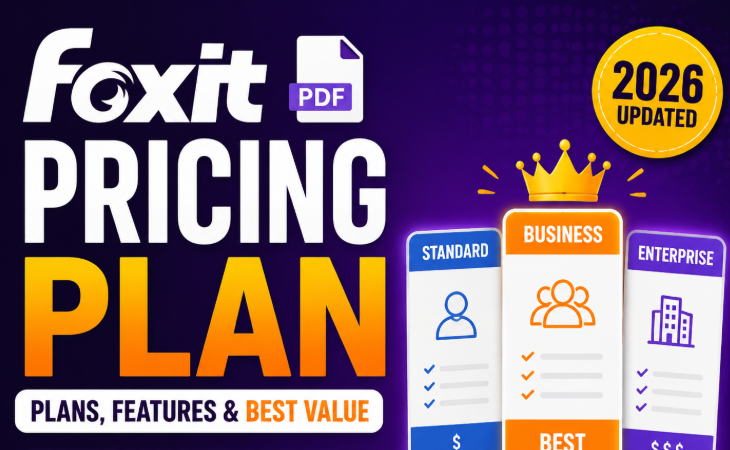
Whether you need to create, edit, or secure PDFs, Foxit offers everything you need to take your document management to the next level.
Let’s dive in and explore why Foxit might just be the best PDF editor for you! 🌟📑
1. Foxit Pricing Overview (2026) — What You Need to Know 💰🔍
When choosing the right PDF editor or eSign solution, Foxit offers a variety of pricing plans that cater to different needs.
Whether you’re a freelancer, a small business, or a large enterprise, Foxit’s pricing structure is designed to provide value while giving you access to powerful PDF tools and electronic signing capabilities.
But which plan is right for you? Let’s break down Foxit’s pricing for 2026 and give you a clear understanding of what’s included in each tier! 💡
Foxit Pricing Plans in 2026
Foxit offers a range of subscription options, each tailored to a different audience. Here’s a look at the main plans available:
- Foxit PDF Editor — Starting at $129.99/year
This plan gives you access to professional PDF editing tools for individuals and small teams. You can create, edit, merge, split, and secure PDFs, all for a reasonable price. 🖥️💼 - Foxit PDF Editor+ — Starting at $159.99/year
A step up from the standard PDF Editor, this plan includes additional features such as AI-powered tools, advanced document management, and eSigning capabilities. This is the most popular choice for users who need more flexibility and functionality. 🌟✍️ - Foxit eSign Essentials — Starting at $120/year
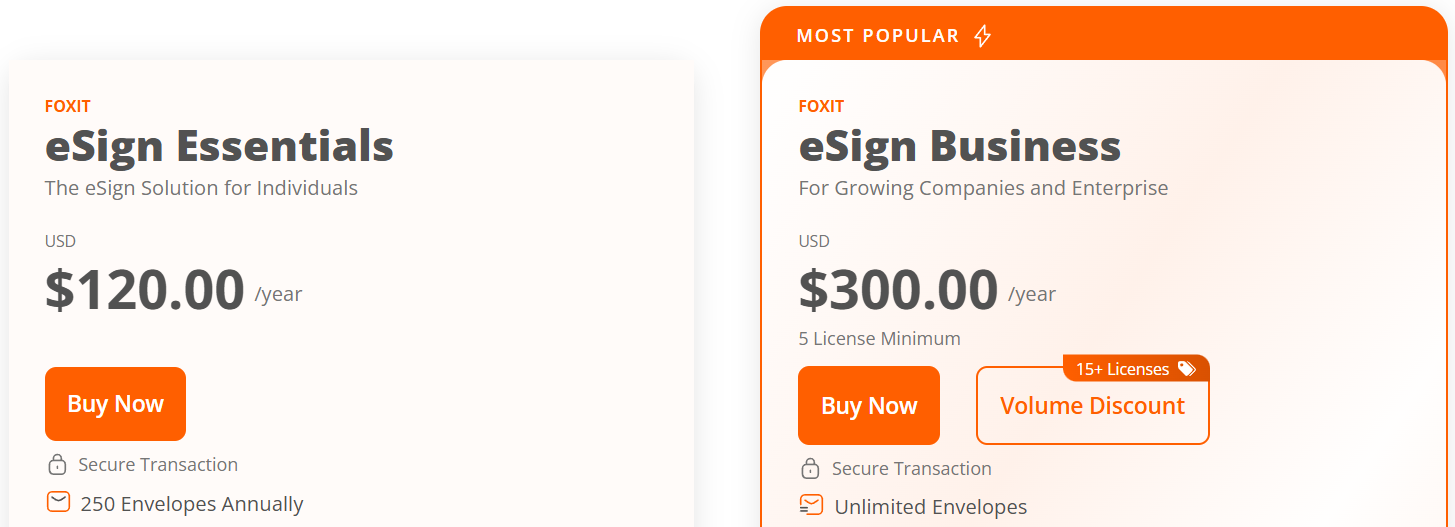
Designed for individuals or small teams, this plan offers basic electronic signature tools for signing documents, requesting signatures, and managing forms. Perfect for users who need to sign documents and collect signatures quickly. 📝✅ - Foxit eSign Business — Starting at $300/year
For growing teams or enterprises, this plan provides unlimited envelopes, advanced eSigning, and the ability to customize branding. It’s ideal for companies that need secure, legally binding signatures on a large scale. 🏢🔐
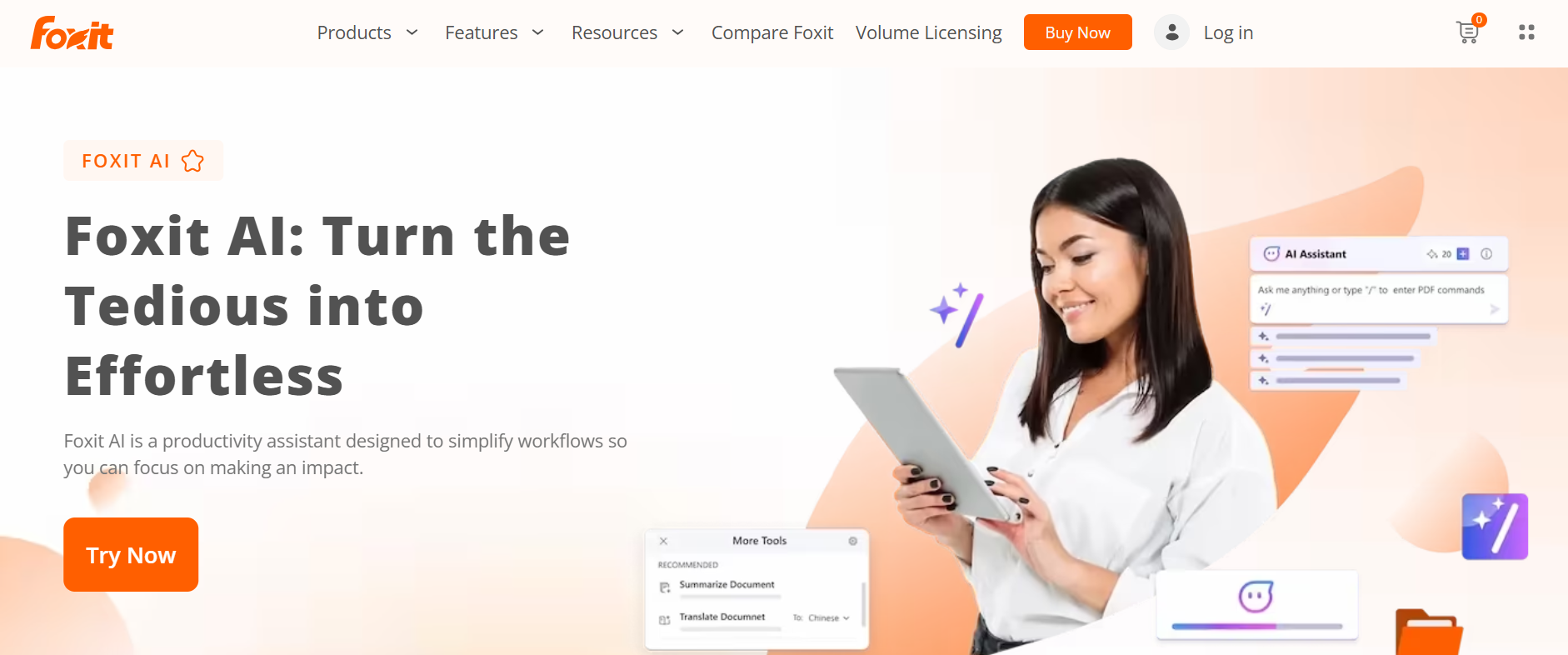
AI Assistant Add-On 🤖
If you need even more power, Foxit’s AI Assistant is available as an add-on for $49.99/year, giving you access to 2,000 AI credits per month. With this feature, you can use the AI Assistant to translate documents, generate summaries, and even automate certain editing tasks. This is a great option if you’re looking for an extra layer of intelligence in your workflow. 🧠💬
2. Foxit PDF Editor Plans — Detailed Breakdown 📑💼
Foxit offers a range of plans to meet different needs, from simple editing to full document management. Here’s a breakdown of each plan’s features and pricing:
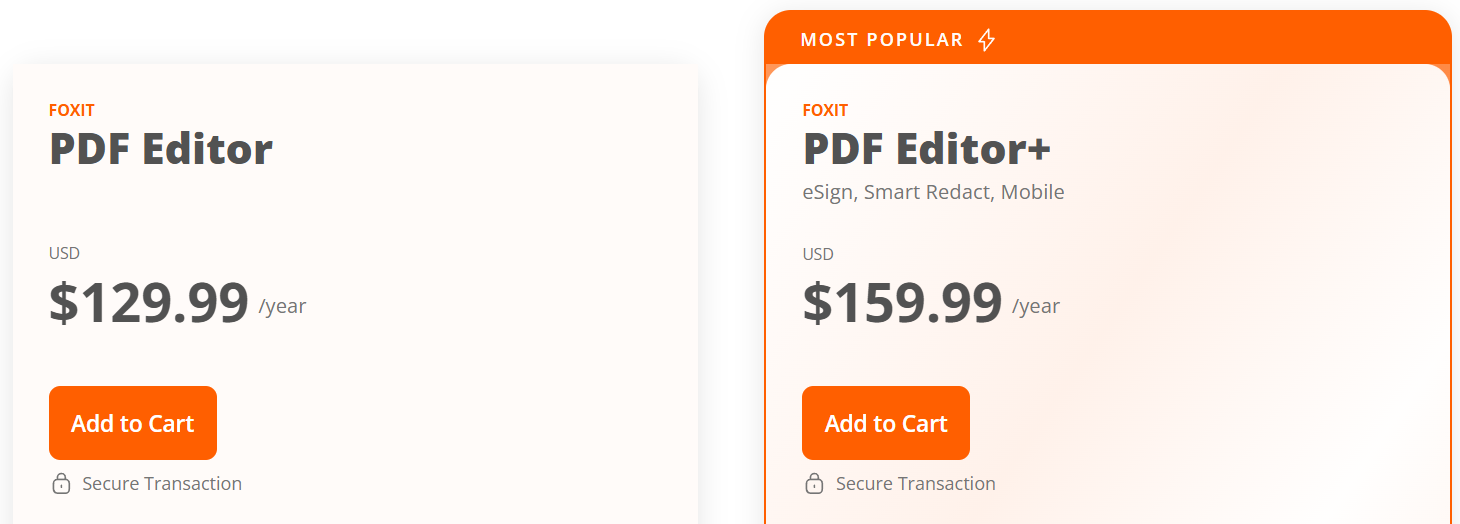
1. Foxit PDF Editor Plan 🖥️📋
$129.99/year — Perfect for individuals and small businesses that need basic PDF editing.
Key Features:
- PDF Editing & Creation: Create, edit, and modify PDFs. 🔄
- OCR: Convert scanned documents into editable text. 🔍
- File Compression: Reduce file sizes for easier sharing. 📤
- Security: Add password protection and digital signatures for security. 🔐
Best For:
- Freelancers ✍️
- Small Businesses 🏢
- Students 🎓
2. Foxit PDF Editor+ Plan 🌟📝
$159.99/year — Includes all PDF Editor features plus advanced tools. Ideal for businesses needing more functionality.
Key Features:
- AI-powered Redaction: Automate document redaction with AI. 🤖
- eSignature: Securely sign and send documents. ✍️
- Cloud Integration: Access documents from the cloud. ☁️
Best For:
- Medium-sized Businesses 🏢
- Legal Professionals ⚖️
- Content Creators 🎬
3. What’s Included in the Foxit PDF Editor Subscription? 📝
When you subscribe to Foxit PDF Editor, you get access to a comprehensive set of tools to help you create, edit, and secure PDFs easily. Here’s a breakdown of what’s included in each plan!
1. PDF Editing Tools ✍️
- Create PDFs: Convert Word, Excel, or PowerPoint documents into PDFs. 🔄
- Edit PDFs: Modify text, images, and layout. 🖋️
- Add Annotations: Highlight, comment, and add sticky notes for collaboration. 📋
- Merge & Split PDFs: Combine multiple PDFs or split large ones. 📂
2. Optical Character Recognition (OCR) 🔍
- Editable Text: Scan paper documents and convert them into editable text. 📝
- Language Support: Supports multiple languages for easier document conversion. 🌍
3. Security Features 🔐
- Password Protection: Lock your PDFs to protect sensitive info. 🔒
- Digital Signatures: Easily sign and request signatures for legal agreements. ✍️
- Redaction: Redact sensitive information for secure documents. 🛡️
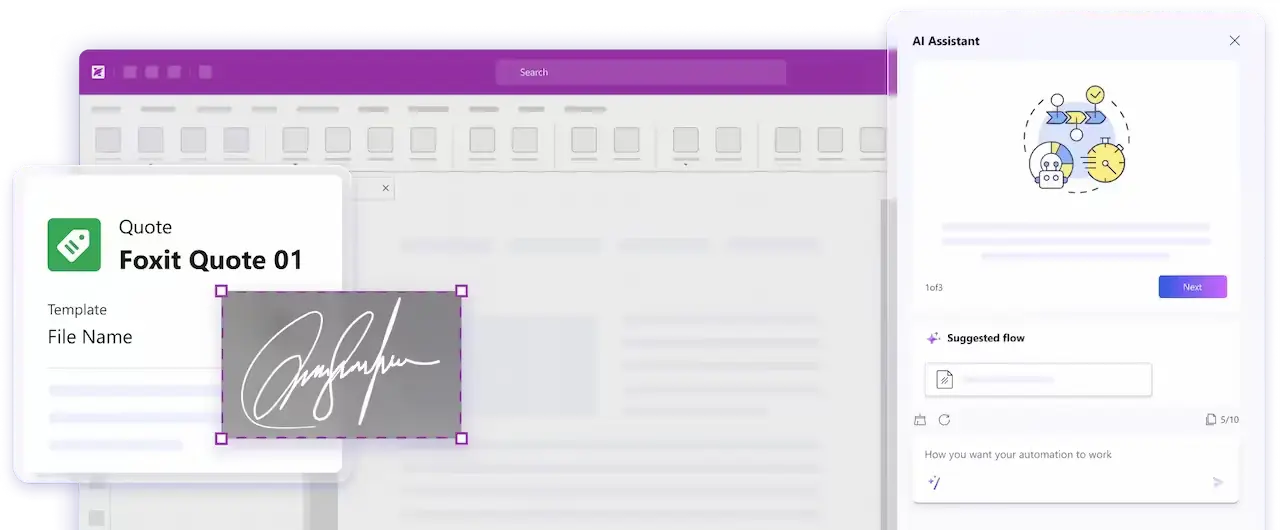
4. PDF Conversion Tools 🔄
- Convert to Word, Excel, PowerPoint: Seamlessly convert PDFs into editable formats. 🔄
- Export to Images: Export PDFs as JPG, PNG, etc. for sharing. 🖼️
5. Cloud Integration ☁️
- Sync Across Devices: Access and edit documents from any device with cloud storage. 📲
- Save to Cloud Services: Save PDFs directly to Google Drive, OneDrive, and Box. 📤
6. AI Assistant Credits (for PDF Editor+) 🤖
For PDF Editor+ users, the AI Assistant helps automate tasks like redaction and document summarization.
Language Translation: Translate documents into your preferred language. 🌐
Smart Redaction: Automatically redact sensitive information. 🔒
Document Summarization: Summarize long documents quickly. 📑
4. Foxit eSign Pricing: Essentials vs Business Plans ✍️📑
Foxit eSign offers secure and affordable e-signature solutions for freelancers, small businesses, and enterprises. Here’s a breakdown of the two plans Essentials and Business and which one might be best for you in 2026. 💼📈
A. Foxit eSign Essentials Plan 📑💻
$120/year — Ideal for individuals or small teams needing basic e-signature features.
Key Features:
- Send & Sign: Send and sign documents securely. 📄🖊️
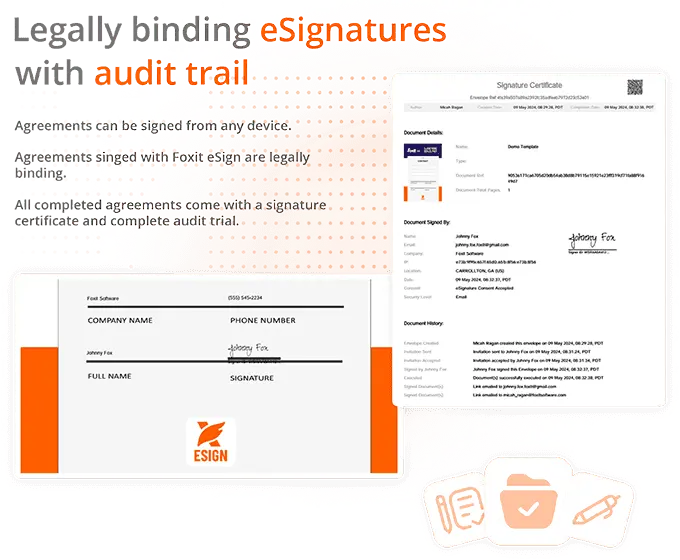
- Audit Trails: Track signatures for compliance. 📜
- Cloud Integration: Store signed documents in the cloud. ☁️
- Basic Authentication: Email-based verification for secure signing. 📧
Best For:
- Freelancers 🧑💻 needing a simple, secure way to sign and send documents.
- Small businesses 🏢 needing basic e-signatures for contracts.
- Real estate agents & contractors 🏠 frequently using e-signatures.
B. Foxit eSign Business Plan 🏢💼
$300/year — Best for larger teams or enterprises needing unlimited envelopes and advanced features.
Key Features:
- Unlimited Envelopes: Send unlimited documents for signing. 📬
- Custom Branding: Add your logo and colors to documents. 🖌️
- Advanced Authentication: SMS, ID, or knowledge-based verification for security. 🔒
- API Access: Integrate eSigning into your own workflows. 🔧
- Compliance Features: Advanced auditing and GDPR compliance. 📜
Best For:
- Large businesses 🏢 needing bulk document management and custom branding.
- Corporate teams 👥 requiring advanced authentication.
- Legal & finance teams ⚖️ with high-volume signing needs.
Why Choose Foxit eSign? 🤔
- Affordable Pricing 💰: More cost-effective than solutions like DocuSign.
- Simple & Advanced Options 📑: Plans for both individuals and teams.
- Security & Compliance ✅🔒: Legally binding signatures with secure, compliant solutions.
Which Plan Is Right for You? 🤷♂️
- Essentials Plan: Ideal for freelancers, contractors, and small businesses needing basic signing features.
- Business Plan: Best for larger teams or enterprises requiring high-volume signing, branding, and API integration.
5. 🤖 What Is the Foxit AI Assistant?
The Foxit AI Assistant is an add‑on that uses artificial intelligence to automate tasks like summarizing content, rewriting text, translating documents, and smart redaction. It saves you time by doing the heavy lifting for tasks that usually require manual effort. ⚙️✨
💳 How AI Credits Work
What Are AI Credits?
AI tasks on Foxit are pay‑as‑you‑use, where each action consumes AI credits (like tokens). More complex tasks require more credits.
Common tasks that use AI credits:
- Document Summarization: Summarize long PDFs 📄➡️📰
- Smart Redaction: Automatically remove sensitive information 🛡️
- Text Translation: Translate documents 🌍
- Text Rewriting/Editing: Improve clarity, style, or tone ✍️
💰 AI Assistant Pricing (2026)
Standard AI Add‑On:
$49.99/year
- 2,000 AI credits/month
- Refreshes monthly, giving you up to 24,000 credits/year
🤔 When Do You Need More Credits?
If you’re a power user (legal professionals, writers, or businesses), you may need more than 2,000 credits. You can purchase additional credits as needed, paying only for what you use.
📊 Example Usage (How Credits Add Up)
| Task Type | Estimated Credits |
|---|---|
| Summarize a 5-page PDF | ~150 credits 📄 |
| Translate a document | ~300 credits 🔁 |
| Smart redact multiple IDs | ~400 credits 🔒 |
| Rewrite text section | ~100 credits ✍️ |
Pro Tip: Short tasks like summaries or minor edits use fewer credits, while larger tasks like multi-page summaries or batch redaction consume more.
6. Foxit Perpetual License vs Subscription Model 💳🆚
When it comes to Foxit PDF Editor, you have two main pricing options: the perpetual license (one-time purchase) and the annual subscription model. Both come with their own set of benefits and considerations, so it’s important to choose the best option based on your needs.
1. Perpetual License (One-Time Purchase) 💰
With a perpetual license, you pay a one-time fee and own the software forever. This option is great if you don’t want to worry about recurring fees and prefer to make a single payment for long-term use.
- Cost: Pay once (around $249) and get lifetime access.
- Updates: You get minor updates (like bug fixes and patches) but would need to purchase major upgrades (like new features or versions) separately.
- Best For: Users who need a one-time payment option and don’t mind missing out on ongoing updates.
2. Subscription Model (Annual) 💳📅
The annual subscription gives you access to regular updates, new features, and customer support for the duration of the year. It’s great for frequent upgraders and businesses that need consistent access to the latest tools.
- Cost: $129.99/year for individuals.
- Updates: Get regular updates (including new features and enhancements) throughout the subscription period.
- Best For: Users who want access to new features and regular updates without paying for major upgrades separately.
Pros & Cons 🌟⚖️
| Pros of Perpetual License 💼 | Pros of Subscription 📅 |
|---|---|
| 💸 One-time payment – No recurring costs. | 🔄 Regular updates – Always access the latest features. |
| 📂 No need to worry about renewals. | 📞 Customer support and features throughout the year. |
| 🛠️ Full ownership of the software. | 💼 Ideal for businesses that need constant upgrades and new tools. |
| Cons of Perpetual License ❌ | Cons of Subscription 💸 |
|---|---|
| 💡 Higher initial cost. | 💳 Annual renewal cost — ongoing payments. |
| 🛠️ Need to purchase major updates separately. | 🚫 No ownership of the software after the subscription ends. |
| ⏳ Limited future upgrades unless paid for. | 💼 Subscription may not suit smaller users who prefer a one-time cost. |
Which One is Best for You? 🤔
- Perpetual License: Great for individuals or small businesses that want one-time payment and don’t need frequent updates.
- Subscription Model: Best for those who need regular updates, customer support, and new features every year, especially businesses with larger teams.
7. Volume Discounts for Foxit — How to Save on Bulk Purchases 📉
If you’re purchasing Foxit PDF Editor for a large team or enterprise, Foxit offers volume discounts that can help you save big on bulk licenses. Whether you’re buying 10 or 100+ licenses, Foxit offers discounts based on the number of users.
How Volume Discounts Work 💼
Foxit provides tiered pricing based on the number of licenses you purchase. The more licenses you buy, the lower the price per user becomes, making it more cost-effective for larger teams or businesses.
- Small teams (1‑10 users) can still save a little with basic bulk rates.
- Medium to large teams (10‑100 users) can enjoy significant savings on each license, especially with enterprise-level solutions.
- Enterprise solutions (100+ users) come with customized pricing for even deeper discounts and personalized service.
How to Maximize Volume Discounts 📊
- Contact Foxit Sales: For large volume purchases, it’s best to contact Foxit’s sales team for custom quotes and the most competitive rates.
- Renew in Bulk: Consider buying multi-year licenses for additional savings.
- Check for Special Offers: Keep an eye on seasonal discounts or promotions that might apply to bulk purchases.
Why It’s Beneficial 💡
Volume discounts make Foxit PDF Editor an affordable solution for businesses, educators, and teams. By purchasing in bulk, you can get enterprise-grade tools at a lower cost while still enjoying the flexibility and feature set of Foxit PDF Editor.
8. Hidden Costs and Additional Fees to Consider 💸
While Foxit PDF Editor and Foxit eSign offer affordable pricing, there are some additional costs you should be aware of before purchasing. These fees can impact the total cost of using Foxit for your business or personal use. Let’s break down the potential hidden costs. 🧐
1. Upgrade Assurance Costs 💳
If you choose the perpetual license, you’ll likely need to purchase major version upgrades (for example, from PDF Editor 2025 to 2026). Foxit offers Upgrade Assurance as an add-on, which allows you to get free updates for the year. However, if you don’t purchase this, you’ll have to pay for each major upgrade.
- Upgrade Assurance can cost around $50‑$100/year, depending on the plan.
2. AI Assistant Credits 🤖
For those using the AI Assistant add‑on, additional AI credits can be purchased if you exceed the 2,000 credits per month included in your subscription.
- Extra credits cost around $10 per 500 credits. So if you’re running a high-volume workflow, this can add up. 💳
3. Support Fees 📞
Basic customer support is included in all plans, but if you require premium support (like priority support or extended hours), Foxit offers paid support packages for businesses.
- Premium Support can range from $100‑$500/year, depending on the level of service.
4. Cloud Storage Fees ☁️
Some plans, especially with cloud integration, may incur extra costs for cloud storage if you exceed the storage limit provided.
Additional cloud storage can cost around $20‑$50/month, depending on the amount of data you need to store.
9. Foxit Pricing vs Adobe Acrobat: Which One Saves You More? 🔄
Here’s a direct comparison between Foxit PDF Editor and Adobe Acrobat, highlighting key pricing differences and the value offered at each pricing tier. This will help you decide which tool provides better value for money in 2026.
| Feature | Foxit PDF Editor 🎯 | Adobe Acrobat 🎬 |
|---|---|---|
| Pricing | $129.99/year for PDF Editor | $179.88/year for Standard |
| Annual Subscription | More affordable than Adobe Acrobat | Higher subscription cost |
| Key Features | PDF Editing, OCR, eSigning, Cloud Access | PDF Editing, Cloud Storage, eSigning |
| Free Trial | 30-day trial available | 7-day trial available |
| Best for | Small businesses and freelancers | Large enterprises and power users |
| Support | Email support, Live chat (paid) | 24/7 support, Phone support (paid) |
| Customization | Basic customization | Advanced customization for businesses |
| Additional Costs | AI credits, Premium Support (optional) | Cloud storage and premium features (optional) |
Key Takeaways 📝:
Adobe Acrobat offers advanced tools and 24/7 support, but at a higher price point, which may suit large enterprises or power users better. 🏢
Foxit PDF Editor is more affordable with a similar range of features, making it a great choice for small businesses and individuals. 💰
10. Conclusion — Is Foxit Worth It in 2026? ✅💼
In 2026, Foxit PDF Editor stands out as an affordable, feature-packed solution for anyone looking to edit and secure PDFs with ease.
Whether you’re an individual, small business, or enterprise, Foxit offers flexible pricing plans that cater to a wide range of needs.
The advanced features, AI Assistant add-ons, and e-signing capabilities make it a great choice for professionals who want an all-in-one solution without breaking the bank. 🏢💡
However, if you’re looking for the most advanced PDF editing features, especially for large teams or enterprises, you might prefer Adobe Acrobat for its higher price point and enterprise-level tools.
But for most users, Foxit provides a perfect balance of affordability and functionality. 🌟
Related Articles :-
FAQs ❓
1. Does Foxit offer a free trial?
Yes, Foxit offers a 30-day free trial for all premium plans including PDF Editor and eSign Essentials. 🎉
2. Can I use Foxit PDF Editor on multiple devices?
Yes, you can use Foxit PDF Editor on multiple devices, as long as you log in with the same account or use cloud storage for access. ☁️
3. Is Foxit PDF Editor cheaper than Adobe Acrobat?
Yes, Foxit PDF Editor is more affordable compared to Adobe Acrobat, with pricing starting at $129.99/year. 💵
4. What’s the difference between Foxit PDF Editor and Foxit PDF Editor+?
Foxit PDF Editor+ includes AI-powered tools, advanced document management, and eSigning capabilities for $159.99/year, while the standard PDF Editor plan offers basic editing tools for $129.99/year. 🧑💼
5. Does Foxit offer volume discounts for businesses?
Yes, Foxit provides volume discounts for larger teams or enterprises, allowing you to save when purchasing multiple licenses. 📉

👨💻 Hi, I’m Anas Khan, a digital marketing expert with over 5 years of experience in e-commerce and affiliate marketing. I specialize in finding the best coupon codes 💸, Black Friday promotions 🛍️, and discount offers 💥 to help you save big!
I’ve dedicated myself to staying on top of the latest trends 📈 in online deals, so I can offer you the most reliable, tested advice. Whether you’re looking for promo codes or exclusive Black Friday deals, you can trust that my recommendations are based on solid research and personal expertise 🏆.