Let’s be honest for a moment. 🤝
You’re tired of printing documents, signing them by hand, scanning them back, and then emailing them again. It’s 2026 why are we still doing this? 🖨️➡️✍️➡️📧
Whether you’re closing a six-figure deal, onboarding a new employee, or just getting a simple NDA signed, waiting for paper signatures feels like watching paint dry. 🎨

That’s where DocuSign comes in. You’ve heard the name. Everyone has. But is it still the best choice in 2026? Or are there better, cheaper, or simpler options out there?
In this DocuSign review 2026, I’ll walk you through everything: features, pricing, real-world pros and cons, and the best alternatives. No jargon. No fluff. Just practical advice to help you decide. ✅
Overview of DocuSign and Its Role in the eSignature Industry 📝
DocuSign isn’t just another eSignature tool it’s the one that made “eSignature” a household name. 🏠
Think of it like this: If eSignatures were sneakers, DocuSign would be Nike. It’s everywhere. From freelancers sending their first contract to Fortune 500 companies managing thousands of agreements, DocuSign has become the default choice for secure eSignatures .
Who uses DocuSign? Pretty much everyone:
- 🏢 Real estate agents closing home purchases
- ⚖️ Law firms sending client agreements
- 💼 HR teams onboarding new hires remotely
- 🛒 E-commerce businesses getting vendor contracts signed
- 🏦 Banks and financial institutions managing loan documents
The platform handles over 1 billion signatures annually across 180+ countries. That’s not hype—that’s scale. 🌍
But here’s the question this review will answer: Is DocuSign still worth it for your specific business in 2026? Let’s find out. 🔍
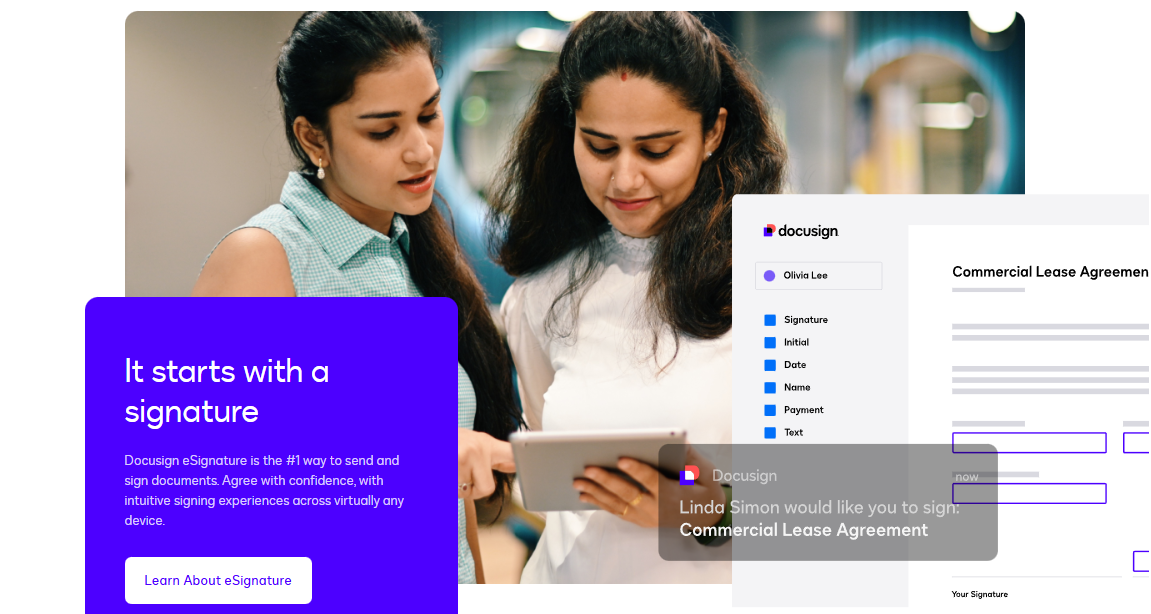
How DocuSign Works (Features & Process) ⚙️
Using DocuSign is straightforward and intuitive. Here’s a step-by-step guide to understanding how the platform works:
1. Creating an Account: Sign up for a free account or select a paid plan based on your needs. Once you’re in, it’s time to upload your first document!
2. Uploading Documents 📄: Upload documents in various formats like PDF or Word, or even import directly from cloud storage services like Google Drive or Dropbox.
3. Sending Documents to Signers 📧: Simply add the email addresses of the people you want to sign. DocuSign allows you to specify where the signature, date, or other details should be placed.
4. Tracking Signatures 👀: Stay updated on who has signed and who hasn’t with DocuSign’s real-time tracking features.
5. Completion & Document Storage 🔒: Once all parties have signed, DocuSign generates a final signed document and stores it securely in the cloud for future access.
DocuSign’s user-friendly interface and workflow automation make document signing a breeze, saving both time and money.
Key Features of DocuSign eSignature 🔑
Let’s break down the features that actually matter. Not the marketing fluff. The real stuff. 💪
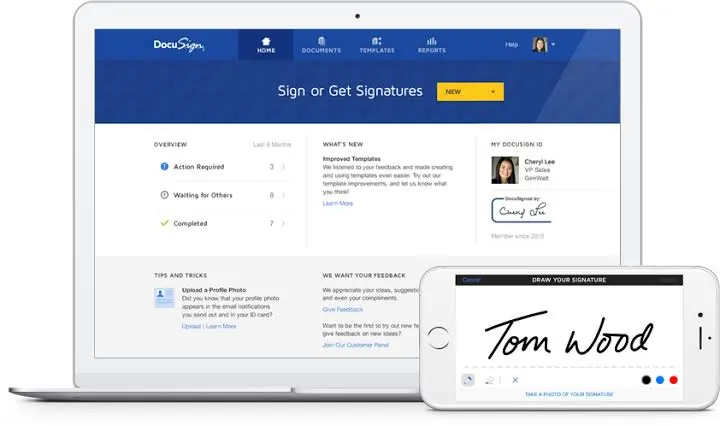
1. eSignature (The Core) ✍️
This is what DocuSign is famous for. Legally binding, court-admissible signatures under the ESIGN Act (US) and eIDAS (EU). Each signature is encrypted and comes with a tamper-proof audit trail .
Real-world use: A real estate agent sends a purchase agreement to a buyer at 9 PM. Buyer signs from their phone by 9:15 PM. Deal closed the next morning. 🏠
2. Template Creation & Management 📋
Create templates for documents you send often—NDAs, offer letters, invoices, etc. Saves hours of manual setup.
Example: A consulting firm sends the same SOW (Statement of Work) to 50 different clients. Templates cut their prep time from 10 minutes to 30 seconds. ⏱️
3. Mobile App for On-the-Go Signing 📱
Sign documents anywhere, anytime. The app supports fingerprint and face ID for security. Available on iOS and Android.
Real-world use: A sales rep is at an airport. Client needs a contract signed before 5 PM. Rep opens DocuSign on their phone, signs in 20 seconds, and saves the deal. ✈️
4. Integrations with Apps You Already Use 🔌
DocuSign connects with over 400+ tools :
- Salesforce – Sign contracts without leaving your CRM
- Microsoft 365 – Send from Word, Outlook, or Teams
- Google Drive, Dropbox, Box – Pull documents directly from cloud storage
- Stripe, PayPal – Collect payments during signing
- Zapier – Connect to thousands of other apps
5. Audit Trail & Security Features 🔒
Every document gets a complete audit trail showing:
- Who signed
- When they signed
- IP address
- Device type
- Any changes made
This is what makes DocuSign signatures legally binding and court-admissible .
6. Multi-Language Support 🌐
DocuSign supports 44+ languages for the signing experience. You can also customize the email templates in different languages.
Perfect for: International businesses, remote teams, or clients who speak Spanish, French, German, Chinese, etc.
7. Payment Collection (Business Pro & Above) 💳
Collect payments directly inside the signing workflow. Integrates with Stripe, Braintree, and Authorize.net.
Example: A freelance designer sends an invoice + contract together. Client signs and pays in one go. No chasing payments later. 💰
8. Bulk Send (Business Pro & Above) 📤
Send the same document to hundreds of recipients at once. Each gets their own personalized envelope.
Real-world use: A university sends enrollment forms to 2,000 incoming students. Bulk send does it in 5 minutes instead of 20 hours. 🎓
💰 DocuSign Pricing Plans (2026)
The pricing for DocuSign is structured in tiers depending on how many users you have and what features you need. Each plan builds on the one before it, adding more advanced tools.
DocuSign’s 2026 pricing is designed to grow with your business, moving from simple document signing for individuals to complex, automated agreement workflows for enterprises.
Here is a clear breakdown of the plans based on the latest tier structure:
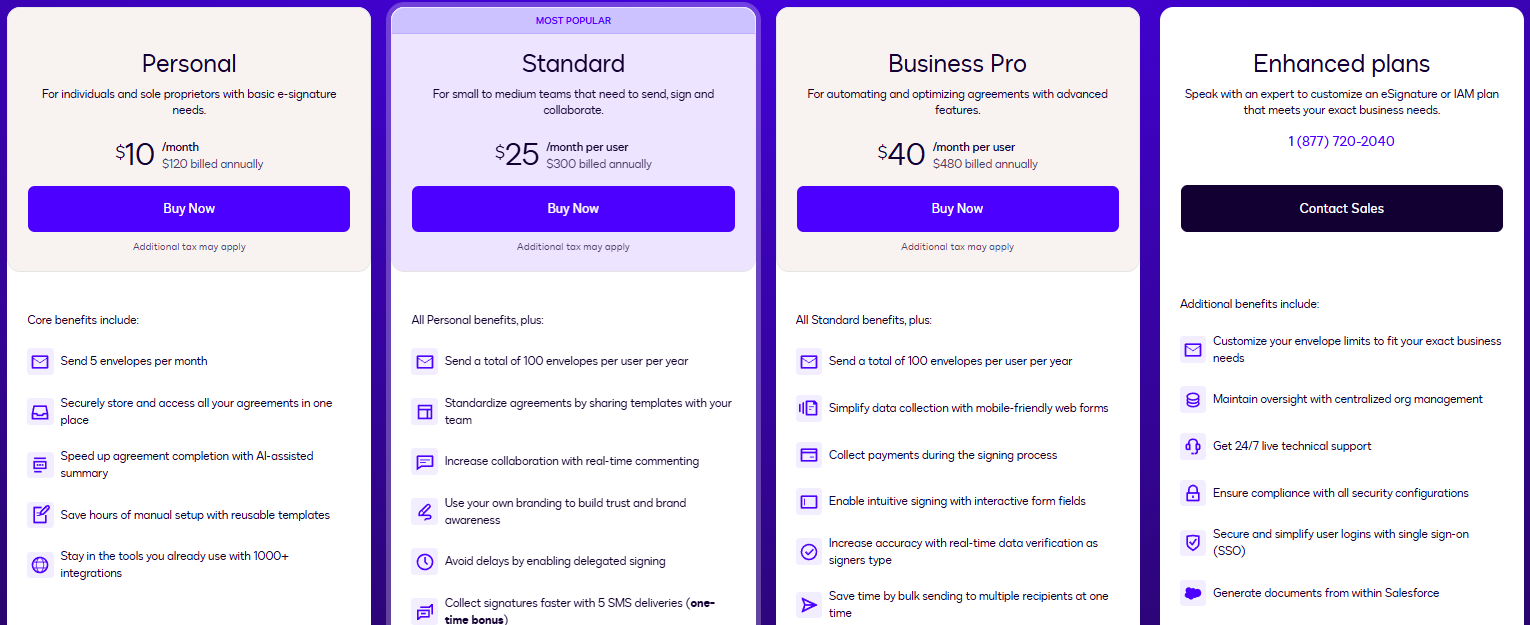
1. Personal Plan
- Best For: Individuals, freelancers, or sole proprietors with light, predictable signing needs.
- The Cost: $10/month (billed annually as $120).
- Why Choose This: You get the core “send and sign” functionality without paying for team features you don’t need.
- Key Constraint: It is capped at 5 envelopes per month. If you send more than 60 documents a year, you will quickly hit this limit.
2. Standard Plan (Most Popular)
- Best For: Small to medium-sized teams that need to collaborate on documents.
- The Cost: $25/month per user (billed annually as $300/user).
- Why Choose This: This is the “sweet spot” for most small businesses. It enables team collaboration, allowing you to share templates so everyone is using the same professional document formats. It also includes real-time commenting and delegated signing.
- Key Constraint: You get 100 envelopes per user per year. This works out to about 8 documents per month, per user.
3. Business Pro Plan
- Best For: Teams that need to move beyond simple signatures into “transactional” agreements where you need to collect data or money.
- The Cost: $40/month per user (billed annually as $480/user).
- Why Choose This: This plan is all about automation and efficiency.
- Collect Payments: You can collect fees (like deposits or retainers) directly within the signing process.
- Interactive Forms: Use mobile-friendly web forms to collect data, which then populates your documents.
- Bulk Send: Ideal if you need to send one document to hundreds of recipients at once.
- Real-time Data Verification: Reduces errors by checking data as the signer types it in.
4. Enhanced Plans
- Best For: Large organizations, enterprises, or highly regulated industries (like Finance or Healthcare) with complex, high-volume needs.
- The Cost: Custom pricing (Requires contacting sales).
- Why Choose This: You need enterprise-grade governance, such as Single Sign-On (SSO) for security, advanced organization management, and 24/7 dedicated live support. It also offers deeper integrations (like generating documents directly from inside Salesforce).
DocuSign Pros & Cons
Pros ✅
- Industry Acceptance: Sending a document via DocuSign is recognized by clients everywhere. It carries a level of professional trust that smaller competitors often lack.
- Integration Ecosystem: If you use major CRM or ERP systems, DocuSign’s integration library is unmatched.
- Robust Security: Compliance with global standards (SOC 2, ISO 27001, etc.) makes it a safe choice for highly regulated industries.
- Scalability: Whether you are a team of 2 or 2,000, the platform grows with you.
Cons ❌
- High Cost: For small businesses with low volume, DocuSign can be expensive compared to newer, leaner competitors.
- Complexity: The sheer volume of features can sometimes feel overwhelming for users who simply need a one-off signature.
- Support Speed: Some users report that getting dedicated human support can be slow unless you are on a high-tier enterprise plan.
Must Read:- What is digital transformation?
DocuSign vs Alternatives (Quick Comparison)
When choosing secure eSignatures, it helps to know how DocuSign stacks up against the competition:
1️⃣ Adobe Acrobat Sign: A strong rival, especially if your business is already deep in the Adobe Creative Cloud or Microsoft ecosystem. It excels at PDF-centric workflows.
2️⃣ PandaDoc: Better for sales-focused teams. It combines eSignatures with proposal management and payment collection, making it a “document generation” powerhouse.
3️⃣ Dropbox Sign (formerly HelloSign): Often cited as the most user-friendly and affordable alternative for SMBs. It is straightforward and integrates deeply with the Dropbox ecosystem.
4️⃣ Zoho Sign: An excellent choice for businesses already using the Zoho suite, offering strong value at a lower price point.
Who Should Use DocuSign? (Best Use Cases) 👥
DocuSign is an ideal choice for businesses that deal with a lot of paperwork and need to sign documents securely and efficiently. Here are the best use cases for DocuSign:
1. Businesses that need to handle legal documents, contracts, and agreements regularly 📜
DocuSign is perfect for businesses that need to sign legal documents frequently. Whether you’re in real estate, law, or finance, DocuSign makes managing contracts, NDAs, and other agreements simple and efficient.
2. Teams working across multiple locations (for remote signatures) 🌍
If your team works in different offices, or if you have remote employees or clients, DocuSign allows for remote signatures anytime, anywhere. No more waiting for physical documents to be signed and returned. It’s a game-changer for businesses with distributed teams.
3. Enterprise-level businesses needing high security and compliance 🔒
DocuSign offers enterprise-grade security and compliance, making it a top choice for large businesses that need to handle sensitive data. The platform meets global security standards, ensuring your documents are safe from unauthorized access.
4. Industries like real estate, legal, and finance 🏢
These industries deal with high volumes of documents that need to be signed by multiple parties. DocuSign provides the security, scalability, and compliance necessary for such regulated industries.
DocuSign Security & Compliance 🔐
Security is a top priority for DocuSign, and the platform offers a range of features to ensure your documents are safe and compliant with global regulations.
1. Data Encryption 🔒
DocuSign uses bank-level encryption to protect your documents. All your data, including personal and financial details, is encrypted to ensure that it cannot be accessed by unauthorized parties.
2. Audit Trail 📑
DocuSign keeps a detailed audit trail of all actions taken on your documents. You’ll know exactly when a document was viewed, signed, and by whom. This transparency ensures accountability and helps prevent fraud.
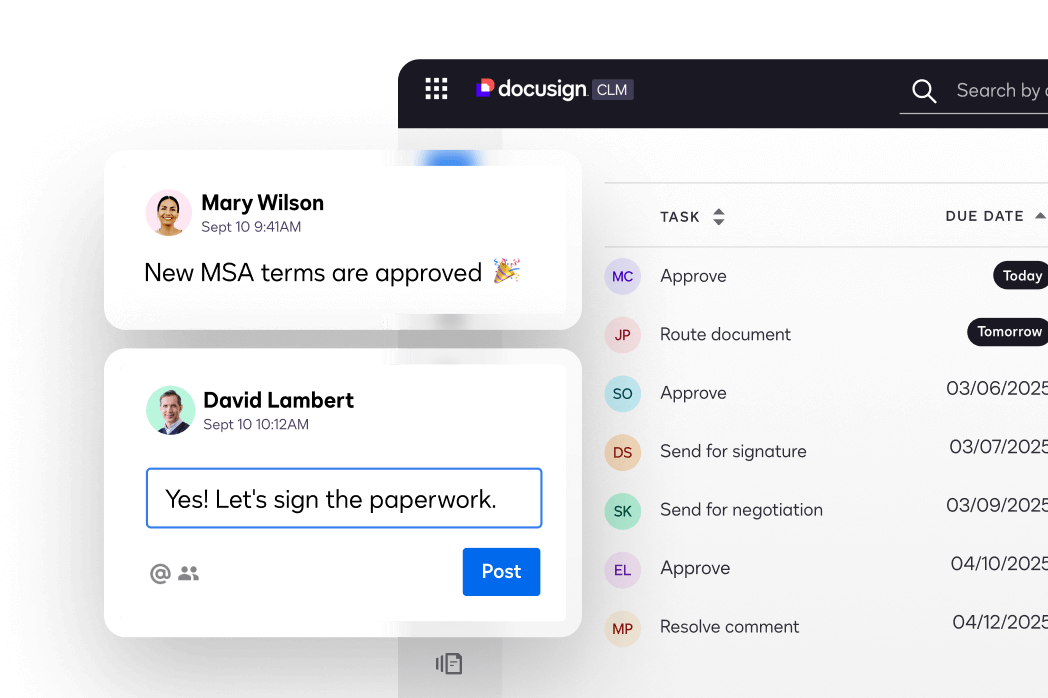
3. Authentication Options (SMS, email) 📧
To ensure identity verification, DocuSign offers multiple authentication methods, including SMS or email verification. This is particularly useful for industries that require high levels of security (like legal and financial services).
4. Compliance with Global Standards 🌐
DocuSign complies with major global standards, ensuring that your documents are legally binding and secure no matter where you are:
- ESIGN Act (U.S.) 🇺🇸 , eIDAS (EU) 🇪🇺 , SOC 2 and ISO 27001 certifications
These standards make DocuSign an excellent choice for businesses operating in regulated environments like healthcare, finance, and legal sectors, where compliance is crucial.
🚀 Final Thoughts
DocuSign continues to lead the eSignature market in 2026. With industry-leading security, strong integrations, and a focus on compliance, it’s the go-to choice for enterprises and businesses that need reliable, legally binding signatures.
But if you don’t need all the advanced features and security options, there are more affordable and simpler options available.
👉 Is DocuSign worth it?
Absolutely, if you need enterprise-level security, compliance, and scalability.
If you want simple, affordable eSignature tools, consider alternatives that offer the basics you need to get started. 📝
Must Read:-
- Payoneer Review 2026: Is Payoneer Secured And Trusted?
- Sage 50 Review 2026: Is It the Best Accounting Software?
Frequently Asked Questions (FAQs) ❓
1. Is DocuSign legally binding?
Yes! DocuSign eSignatures are legally binding and hold the same legal weight as traditional handwritten signatures under major laws like the ESIGN Act (U.S.) and eIDAS (EU). ⚖️
2. Is DocuSign secure for my business data?
Absolutely. DocuSign uses enterprise-grade encryption, multi-factor authentication, and tamper-evident technology to ensure your documents remain secure and private. 🛡️
3. What industries can use DocuSign?
It is used across all industries, especially in Real Estate, Finance, Healthcare, Legal, and HR, where secure, auditable, and compliant document workflows are essential. 🏢
4. Can I use DocuSign for free?
You can sign documents for free, and there is a basic account for occasional use. However, advanced business features like team templates, bulk sending, and integrations require a paid subscription. 🆓
5. What happens if the signer doesn’t sign?
You can track the status in real-time on your dashboard and set up automatic email reminders to nudge the signer until they complete the document. 📩

Chris Fryer is a seasoned leader in the logistics and supply chain industry, known for his pioneering work in integrating blockchain and AI into global supply chain solutions. With more than 15 years of experience, Chris has played a key role in transforming freight tracking, delivery processes, and overall supply chain efficiency.
His expertise lies in leveraging cutting-edge technologies to drive innovation and sustainability within the logistics sector. Through his vision, he has helped shape a future where smarter, more transparent systems enhance supply chain management across industries worldwide. Chris remains dedicated to advancing the future of logistics through continuous technological advancements.