
Looking for a CRM that actually boosts sales, streamlines your workflows, and keeps your team fully aligned? Look no further than Close CRM! 🧠
Whether you’re a startup, SMB, or remote sales team, Close CRM provides powerful tools to manage leads, automate follow-ups, and track performance all in one platform. 📈
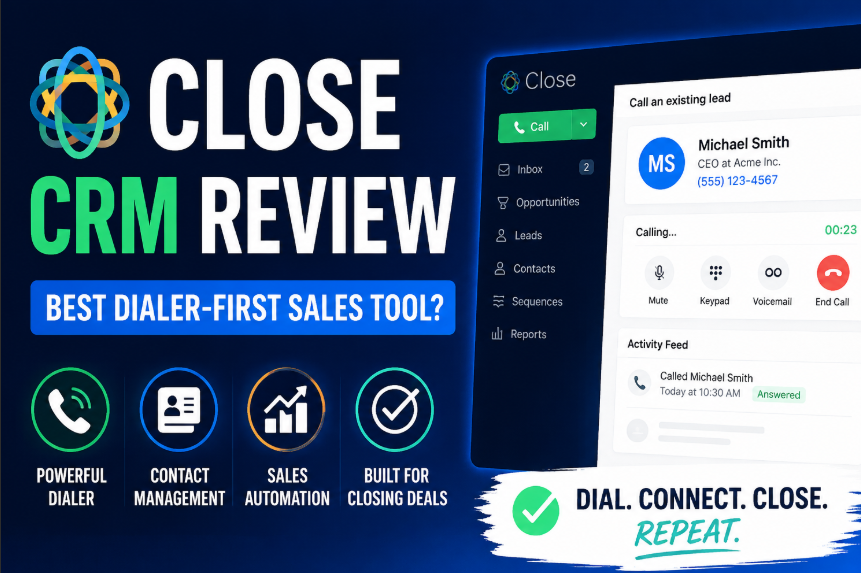
In this article, we’ll break down Close CRM’s features, pricing, pros & cons, and how it compares to top alternatives to help you decide if it’s the right tool for your business.
Ready to supercharge your sales workflow? Let’s dive in! 🔥
1. What Is Close CRM? — Overview & How It Works 🧠
Close CRM is a sales-focused customer relationship management platform designed to help teams manage leads, automate follow-ups, and close deals faster.
Unlike traditional CRMs that are feature-heavy but complicated, Close CRM focuses on speed, efficiency, and simplicity, making it ideal for sales-driven teams. 🚀
Key highlights:
- Built for sales teams: Focuses on pipeline visibility, lead management, and activity tracking.
- All-in-one communication: Built-in calling, email automation, and SMS integration to reach leads directly from the platform. 📞✉️
- Pipeline management: Offers visual pipelines to track deals, forecast revenue, and manage multiple sales stages with ease.
- Automation & efficiency: Automates repetitive tasks like follow-ups, reminders, and lead prioritization. ⚡
Close CRM is widely used by startups, SMBs, and remote sales teams that need a lightweight yet powerful tool to manage leads and accelerate revenue growth.
2. Why Use Close CRM in 2026? — Benefits & Value 📈
Using a CRM in 2026 isn’t just about storing contacts it’s about increasing efficiency, improving team collaboration, and closing more deals. Close CRM delivers significant value for businesses that rely on active sales processes.
Key Benefits:
- Boost sales efficiency 💪: Automate follow-ups and manage leads without losing opportunities.
- Better team collaboration 🤝: Track activities, notes, and communications in one place.
- Accurate forecasting 📊: Visual pipelines and reporting help predict revenue and identify bottlenecks.
- Lead prioritization ⭐: Focus on high-value prospects using built-in scoring and automation.
- Integration-friendly 🔗: Works with email, calendars, Slack, and other tools to streamline workflow.
Close CRM is perfect for startups, small businesses, and remote sales teams who want a CRM that simplifies sales rather than complicating it.
Its user-friendly interface, combined with robust features, makes it a strong contender for teams that want to accelerate sales in 2026.
3. Close CRM Features — In-Depth Breakdown 🛠️
Close CRM is built specifically for sales-driven teams, focusing on efficiency, automation, and closing deals faster. Every feature is designed to streamline workflows, maximize productivity, and boost revenue. Here’s a comprehensive breakdown of all key features in 2026: 🚀
1. Contact & Lead Management 📇
- Centralized lead database: Keep all your leads, contacts, and company info organized in a single platform so nothing gets lost and your sales team can work efficiently.
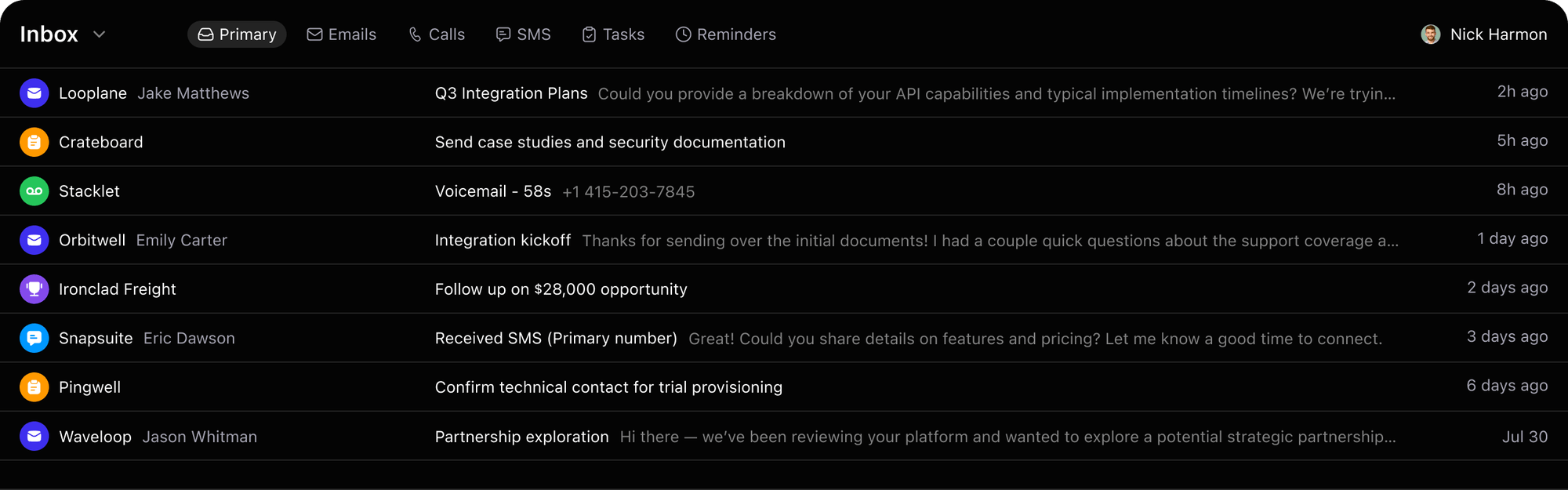
- Track every lead activity: Automatically log calls, emails, messages, and notes for each lead to maintain complete visibility on your pipeline.
- Advanced lead segmentation: Filter and organize leads based on custom criteria like deal stage, engagement level, and location to prioritize high-value prospects.
- Visual pipelines: Track the progress of deals across multiple stages and pipelines, helping your team focus on what’s most important and increase close rates.
2. Built-In Calling & Email Automation 📞✉️
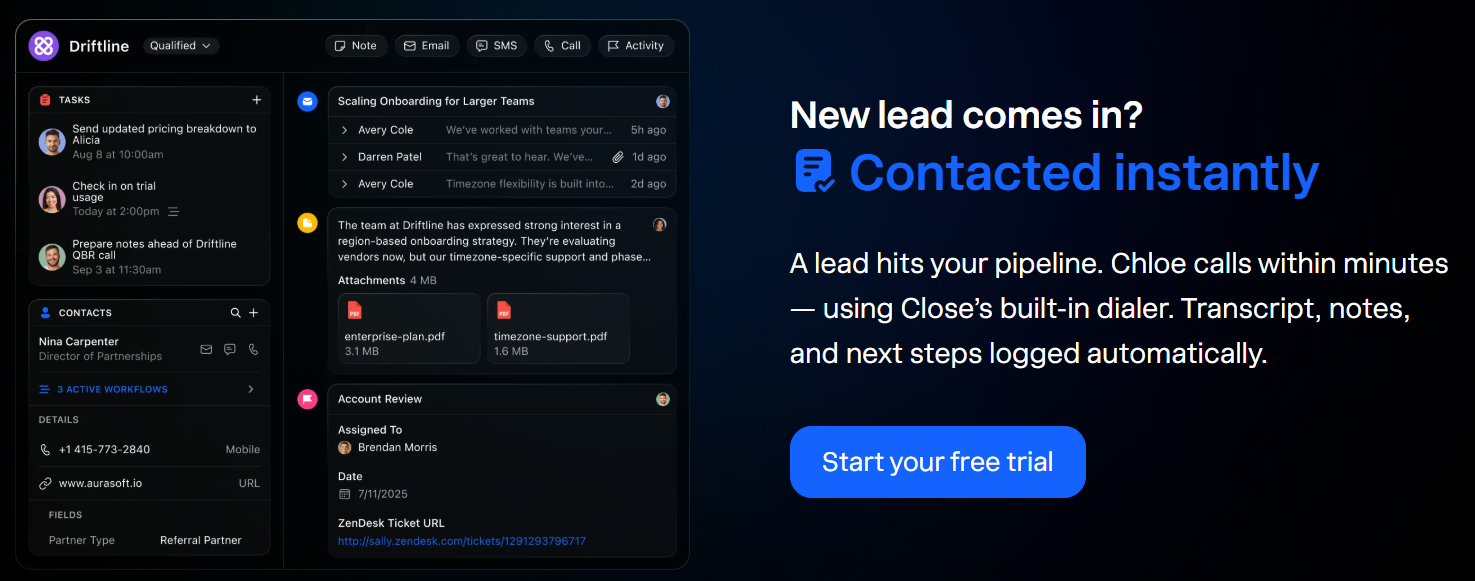
- Native calling directly in the CRM: Make and receive calls without any third-party apps, track outcomes, and save call notes automatically.
- Automated email sequences: Set up drip campaigns and follow-up reminders so your leads are nurtured automatically without losing touch.
- SMS integration for instant engagement: Reach prospects via text messages from within the platform to increase response rates.
- Complete activity tracking: Every email, call, and text is recorded automatically, giving your team full transparency into interactions.
3. Pipeline & Task Management 📝
- Custom pipelines for any sales process: Build pipelines that match your unique workflow and sales stages for total flexibility.
- Drag-and-drop interface: Move deals across stages effortlessly to reflect their current status in the sales process.
- Task assignments & deadlines: Assign tasks to team members, set deadlines, and monitor completion to keep everyone accountable.
- Automated reminders & notifications: Never miss a follow-up or critical task, ensuring your team stays on top of their work consistently.
- Collaborative workflows: Allow multiple team members to collaborate on deals, share notes, and align strategies in real-time.
4. Analytics & Sales Reporting 📊
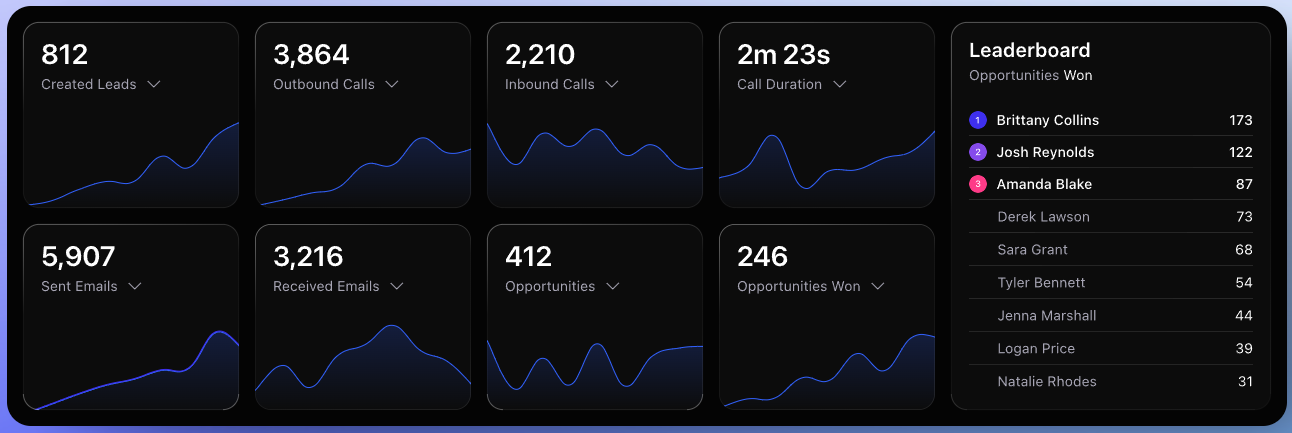
- Real-time dashboards: Monitor pipeline health, team performance, and sales activity instantly to make informed decisions quickly.
- Activity and performance reports: Track calls, emails, and meetings per team member to identify productivity trends and bottlenecks.
- Revenue forecasting: Predict future revenue accurately based on deal stage progression, pipeline velocity, and historical data.
- Custom reports for campaigns or regions: Tailor reporting to your business needs to track metrics that matter most.
- Visual charts & graphs: Make data interpretation easy for executives and sales managers.
5. Integrations & API Support 🔗
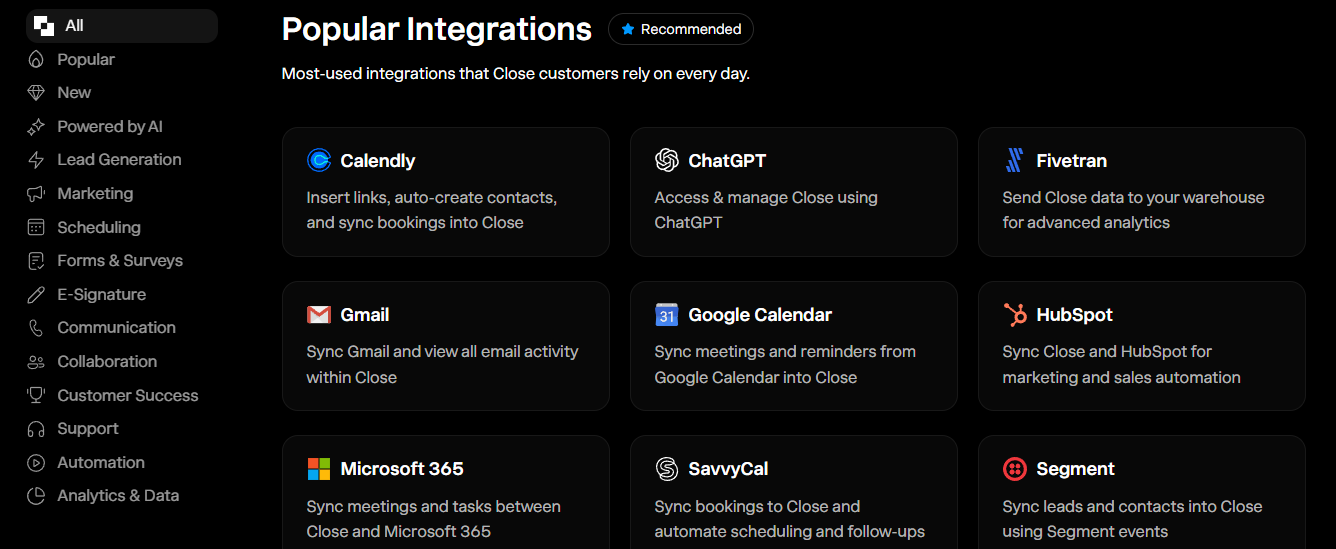
- Seamless integrations: Works with Gmail, Outlook, Slack, Zapier, and other tools for a fully connected workflow.
- API access for custom solutions: Developers can integrate Close CRM with internal systems for specialized business processes.
- Unified sales platform: Keep all communications, tasks, and reporting in one platform to reduce manual work.
6. Mobile App & Platform Accessibility 📱
- iOS and Android apps: Manage leads, tasks, and pipelines from anywhere.
- Push notifications & alerts: Stay updated on deal changes, follow-ups, and task deadlines in real-time.
- On-the-go collaboration: Comment, assign tasks, and update statuses directly from your mobile device.
7. Automation & Workflow Optimization ⚡
- Automatic lead assignment: Distribute leads to reps based on rules like territory, deal stage, or workload.
- Follow-up sequences: Automatically send emails, SMS, or reminders to keep prospects engaged without manual intervention.
- Task triggers & automations: Automatically create follow-up tasks when a deal moves to a new stage or a lead engages.
- Workflow efficiency: Saves sales teams hours of repetitive tasks every week, letting them focus on closing deals and building relationships.
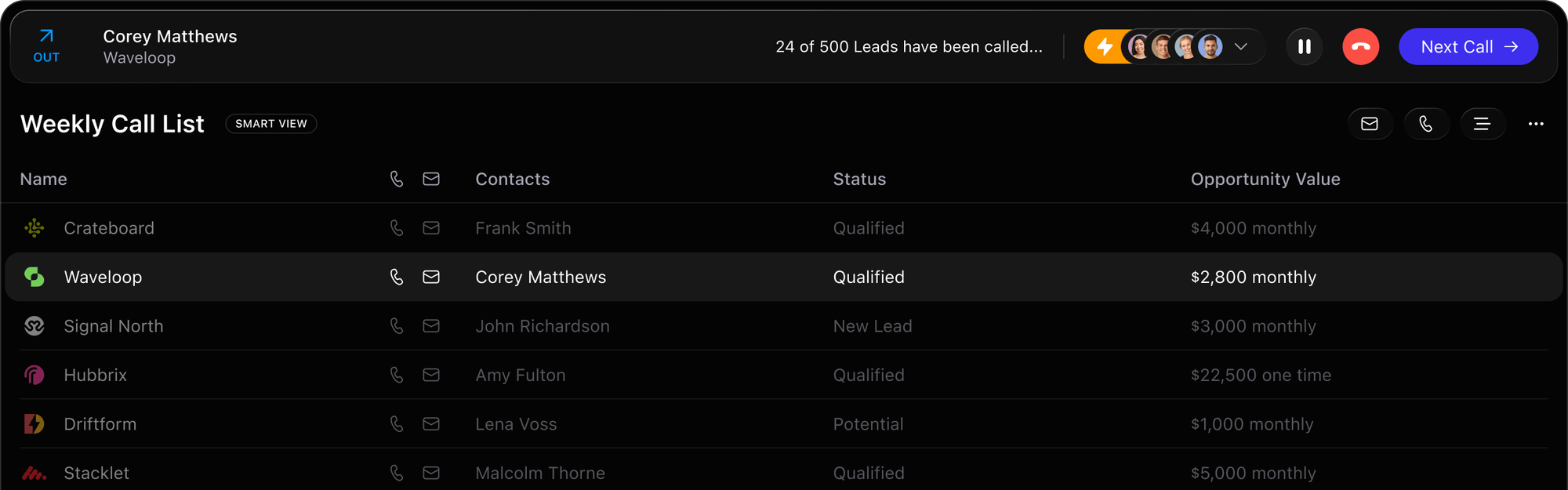
8. Advanced Search & Smart Filtering 🔍
- Quickly find leads or opportunities: Use smart search to locate leads, deals, or communications in seconds.
- Filter by activity, tags, or deal stage: Focus your efforts on the leads that matter most.
- Custom views: Create personalized dashboards for managers, reps, or teams to monitor performance metrics.
9. Why These Features Matter 🏆
- Analytics and reporting provide data-driven insights for better decision-making.
- Every feature is designed to increase efficiency and reduce manual work.
- Automation ensures no lead is missed, and tasks are always tracked.
- Integrations keep your sales workflow centralized and seamless, reducing app-switching.
- Mobile access and notifications make it perfect for remote or on-the-go sales teams.
💰 Close CRM Pricing — Plans Compared
Close has simplified its plans. All prices are per seat / month, billed annually. No contracts, but annual billing is required for these rates. A 14‑day free trial is available for any plan.
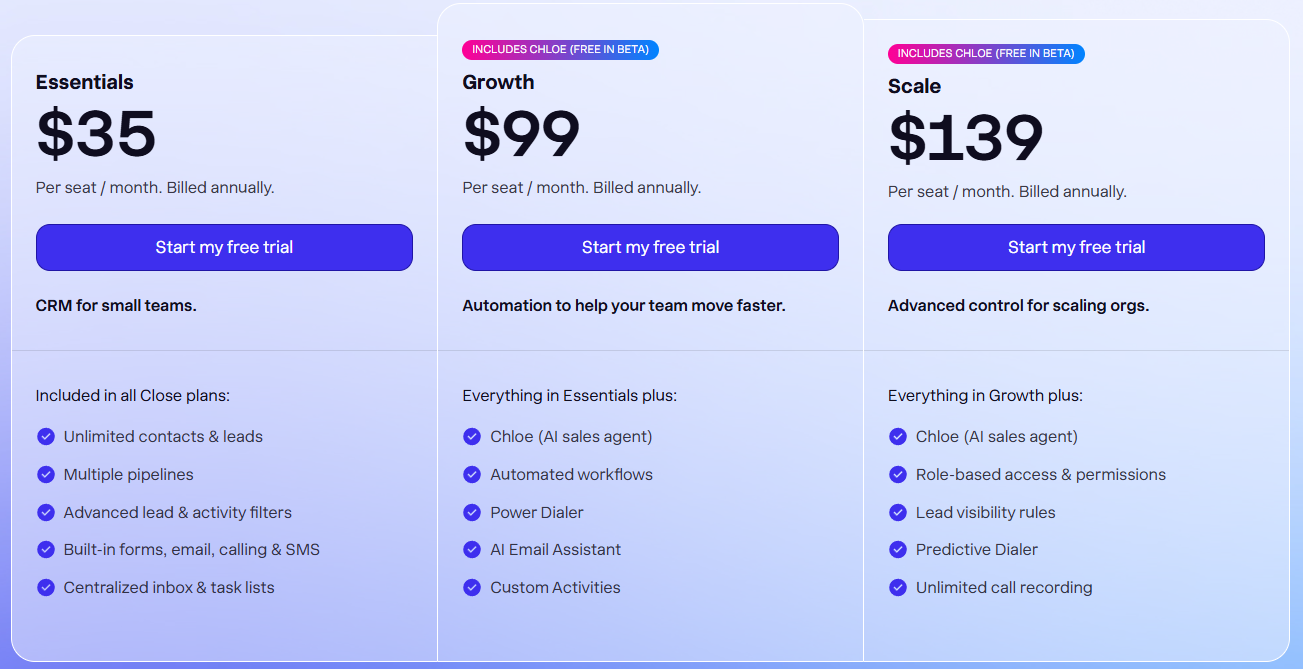
📊 Official Pricing Table (from Close.com)
| Plan | Price (annual billing) | Best For | Key Features |
|---|---|---|---|
| Essentials | $35/seat/month | Small teams, founders, 1–5 reps | Unlimited contacts & leads, multiple pipelines, built‑in forms, email, calling & SMS, centralized inbox, task lists |
| Growth | $99/seat/month | Growing teams needing automation | Everything in Essentials + Chloe AI sales agent, automated workflows, Power Dialer, AI Email Assistant, Custom Activities |
| Scale | $139/seat/month | Scaling orgs with advanced control | Everything in Growth + role‑based permissions, lead visibility rules, Predictive Dialer, unlimited call recording |
| Custom | Talk to sales | Large teams (10+ users) | Everything in Scale + custom limits, SLA, dedicated support |
📌 Essentials — CRM for Small Sales Teams ($35/seat/month)
Includes:
✔ Unlimited contacts & leads
✔ Multiple pipelines
✔ Advanced lead & activity filters
✔ Built‑in forms, email, calling & SMS
✔ Centralized inbox & task lists
Why It’s Useful:
This plan gives small teams the core tools they need to manage leads, communicate with prospects, and track tasks all from one interface.
It’s ideal if you want a simple, effective CRM without extra complexity.
🚀 Growth — Automation to Help Teams Move Faster ($99/seat/month)
Everything in Essentials, plus:
✔ Chloe (AI sales agent – free in beta)
✔ Automated workflows
✔ Power Dialer
✔ AI Email Assistant
✔ Custom activities
Key Benefits:
- Automates repetitive tasks like follow‑ups and reminders
- AI assistance helps with personalized outreach
- Power Dialer significantly speeds up outbound calling campaigns
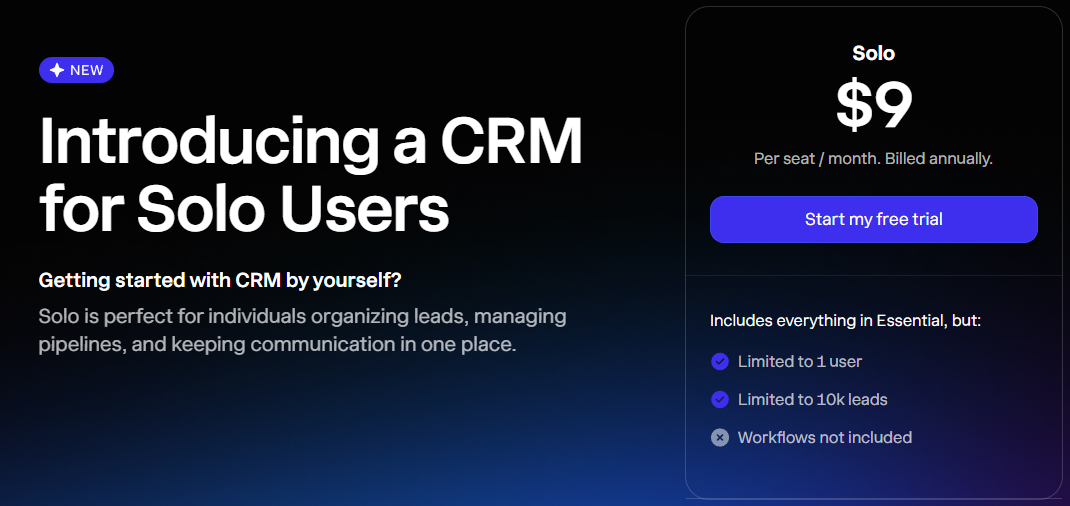
📈 Scale — Advanced Control for Scaling Organizations ($139/seat/month)
Everything in Growth, plus:
✔ Chloe (AI sales agent – free in beta)
✔ Role‑based access & permissions
✔ Lead visibility rules
✔ Predictive Dialer
✔ Unlimited call recording
Why Choose This Plan:
This tier is built for teams that require role segregation, advanced call features, and enhanced control over user access and lead visibility essential for mid‑size to enterprise sales operations.
📞 Custom Pricing for Large Teams
If you have 10+ users or complex CRM needs, Close CRM offers custom pricing. Enterprise packages can include:
- Dedicated support
- Custom feature configurations
- Onboarding assistance
- Data migration services
This option is best for enterprise teams, multi‑department organizations, or businesses with special compliance or integration requirements.
5. Close CRM Pros & Cons ⚖️
Here’s a concise view of Close CRM’s strengths and limitations for sales teams in 2026: 🚀
| Pros | Cons |
|---|---|
| Sales-focused 🧠 – Designed to help teams close deals faster. | Higher cost for Growth & Scale plans 💸 – Can be pricey for small teams. |
| Built-in calling & email automation 📞✉️ – All communications tracked in one place. | Sales-focused only 🧑💻 – Limited features for marketing or support. |
| AI assistant (Chloe) 🤖 – Automates follow-ups and prioritizes leads. | Learning curve 📚 – AI, automation, and calling features may take time to master. |
| Reporting & analytics 📊 – Real-time dashboards for data-driven decisions. | Some features locked in higher plans 🔒 – Integrations and AI tools limited in Essentials. |
| Integrations & mobile access 🔗📱 – Works with Gmail, Slack, Zapier, and on-the-go. | No long-term free plan ❌ – Only a free trial available. |
| Customizable workflows 🔄 – Tailor pipelines and automations to your process. |
6. Close CRM vs Competitors — Head-to-Head 🔥
To see if Close CRM is the right choice for your business, it’s important to compare it with other popular CRM platforms. Here’s how it stacks up against HubSpot, Salesforce, Pipedrive, and Zoho CRM in 2026: 🏆
Feature Comparison Table 📊
| Feature / Platform | Close CRM 🤖 | HubSpot CRM 🌟 | Salesforce ⚡ | Pipedrive 📝 | Zoho CRM 🧩 |
|---|---|---|---|---|---|
| Sales-Focused Design | ✅ | ❌ | ✅ | ✅ | ✅ |
| Built-In Calling & Email | ✅ | ❌ | ✅ | ✅ | ❌ |
| AI Assistance (Chloe) | ✅ | ✅ (limited) | ✅ | ❌ | ❌ |
| Reporting & Analytics | ✅ | ✅ | ✅ | ✅ | ✅ |
| Workflow Automation | ✅ | ✅ | ✅ | ✅ | ✅ |
| Integrations | ✅ | ✅ | ✅ | ✅ | ✅ |
| Mobile App | ✅ | ✅ | ✅ | ✅ | ✅ |
| Pricing (Entry-Level Plan) 💰 | $35/month | $50/month | $25/user/month | $12.50/user/month | $14/user/month |
| Best For | Sales teams 🚀 | Marketing teams | Enterprises ⚡ | SMBs / sales | SMBs / flexible |
Key Takeaways ✅
- Close CRM excels for sales-driven teams needing built-in calling, email automation, and AI support.
- HubSpot is better for marketing-heavy workflows and inbound lead tracking.
- Salesforce is highly customizable and enterprise-ready but can be overwhelming for small teams.
- Pipedrive is lightweight, affordable, and easy to use but lacks AI features.
- Zoho CRM offers flexibility for various team sizes but isn’t as sales-focused as Close CRM.
Why This Matters 🧠
By comparing Close CRM to its competitors, you can clearly see:
- Strengths: AI features, built-in communication, sales pipeline focus.
- Limitations: Pricing slightly higher, limited non-sales features.
- Best Use Cases: Remote sales teams, SMBs focused on outbound sales, or fast-growing startups.
7. Use Case Scenarios — Real World Examples 🧪
Understanding how Close CRM works in real-world settings helps you see its true value. Here are practical scenarios where Close CRM shines in 2026: 🚀
1. Sales Teams Focused on Outbound Leads 📞
- Challenge: Managing hundreds of outbound leads manually is time-consuming and error-prone.
- Solution with Close CRM: Built-in calling, email sequences, and AI (Chloe) help automate follow-ups, track interactions, and prioritize high-value leads.
- Result: Teams close more deals faster, reduce lost leads, and maintain organized pipelines.
2. Remote & Distributed Teams 🌍
- Challenge: Coordinating a global sales team across multiple time zones.
- Solution with Close CRM: Centralized lead management, real-time activity tracking, and mobile app access.
- Result: Managers stay updated on team performance, and reps can work efficiently from anywhere.
3. Startups & Small Businesses 🏢
- Challenge: Limited resources make sales tracking and lead management hard.
- Solution with Close CRM: Affordable Essentials plan with unlimited contacts, multi-pipelines, and automated task reminders.
- Result: Startups can scale sales operations without hiring extra support or investing in complex software.
4. B2B Lead Generation Teams 💼
- Challenge: Generating and converting high-quality B2B leads efficiently.
- Solution with Close CRM: Use automation, AI-powered lead scoring, and integrated calling/email features to reach prospects faster.
- Result: Higher conversion rates and more predictable revenue streams.
5. Enterprises Needing Sales Process Standardization 🏆
- Challenge: Large teams require consistent workflows and reporting for forecasting.
- Solution with Close CRM: Scale plan offers role-based permissions, predictive dialer, unlimited call recording, and advanced reporting.
- Result: Ensures standard processes across multiple departments and better visibility into sales metrics.
Key Insight:
Close CRM is versatile whether you’re a small startup, a remote team, or an enterprise, it can streamline sales workflows, improve lead tracking, and boost overall team productivity. 🌟
8. Close CRM Reviews & Ratings — What Users Say ⭐
Customer feedback provides valuable insights into how Close CRM performs in real-world scenarios. Here’s what users and experts are saying in 2026: 🧠
User Testimonials 💬
- Small Business Owner: “Close CRM completely transformed our sales workflow. The built-in calling and email automation save us hours every week!” ⏱️
- Sales Manager: “We love the AI assistant (Chloe) for lead prioritization our reps focus on the hottest leads first and close more deals.” 🔥
- Startup Founder: “The multi-pipeline view and reporting make it so easy to track progress. Remote team collaboration has never been smoother.” 🌍
Expert Reviews 🏅
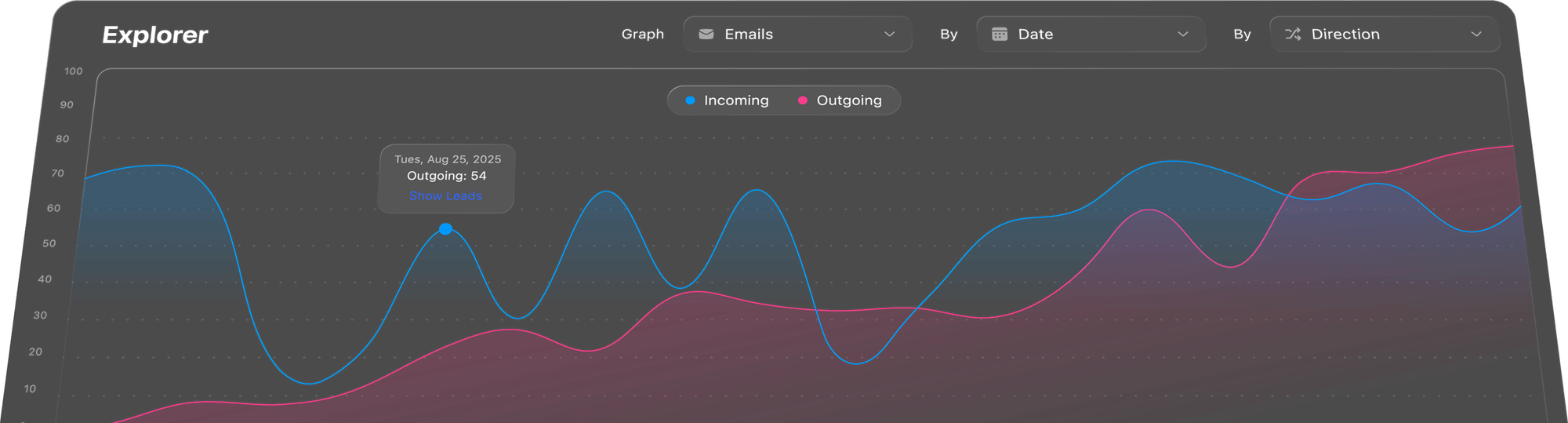
- SoftwareAdvice: Rated 4.7/5, praising Close CRM’s sales-focused automation, pipeline management, and built-in communication tools.
- G2 Reviews: Highlighted ease of use, AI-powered features, and flexibility for growing teams. Average rating: 4.6/5.
- Capterra: Users emphasized time savings, lead management efficiency, and excellent support, with an overall rating of 4.5/5.
What Users Love ❤️
- Efficiency & Automation: Built-in calling, email sequences, and AI assistant reduce repetitive tasks. ⚡
- Sales Pipeline Visibility: Easy to see deal stages, progress, and bottlenecks. 📊
- Remote Team Management: Manage distributed teams from anywhere via mobile or desktop. 🌐
Common Criticisms ⚠️
Steeper learning curve for teams new to CRMs with AI and automation 📚
Pricing for Growth and Scale plans is relatively high for small businesses 💸
Limited non-sales features; marketing or support teams may need additional tools 🧑💻
9. Features to Look for in a Modern CRM (2026) 🧠
When choosing a CRM like Close CRM, it’s important to focus on features that actually improve sales productivity and team efficiency. Here’s what to look for: 🚀
1. Sales Automation ⚡
- Automate repetitive tasks like follow-ups, reminders, and lead scoring.
- Helps sales reps focus on closing deals instead of manual tasks.
2. Built-In Communication 📞✉️
- Integrated calling, email, and SMS tools save time.
- Centralized communication ensures no lead gets missed.
3. Advanced Reporting & Analytics 📊
- Track team performance, deal pipelines, and revenue forecasts.
- Use data insights to make smarter decisions and optimize sales strategies.
4. Pipeline & Task Management 📝
- Visual pipelines, task assignments, and customizable workflows keep teams organized and accountable.
- Ability to track deals across multiple stages ensures better follow-ups.
5. AI & Predictive Tools 🤖
- AI assistants like Chloe can prioritize leads, suggest next actions, and improve sales efficiency.
- Predictive analytics helps anticipate high-value leads and opportunities.
6. Integrations & API Support 🔗
- Integrates with tools like Gmail, Slack, Zapier, and calendars.
- Allows teams to centralize workflows and reduce app switching.
7. Mobile Accessibility 📱
- iOS and Android apps allow on-the-go sales management.
- Stay updated with notifications, tasks, and pipeline changes anywhere.
Key Insight 🏆
A modern CRM should combine automation, analytics, communication, and integrations to help your team sell faster, stay organized, and make data-driven decisions. Close CRM checks most of these boxes, making it a top choice for 2026.
10. Conclusion 👏
Close CRM stands out in 2026 as a sales-focused, automation-driven CRM designed to help teams close deals faster, manage leads efficiently, and streamline workflows. 🚀
Why Choose Close CRM?
- Best for sales teams looking for AI-powered lead prioritization and built-in communication 📞✉️
- Ideal for startups, SMBs, and remote teams needing an intuitive platform 🌍
- Automation & reporting save time, improve productivity, and provide real-time insights 📊
- Customizable workflows allow teams to match the CRM to their specific sales processes 🔄
If your goal is to boost sales efficiency, manage pipelines effectively, and empower your team with automation, Close CRM is a top-tier choice.
Whether you are a small team or a growing business, it provides the tools needed to stay organized, close more deals, and scale operations confidently. 🌟
Related Article :-
- Doola vs Stripe Atlas: Why Is Doola the Better Choice?
- FreshBooks vs QuickBooks: Which Accounting Software Wins?
❓ FAQs
1. Does Close CRM offer a free trial?
✅ Yes, all plans include a free trial to test features before committing.
2. Is Close CRM easy to use for beginners?
⚡ Yes, the interface is intuitive, though advanced automation may take some learning.
3. Can Close CRM replace Salesforce?
🏆 For sales-focused SMBs, yes; for large enterprises needing full CRM ecosystem, Salesforce may still be better.
4. Does Close CRM integrate with Gmail and Outlook?
✅ Yes, it integrates seamlessly with email, calendars, Slack, and other productivity tools.
5. Is Close CRM good for remote teams?
🌍 Absolutely. Built-in communication, mobile access, and centralized pipelines make it ideal for distributed teams.

👨💻 Hi, I’m Anas Khan, a digital marketing expert with over 5 years of experience in e-commerce and affiliate marketing. I specialize in finding the best coupon codes 💸, Black Friday promotions 🛍️, and discount offers 💥 to help you save big!
I’ve dedicated myself to staying on top of the latest trends 📈 in online deals, so I can offer you the most reliable, tested advice. Whether you’re looking for promo codes or exclusive Black Friday deals, you can trust that my recommendations are based on solid research and personal expertise 🏆.