
Let’s be real for a second. Payment processing costs can eat into your profit margins more than almost any other business expense. 💥 Whether you run a cozy café in Copenhagen 🥐, a busy retail store in Milan 👗, or a food truck in Berlin 🌭, every single swipe of a card comes with a fee.
Over a year, those little percentages add up to serious money often between 1.5% and 3.5% of your total revenue. That’s not pocket change. That’s your hard-earned cash. 😫
That’s why choosing the right payment partner matters. You need something that’s fair, transparent, and actually built for the way you run your business — not some complex pricing model that requires a finance degree to decode. 🎓❌
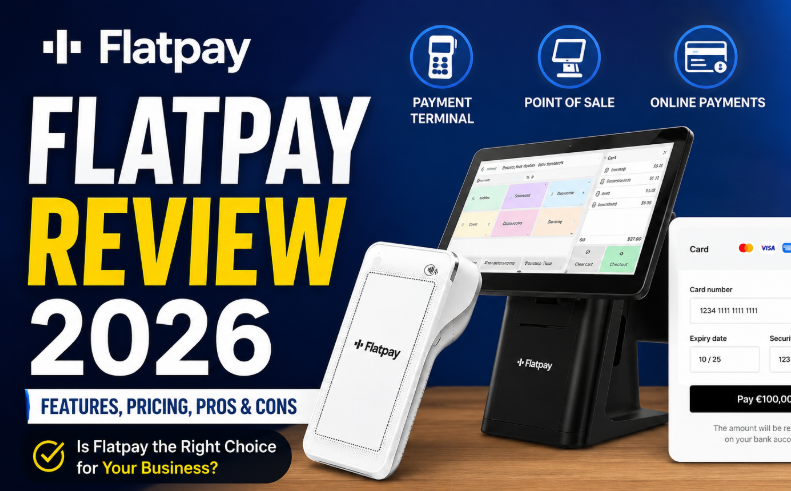
Enter Flatpay. 💳 In this Flatpay Review 2026, I’m going to walk you through everything: the Flatpay terminal, the Flatpay POS system, their online payments solution, transaction fees, setup support, and most importantly whether this Danish fintech darling is actually the right fit for you. 🎯
Consider this your practical, no-fluff buying guide. Let’s dive in! 🏊♂️
📌 What Is Flatpay? — Quick Overview 🧠
In simple terms, Flatpay is a European payment solutions provider that offers payment terminals, all-in-one POS systems, and online payment integrations. 🌍
The company was founded in 2022 in Copenhagen, Denmark, and has quickly grown into one of Europe’s fastest fintech unicorns, valued at over €1.5 billion. 🦄
What makes Flatpay different? Their entire model is built around simplicity and transparency. 🤝 They promise no hidden fees, no monthly subscriptions, and a single flat rate per transaction. You either pay a percentage of each sale or, for high-volume businesses, negotiate a custom rate.
Flatpay is primarily built for: 🎯
- ☕ Cafés and coffee shops
- 🍕 Restaurants (especially those needing kitchen printers and table management)
- 🛍️ Retail stores
- ✂️ Salons and service businesses
- 🏪 Local shops and convenience stores
- 🚚 Food trucks and pop-up vendors
If you’re a small to medium-sized business that wants a straightforward, in-person payment setup with optional POS features, Flatpay is squarely in your wheelhouse. ⚙️
📌 How Flatpay Works for Businesses ⚙️
Flatpay has designed its onboarding process to be as hands-off as possible for business owners. Here’s how it works in four simple steps: 👇
1️⃣ Choose a Flatpay solution. 🧾 You decide whether you need just a payment terminal, a full POS system, or online payment capabilities.
2️⃣ Meet with a Flatpay expert. 👩💼 Unlike faceless online onboarding, Flatpay sends a real person to your business for a personalized walkthrough.
3️⃣ Select your setup. 🛠️ The expert helps you pick the right hardware and software configuration for your specific needs.
4️⃣ Get installed. 🔧 Flatpay handles a full on-site installation of all hardware, software, and network configuration.
From there, you’re ready to accept in-person card payments 💳, manage your checkout with the POS 🖥️, or integrate online payments into your webshop 🌐.
They also provide daily payouts, a customer portal for tracking sales, and 24/7 support. ☀️🌙
📌 Flatpay Products Explained — Terminal, POS & Online Payments 📦
Flatpay offers three main product lines, each designed for a different type of business need.
| Product | Best For | Key Features |
|---|---|---|
| Payment Terminal 💳 | Small shops, salons, food trucks, cafes | Simple card acceptance, 5-second checkout, automatic reporting |
| POS System 🖥️ | Restaurants, retail, service businesses | Inventory management, table views, split bills, kitchen printers |
| Online Payments 🌐 | E-commerce stores, hybrid online/offline businesses | Payment page integration, 24/7 support, daily settlements |
Let’s break down each one in detail. 🔍
1️⃣ Flatpay Payment Terminal Review 💳
The Flatpay payment terminal is their entry-level product. It’s designed for businesses that simply need to accept card payments — fast, reliably, and without complexity. ⚡
🔹Hardware & Performance 📱
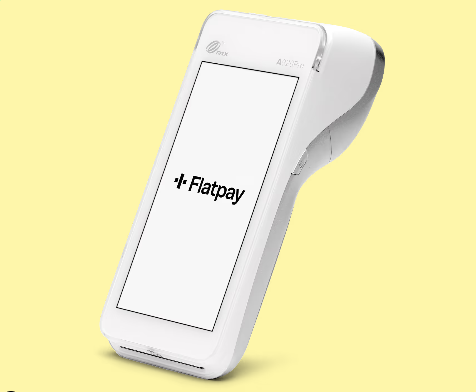
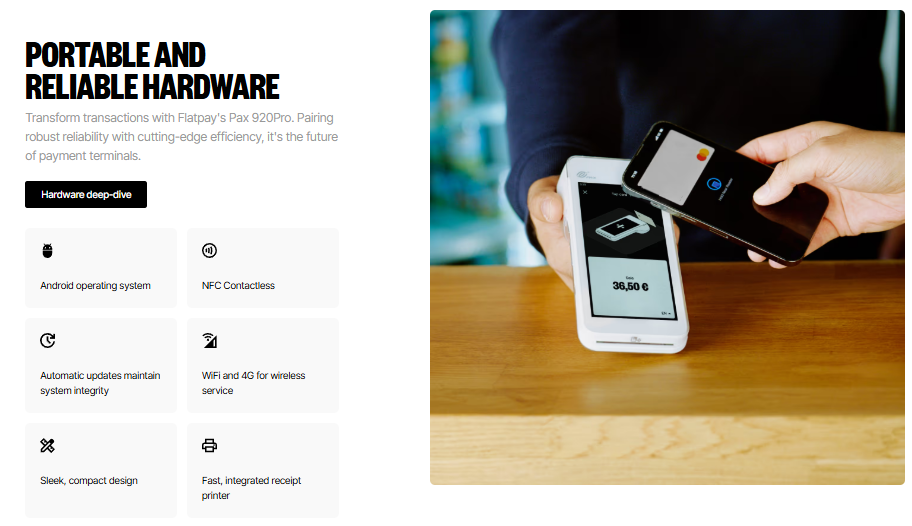
Flatpay uses the PAX A920 Pro, a high-end Android-powered smart terminal. It features a 5.5-inch touchscreen, integrated receipt printer, long-lasting battery, and supports both Wi-Fi and 4G connectivity. The device also includes NFC for contactless payments and supports digital wallets like Apple Pay and Google Pay. 📲
How fast is it? ⏱️ Flatpay claims you can complete a sale in just five seconds. In practice, this means shorter queues and happier customers. 😊
🔹Who It’s For 🎯
The payment terminal is ideal for:
- ☕ Cafés and coffee shops where speed matters
- ✂️ Salons and barbershops with appointment-based payments
- 🚚 Food trucks and market stalls that need portable, battery-powered terminals
- 🛍️ Small retail shops that don’t require complex inventory management
🔹Pricing (Below €200k Annual Turnover) 💶
| Fee Type | Amount |
|---|---|
| Transaction fee | 0.99% (all cards) |
| Upfront cost | €0 (free to start) 🎉 |
| Monthly subscription | €0 |
For businesses processing over €200,000 annually in card payments, Flatpay offers custom pricing. 📈
🔹Example in Action 🧪
Imagine you run a small coffee shop in Berlin. You sell 200 cups of coffee per day at an average of €4 per transaction. With Flatpay’s terminal, you’d pay just 0.99% per sale — that’s about €0.04 per coffee. No monthly fees, no surprise charges. Simple. ☕✅
2️⃣ Flatpay POS System Review — Basic POS vs Premium POS 🖥️
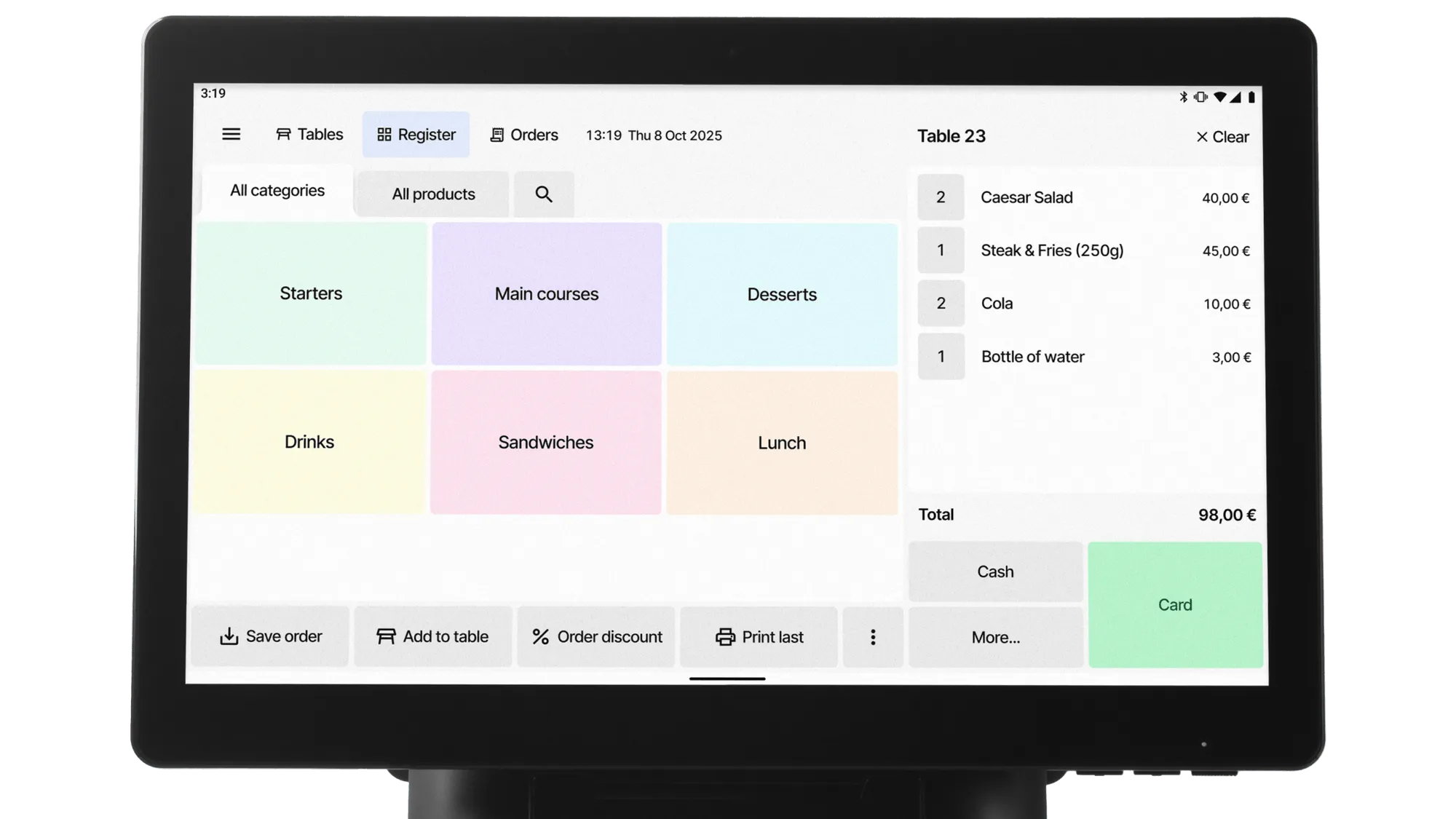
If you need more than just card acceptance like inventory tracking, employee management, or restaurant-specific features Flatpay’s POS system is the upgrade you’re looking for. 🚀 They offer two tiers: Basic POS and Premium POS.
🔹Flatpay Basic POS 🟢
The Basic POS is a clean, tablet-based setup designed for small businesses that want simple payment and management tools. It includes a Lenovo tablet, payment terminal, cash drawer, and receipt printer.
Best for: Small retail stores, salons, and quick-service restaurants.
🔹Flatpay Premium POS 🔴
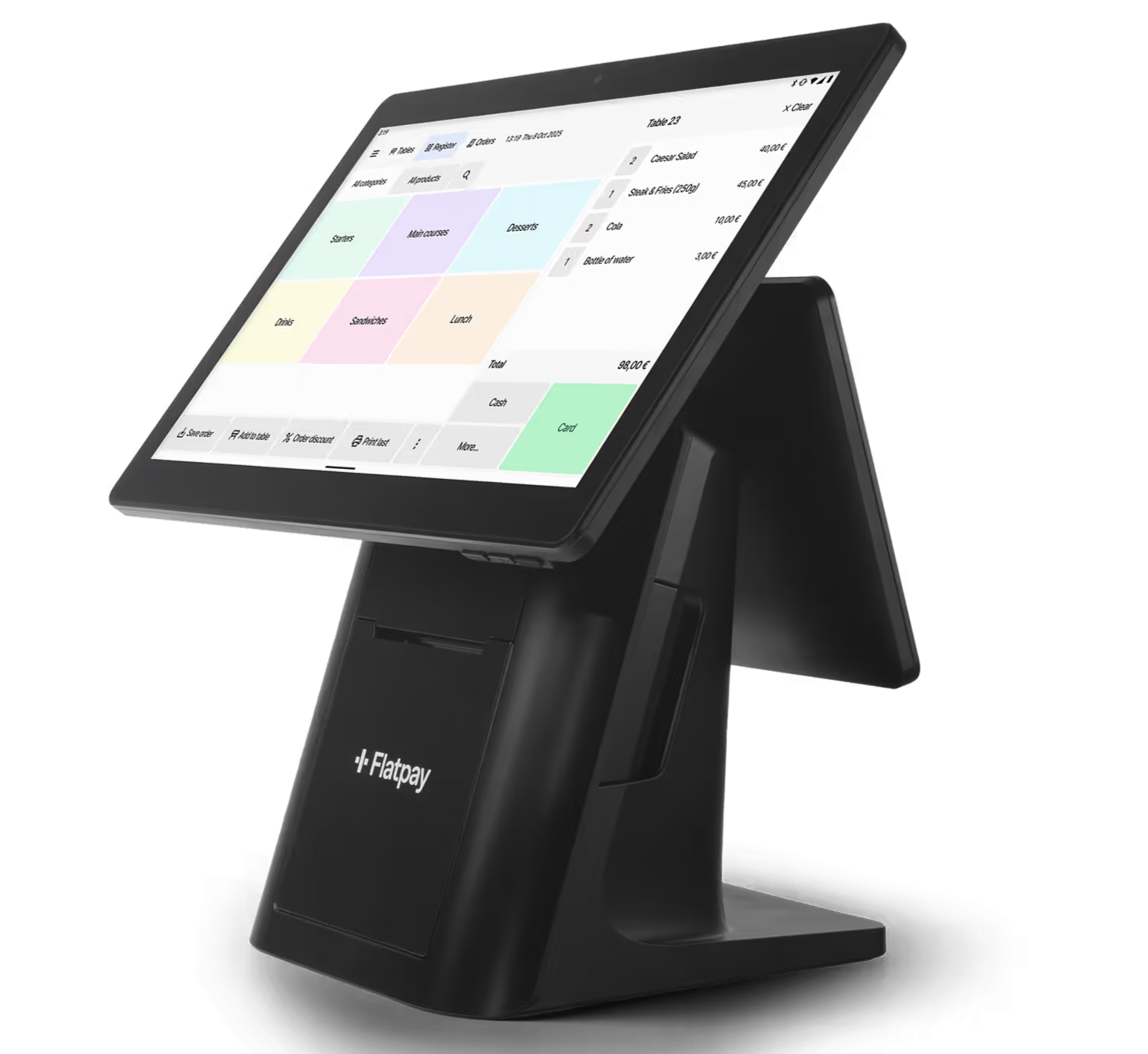
The Premium POS is a more robust all-in-one system featuring a 15.6-inch touchscreen, built-in printer, and customer-facing display. It’s designed for businesses that need a professional, high-volume checkout experience.
Best for: Full-service restaurants, busy retail stores, and hospitality businesses.
🔹Basic POS vs Premium POS Comparison 📊
| Feature | Basic POS | Premium POS |
|---|---|---|
| Transaction fee (below €200k) | 1.49% | 1.49% |
| Upfront cost | €1,495 | €2,495 |
| Hardware | Tablet + terminal + cash drawer + printer | 15.6″ touchscreen POS + terminal + cash drawer + printer |
| Monthly fee | €0 | €0 |
| Best for | Small retail & quick service 🍔 | Full restaurants & high-volume 🍽️ |
3️⃣ Flatpay Online Payments Review 🌐
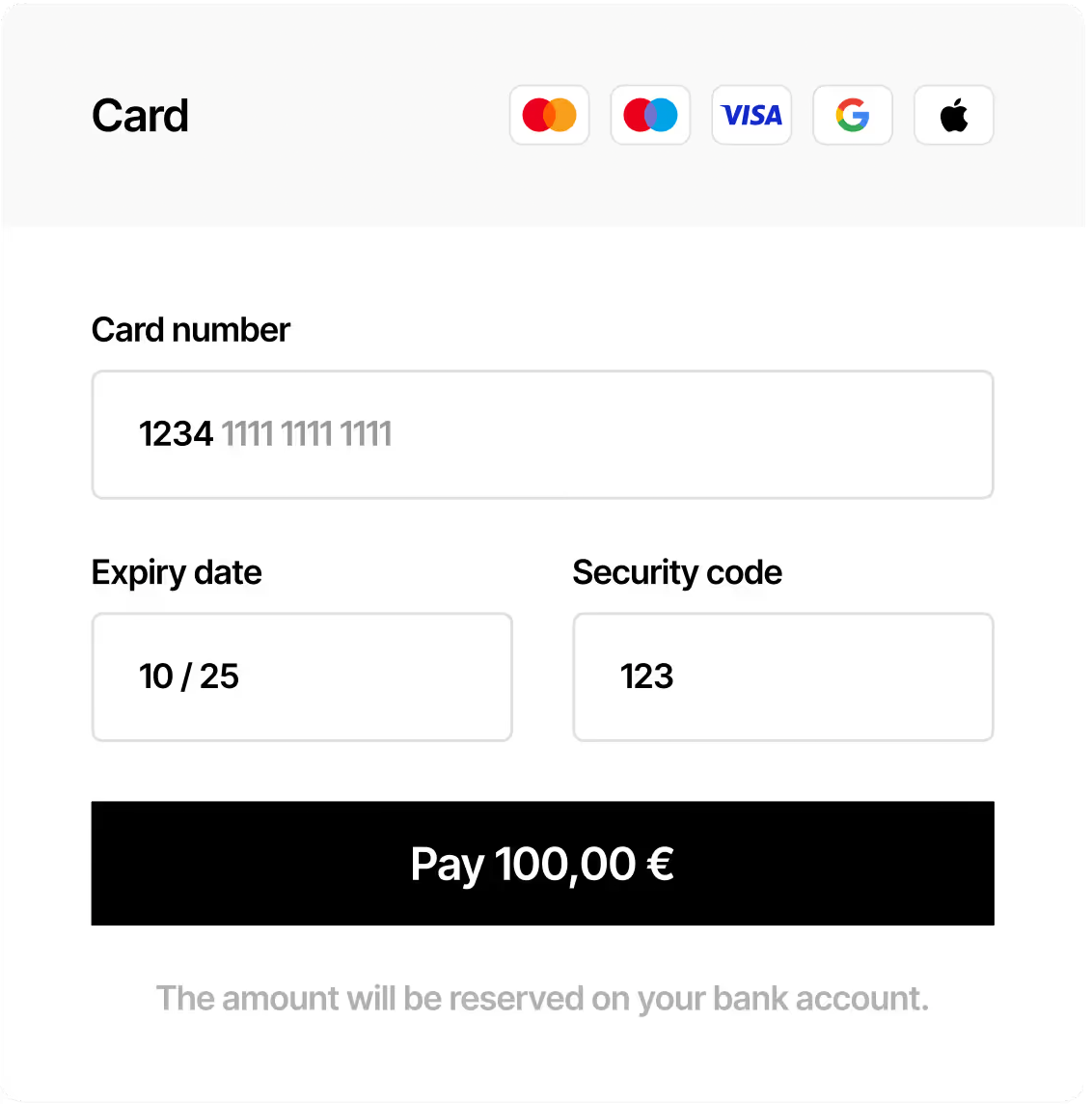
Flatpay also offers an online payment solution for businesses that sell through a website or webshop. It’s not a full e-commerce platform but it gives you a clean, embeddable payment form/page that integrates with your existing site. 🛒
🔹Supported Cards & Methods 💳
- Visa
- Mastercard
- American Express
- Discover
- MobilePay (popular in Denmark & Finland)
🔹Transaction Fees (Above €200k turnover example) 💶
| Card Type | Fee |
|---|---|
| Danish + EU cards | 0.99% |
| International cards | 1.99% |
| Corporate cards | 1.99% |
| MobilePay per transaction | €0.13 |
| MobilePay monthly fee | €6.60 |
🔹Who Should Use It? 🎯
- E-commerce stores that want a simple checkout
- Local businesses with online ordering (e.g., pizzerias, flower shops)
- Service providers taking deposits online
⚠️ Note: For businesses under €200k turnover, online payment rates may differ. Check with Flatpay sales.
📌 Flatpay Pricing & Transaction Fees Explained 💰📊
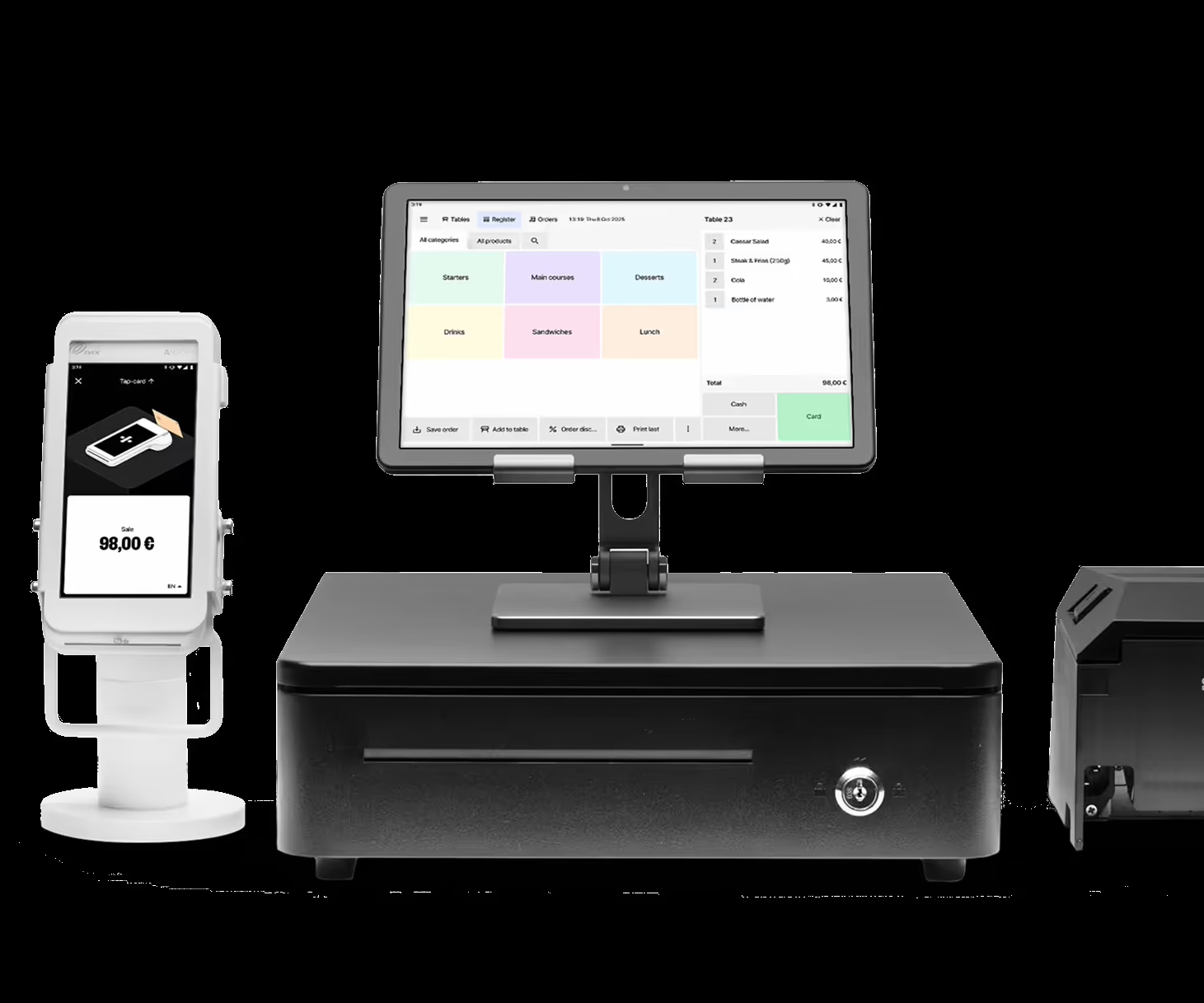
Flatpay pricing is mainly based on product type and annual card turnover. The simple idea is: you pay a transaction fee when you get paid, and high-volume businesses may get custom pricing. Flatpay says its pricing is built around a flat rate per transaction with no subscriptions or hidden fees.
🔹Flatpay Pricing Table 📌
| Flatpay Product | Transaction Fee | Upfront Cost | Best For |
|---|---|---|---|
| Payment Terminal 💳 | 0.99% per transaction, all cards | 0 EUR | Cafés, salons, food trucks, small shops |
| Basic POS 🧾 | 1.49% per transaction, all cards | 1,495 EUR | Small cafés, retail shops, salons |
| Premium POS 🚀 | 1.49% per transaction, all cards | 2,495 EUR | Restaurants, busy cafés, larger stores |
| Online Payments 🌐 | 0.99% Danish + EU cards, 1.99% international/corporate cards | No hardware cost listed | Webshops and online sellers |
Flatpay shows custom pricing for some businesses processing more than 200,000 EUR in annual card turnover. So if your business has high card volume, it is better to contact Flatpay sales instead of only looking at public pricing.
🔹Online Payment Fees 🌐
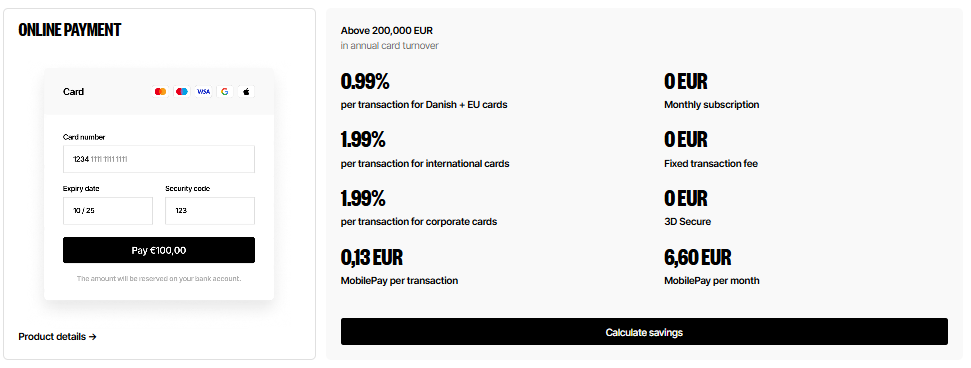
| Online Payment Fee | Cost |
|---|---|
| Danish + EU cards 🇪🇺 | 0.99% |
| International cards 🌍 | 1.99% |
| Corporate cards 🏢 | 1.99% |
| MobilePay per transaction 📲 | 0.13 EUR |
| Monthly subscription ✅ | 0 EUR |
| Fixed transaction fee ✅ | 0 EUR |
| 3D Secure ✅ | 0 EUR |
| MobilePay per month 📲 | 6.60 EUR |
Flatpay’s pricing page lists these online payment costs directly, including MobilePay per transaction and monthly MobilePay pricing.
🔹Quick Pricing Verdict ✅
- Choose Payment Terminal if you want the lowest starting cost. 💳
- Choose Basic POS if you need checkout + basic business management. 🧾
- Choose Premium POS if you run a busier restaurant, café, or retail store. 🚀
- Choose Online Payments if you sell through a webshop. 🌐
- If your turnover is above 200,000 EUR/year, ask for a custom rate. 📈
📌 What Is Included With Flatpay? — Support, Portal & Daily Payouts 🛠️💸
Flatpay does not only provide payment hardware. It also includes useful services that matter for daily business operations, especially for small businesses that need reliability and quick support.
🔹What Flatpay Includes ✅
| Included Service | Why It Matters |
|---|---|
| 24/7 Support 🧑💻 | Helps when payment issues happen during business hours or busy periods |
| Daily Payouts 💸 | Gives faster access to money and improves cash flow |
| Customer Portal 📊 | Helps track sales trends and transaction history |
| Merchant Portal Access 🧾 | Useful for checking payment and business data |
| On-Site Installation 🛠️ | Flatpay helps set up hardware and software |
| Training 👨🏫 | Staff can learn how to use the terminal or POS properly |
| Receipt Tools 🧾 | Useful for customer payments, refunds, and reports |
| X/Z Reports 📑 | Helps with daily sales and accounting records |
Flatpay lists 24/7 support, daily payouts, customer portal, and no hidden fees as always-included services. It also lists merchant portal access, on-site installation and training, and daily payouts under service inclusions for its terminal and POS products.
🔹Why These Features Are Useful 🏪
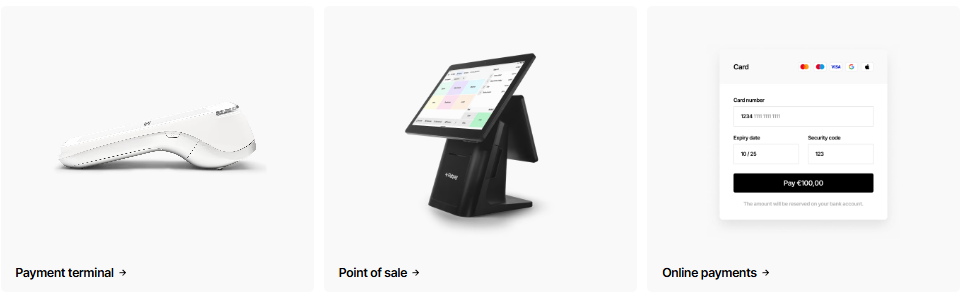
For a restaurant, café, salon, or retail store, payment issues can directly affect sales. If the card machine stops working during peak hours, you need fast help. That is why 24/7 support is important. 🧑💻
Daily payouts are also useful because many small businesses depend on regular cash flow for:
- Buying stock 📦
- Paying staff 👥
- Covering rent and bills 🧾
- Managing daily operations 💸
The customer portal helps business owners check sales, view transaction history, and understand payment activity without waiting for manual reports. 📊
Quick Takeaway ✅
Flatpay is not just selling a terminal or POS system. It is offering a more complete payment setup with hardware, software access, support, installation, daily payouts, and portal access. That makes it useful for business owners who want a payment system that is easier to manage day to day.
📌 Flatpay Setup Process — From Meeting to Installation 🛠️🤝
Flatpay’s setup process is simple and guided. It is useful for business owners who do not want to handle payment terminal or POS setup on their own. ✅
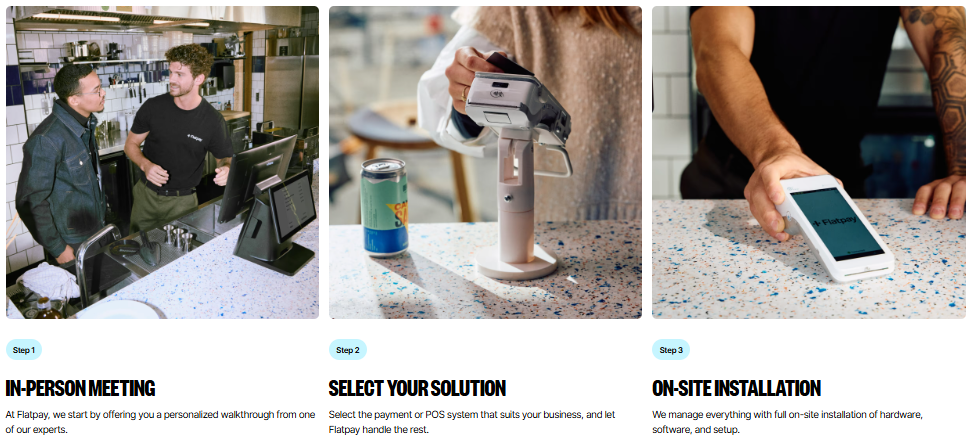
Step-by-Step Setup Process 📌
| Step | What Happens | Why It Helps |
|---|---|---|
| 1. In-Person Meeting 🤝 | A Flatpay expert understands your business needs | Helps you choose the right payment setup |
| 2. Select Your Solution 🧾 | You choose terminal, POS system, or online payments | You get a setup that fits your business type |
| 3. On-Site Installation 🛠️ | Hardware, software, terminal, or POS setup is installed | Reduces technical stress for the owner |
| 4. Staff Training 👨🏫 | Your team learns how to use the system | Helps reduce checkout mistakes |
| 5. Start Accepting Payments 💳 | Your business starts accepting card or online payments | Your payment flow becomes ready to use |
Practical Example ☕
If you run a café, Flatpay can help set up the POS screen, payment terminal, receipt printer, cash drawer, and payment software. Your staff can also learn how to handle checkout, refunds, receipts, and reports.
Quick Takeaway ✅
The biggest benefit of Flatpay’s setup process is hands-on support. It is a good fit for businesses that want to start accepting payments without dealing with complicated DIY setup.
📌 Flatpay Features — What Makes It Different? 🚀💳
Flatpay focuses on simple payments, clear pricing, hardware support, and business-friendly setup. It is especially useful for physical businesses like cafés, restaurants, salons, retail stores, and local shops. 🏪🍽️
Key Flatpay Features 📌
| Feature | Why It Matters |
|---|---|
| Simple Flat-Rate Pricing 💰 | Makes payment fees easier to understand |
| Payment Terminal 💳 | Helps businesses accept card and contactless payments |
| POS System Options 🧾 | Helps manage checkout, orders, products, reports, refunds, and receipts |
| Online Payments 🌐 | Allows businesses to accept payments through a webshop or online checkout |
| Daily Payouts 💸 | Helps improve cash flow for small businesses |
| Customer Portal 📊 | Makes it easier to track sales, transactions, and payout history |
| 24/7 Support 🧑💻 | Provides help when payment issues happen |
| On-Site Installation 🛠️ | Makes hardware and software setup easier |
| Custom Pricing 📈 | High-volume businesses can request better pricing options |
What Makes Flatpay Useful? ✅
Flatpay is not just a payment machine provider. It gives businesses a more complete payment setup with terminal, POS system, online payments, support, installation, and reporting tools.
📌 Flatpay Pros & Cons ⚖️
Flatpay is strong for businesses that want a simple payment setup, POS hardware, daily payouts, and support. But it may not be the best fit for every business, especially if you need advanced global payment tools or developer-heavy online payment features. Flatpay officially promotes flat-rate pricing, no hidden fees, 24/7 support, daily payouts, and a customer portal.
| Pros ✅ | Cons ❌ |
|---|---|
| Simple flat-rate pricing 💰 | Some pricing may depend on business size and turnover 📊 |
| Good for physical businesses 🏪 | Not as globally known as Stripe, Square, or Adyen 🌍 |
| Terminal + POS + online payments 💳 | POS systems may have upfront hardware costs 🧾 |
| Daily payouts available 💸 | Some details may require speaking with sales 🤝 |
| 24/7 support listed officially 🧑💻 | May not be ideal for advanced enterprise payment needs 🏢 |
| Customer portal for tracking sales 📊 | Online-first businesses may prefer Stripe or Adyen 🌐 |
| Useful for cafés, restaurants, salons, and shops ☕ | Developers may want more flexible API-first tools ⚙️ |
| On-site setup support 🛠️ | Custom pricing may not be clear until you contact Flatpay 📞 |
📌 Flatpay vs Competitors — Stripe, Square, SumUp & Adyen 🔥
Flatpay mainly competes with payment providers like Stripe, Square, SumUp, and Adyen. The best choice depends on your business type: physical store, online shop, mobile seller, or enterprise business.
| Platform | Best For | In-Person Payments | Online Payments | POS Support | Pricing Style | Best User Type |
|---|---|---|---|---|---|---|
| Flatpay 💳 | Physical businesses | ✅ Strong | ✅ Yes | ✅ Yes | Flat-rate + custom pricing | Cafés, restaurants, retail stores, salons |
| Stripe 🌐 | Online-first businesses | ✅ With Stripe Terminal | ✅ Very strong | ⚠️ Not POS-first | Pay-as-you-go + custom pricing | SaaS, e-commerce, marketplaces |
| Square 🧾 | Retail and small businesses | ✅ Strong | ✅ Yes | ✅ Strong | Processing fees + software plans | Shops, restaurants, service businesses |
| SumUp 📱 | Small mobile sellers | ✅ Strong | ✅ Yes | ⚠️ Basic POS options | Pay-as-you-go or subscription | Food trucks, markets, mobile sellers |
| Adyen 🏢 | Enterprise/global payments | ✅ Strong | ✅ Very strong | ✅ Yes | Custom/enterprise pricing | Large global businesses |
Where Competitors May Be Better ⚠️
- Stripe is better for online-first businesses, SaaS, subscriptions, and developer-heavy payment setups. Stripe Terminal also supports custom pricing for large payment volume and POS integrations.
- Square is better if you want a wider small-business POS ecosystem.
- SumUp is better for very small mobile sellers who want a simple card reader setup.
- Adyen is better for large global companies needing enterprise payment infrastructure, payment data, and financial products in one platform.
📌 Who Should Use Flatpay? — Best Business Types 🎯
✅ Best for Flatpay:
- Cafés & coffee shops ☕
- Fast casual restaurants 🍔
- Retail stores 👕
- Hair & beauty salons 💇♀️
- Local service providers (mechanics, cleaners) 🔧
- Food trucks & pop-ups 🚚
- Businesses wanting terminal + POS support
- Owners who hate hidden fees 🙅♂️
❌ Who should NOT use Flatpay:
Anyone uncomfortable paying upfront for POS hardware
Enterprise-level chains (go with Adyen or Stripe)
Online-only stores that need advanced subscription logic (Stripe is better)
Businesses with very low average ticket (<€5) – fixed-fee models might be cheaper elsewhere
📌 Flatpay Customer Reviews & User Feedback 🗣️
Based on aggregated feedback from Trustpilot, SoftwareWorld, and other review platforms (as of 2026):
Common Praise 🌟
- “Setup was unbelievably easy – someone came to my shop and did everything.”
- “No monthly fees saved me €30+/month compared to my old provider.”
- “The terminal is fast. Customers love tapping and leaving in 5 seconds.”
- “Daily payouts are a lifesaver for cash flow.”
Common Concerns 🤔
- “Pricing for online payments is less clear – had to call sales.”
- “I wish they had a mobile app for iPhone.”
- “The upfront POS cost is high if you’re just starting out.”
- “Support is 24/7 but sometimes you wait on hold.”
Overall sentiment: Positive for physical businesses, mixed for online-only users.
📌 Is Flatpay Safe & Reliable for Payments? 🔒
Yes, Flatpay is safe. Here’s why:
✅ PCI DSS Level 1 certified – The highest standard for payment security.
✅ End-to-end encryption – Card data is tokenized and never stored on your device.
✅ 3D Secure for online payments – Adds an extra layer of authentication.
✅ EMV chip & PIN, contactless, and NFC support – Industry standard.
✅ Bank-level data protection – All transactions are monitored 24/7.
For your customers, paying with Flatpay feels just as secure as paying with any major bank. And that trust directly impacts your sales. 🛡️

📌 Flatpay Alternatives — Best Options to Compare 🔄
| Alternative | Best Feature | Flatpay vs Alternative |
|---|---|---|
| Stripe | Online payments, subscriptions, API | Flatpay is simpler for in-person; Stripe wins for devs |
| Square | Free POS app, ecosystem (invoices, appointments) | Flatpay has lower transaction fees for high volume |
| SumUp | No upfront hardware cost (pay as you go) | Flatpay has better POS features |
| Adyen | Unified commerce (online + in-person + unified reporting) | Flatpay is easier to set up for one location |
| Shopify Payments | Seamless for Shopify stores | Flatpay is independent – no platform lock-in |
📌 Final Verdict — Is Flatpay Worth It in 2026? 🏁
After digging deep into Flatpay pricing, hardware, online payments, and real user feedback, here’s my honest take:
👉 Flatpay is absolutely worth it for most in-person, physical businesses – cafes, restaurants, retail shops, salons, and food trucks. The combination of no monthly fees, daily payouts, in-person setup, and transparent transaction rates is rare and valuable.
👉 If you’re an online-first business (e.g., dropshipping, SaaS, or digital products), Stripe or Shopify Payments will likely serve you better. They offer more flexibility for subscriptions, invoicing, and global payments.
👉 For high-volume businesses (>€200k/year), always contact Flatpay sales for a custom rate. You could end up paying far less than the published 0.99%/1.49%.
Final Recommendation ⭐
4.5 / 5 – Highly recommended for European small businesses that take in-person card payments. Deduct half a star for online payment clarity and upfront POS cost.
Your next step: Compare the plans and choose the Flatpay product that fits your business size. Start with the free terminal (0.99%) – you can always upgrade to POS later. 🚀
RELATED ARTICLES:-
FAQs❓
1. Does Flatpay support MobilePay? 📲
Yes, Flatpay online payments mention MobilePay support, but MobilePay fees may apply.
2. Does Flatpay offer daily payouts? 💸
Yes, Flatpay lists daily payouts as one of its included benefits.
3. Is Flatpay good for restaurants? 🍽️
Yes, Flatpay POS can be useful for restaurants because it supports checkout, orders, receipts, refunds, and reports.
4. Does Flatpay provide hardware? 🧾
Yes, Flatpay offers payment terminals and POS hardware depending on the plan you choose.
5. Can Flatpay work for food trucks? 🚚
Yes, the Flatpay terminal can be useful for food trucks because it supports portable card payments.

👨💻 Hi, I’m Anas Khan, a digital marketing expert with over 5 years of experience in e-commerce and affiliate marketing. I specialize in finding the best coupon codes 💸, Black Friday promotions 🛍️, and discount offers 💥 to help you save big!
I’ve dedicated myself to staying on top of the latest trends 📈 in online deals, so I can offer you the most reliable, tested advice. Whether you’re looking for promo codes or exclusive Black Friday deals, you can trust that my recommendations are based on solid research and personal expertise 🏆.