Managing a team in today’s fast-paced world requires the right tools to keep everything organized, efficient, and compliant.
Whether you’re running a remote team, a growing business, or an enterprise, the right workforce management software can transform your operations! 🚀
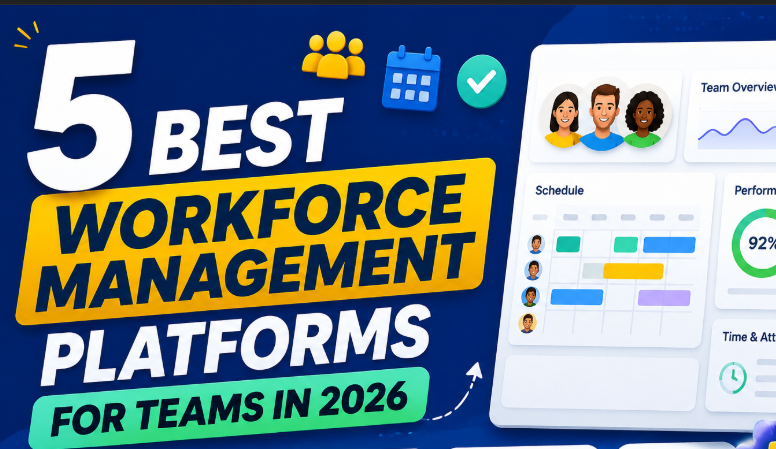
In this guide, we’ll explore the 5 best workforce management platforms for 2026, including Payoneer, ClickUp, Linear, Asana, and Trello.
From payroll automation to task management, we’ll break down the features, pricing, and pros & cons of each platform to help you find the perfect fit for your team. 💡
Let’s dive in and find the tool that will boost your productivity and simplify your workflow! 🔥
1. What Is Workforce Management Software — And Why It Matters 🧩
Workforce management software (WFM) is designed to help businesses effectively manage their workforce, ensuring tasks are completed on time, compliance is met, and team productivity is maximized. 🏆
These platforms provide a centralized solution to handle scheduling, payroll, task management, compliance, and more — all in one place. Whether you’re managing remote teams, global payroll, or day-to-day operations, workforce management tools help automate processes, improve visibility, and streamline workflows. 🌍
Why Do Businesses Use Workforce Management Software?
- Efficiency 📈 – Streamlines workflows and reduces manual work.
- Compliance 🛡️ – Ensures teams meet local and international regulations.
- Team Productivity 🚀 – Improves task assignment, tracking, and communication.
- Time & Cost Savings ⏳💰 – Automates payroll, scheduling, and reporting, saving time and reducing errors.
Workforce Management vs Project Management 🔄
While both deal with task and team management, workforce management goes beyond simply tracking projects. It focuses on staff scheduling, payroll management, and employee performance tracking.
Project Management: Primarily about tracking tasks and deadlines for specific projects.
Workforce Management: Covers employee work hours, payroll, compliance, and overall labor costs.

Why Do You Need a Workforce Management Platform?
As teams become more distributed, and businesses expand across borders, managing workers through manual systems like spreadsheets can become inefficient and prone to errors. Workforce management software helps you:
- Track employee hours 🕒
- Ensure compliance ✅
- Streamline payroll 💸
- Automate routine tasks ⚙️
These platforms are designed to work seamlessly with various business sizes and team structures, from small businesses to global enterprises.
3. Payoneer — Best Overall Workforce Management Platform 🏆
When it comes to workforce management on a global scale, Payoneer stands out as the best overall platform in 2026. Trusted by businesses worldwide, Payoneer offers an all-in-one solution for managing payments, contractor management, and compliance—all under one roof. 🌍💼
Why Payoneer Stands Out 🚀
- Global Reach: Payoneer supports over 200 countries and handles multi-currency payments. Perfect for teams with remote workers across the globe. 🌐
- EOR (Employer of Record) Services: Easily hire and manage contractors without needing to set up a local legal entity. 📑
- Integrated Payments System: Simplifies cross-border payments and provides secure transactions for businesses and freelancers. 💳
- Easy Compliance: Automatically stays updated with international tax and labor laws to ensure you remain compliant. ✅
Key Features of Payoneer 🧩
- Global Payroll & Payments 🌍
Payoneer provides a seamless solution for paying contractors and employees globally in over 150 currencies, with competitive exchange rates. - EOR Services (Employer of Record) 🔑
Payoneer handles global talent without the need to establish a local entity in each country. This is especially useful for businesses hiring remote teams worldwide. 🌎 - Multi-Currency Management 💵
Easily manage funds across different currencies and handle payments in multiple regions with a unified Payoneer account. - Compliance Automation ⚖️
Stay compliant with global tax and labor laws by using Payoneer’s integrated compliance features that automatically handle contractor compliance and payments. - Quick Payments ⏱️
Send and receive instant payments between accounts, reducing delays in payments to employees and contractors. - Smart Reporting 📊
Payoneer offers advanced reporting tools to track payments, conversions, and financial data for better decision-making.
Payoneer Pricing 📋
- Free for businesses: Payoneer charges no monthly fee for the basic services, but there are fees on transactions, currency conversions, and withdrawals.
- Transaction fees: Typically around 1%–3% for cross-border payments depending on the currency.
- Premium features: Some services like EOR or account management come with higher fees, typically around $100/month or higher depending on the plan.
Payoneer Pros & Cons ⚖️
| Pros ✅ | Cons ❌ |
|---|---|
| Global reach – Supports payments in over 200 countries 🌍 | High transaction fees for some services 💸 |
| Fast & secure payments ⚡ | Not ideal for small businesses looking for a very low-cost solution |
| EOR services – Manage employees without a local entity 📑 | Limited customer support in some regions 📞 |
| Excellent for remote teams 🏠 | Pricing structure can be complex for beginners 🤯 |
| Automated compliance 📜 | Higher costs for full-service payroll 💼 |
Who Should Use Payoneer? 🎯
- Global teams: If you have remote employees and contractors in various countries, Payoneer provides a simple and compliant way to handle payroll and payments.
- Startups & growing businesses: Perfect for businesses needing easy payroll and global payments without setting up entities in each country.
- Agencies: If you work with freelancers or contractors internationally, Payoneer is an excellent choice for managing payments across borders.
My Verdict on Payoneer 💡
Payoneer is the top choice for global workforce management. With its wide range of features, including EOR services, multi-currency payments, and automated compliance, Payoneer offers the most comprehensive solution for businesses managing international teams. Whether you’re a startup, freelancer, or enterprise, Payoneer helps simplify payments and ensure compliance—without the headaches. 🏆
Let me know when you’re ready to move on to the next section: ClickUp — Best for Customization & All‑in‑One Workforce Management ⚡! 😊
4. ClickUp — Best for Customization & All‑in‑One Workforce Management ⚡
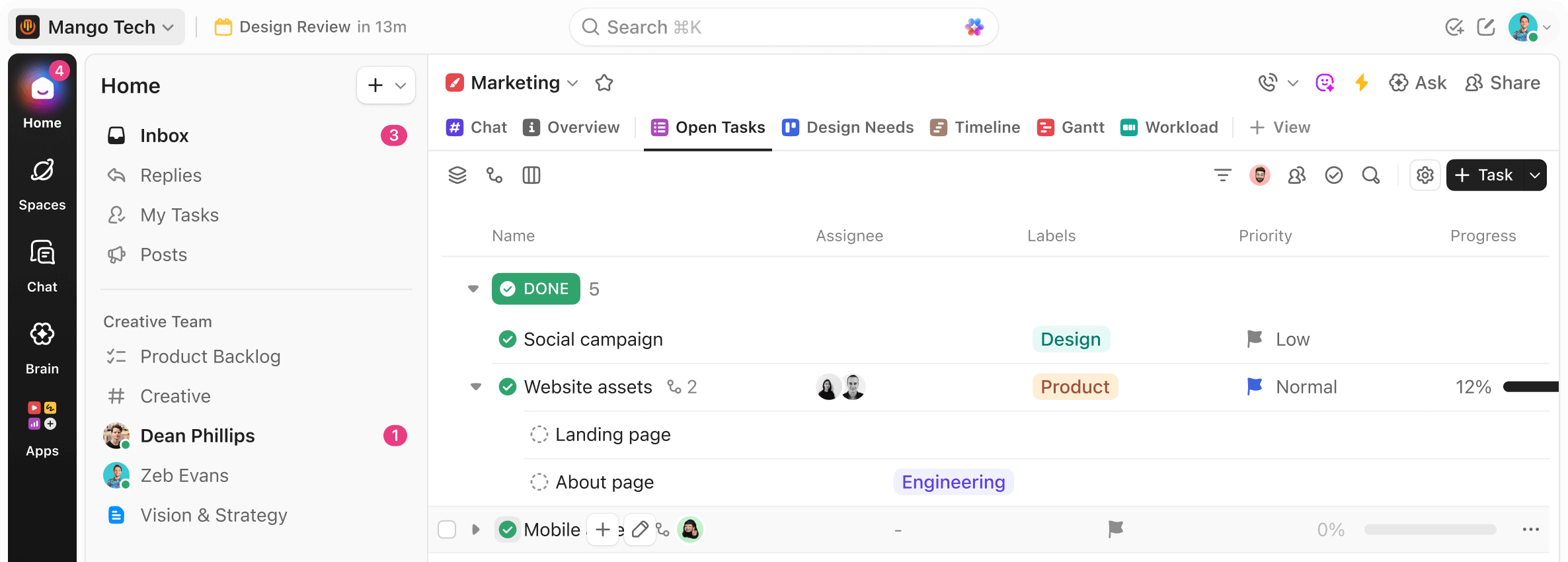
If you’re looking for a highly customizable workforce management solution, ClickUp is an excellent choice. Known for its robust task management and workflow customization, ClickUp can handle everything from team collaboration to detailed reporting all in one platform. Whether you’re managing projects, schedules, or employee tasks, ClickUp provides the flexibility that growing businesses need. 🚀
Why ClickUp Stands Out 🏅
- All-in-One Solution: ClickUp combines project management, task tracking, employee scheduling, time tracking, and reporting in one platform.
- Customization: ClickUp allows you to create custom workflows that align with your business needs, making it perfect for teams of any size.
- Automation: Automate repetitive tasks like reminders, status updates, and approvals to save time and increase productivity. ⚡
- Integrations: ClickUp seamlessly integrates with Slack, Google Workspac, Zapier, and more, streamlining your existing tools into one efficient system. 🔗
Key Features of ClickUp 🧩
- Task & Project Management 📋
ClickUp allows you to break down large projects into manageable tasks, assign them to team members, and set deadlines. It supports various views like List, Board, Calendar, and Gantt charts to help you track progress from different angles. - Time Tracking ⏱️
You can track time spent on tasks directly within ClickUp, making it easier to manage payroll, calculate billable hours, and ensure efficiency. ⏳ - Workload Management 📊
ClickUp lets you see the workload of each team member in real-time, helping you avoid overloading any one person and ensuring balanced team productivity. - Custom Workflows 🔄
One of ClickUp’s standout features is its ability to create custom workflows, allowing you to tailor the software to fit your specific business processes, whether it’s Agile, Scrum, or traditional project management. - Automation ⚙️
ClickUp offers powerful automations to handle recurring tasks such as:- Task assignments
- Status changes
- Due date reminders
- Daily updates
- Collaboration Tools 🤝
Collaborate with your team in real-time through comments, file sharing, mentions, and notifications. Everything is centralized in one platform, reducing the risk of miscommunication.
ClickUp Pricing 💰
- Free Plan: Includes basic features like task management and time tracking for small teams.
- Unlimited Plan: Starts at $5/user/month and includes advanced features like dashboards, integrations, and reporting.
- Business Plan: Priced at $12/user/month, includes goal tracking, custom workflows, and automation.
- Enterprise Plan: Custom pricing for large teams with advanced security and dedicated support.
Pricing Summary:
| Plan | Price | Best For |
|---|---|---|
| Free | $0 | Small teams or personal use |
| Unlimited | $5/user/month | Growing teams needing unlimited integrations |
| Business | $12/user/month | Mid-sized businesses needing advanced reporting and automations |
| Enterprise | Custom | Large businesses needing high-level security & dedicated support |
Pros & Cons of ClickUp ⚖️
| Pros ✅ | Cons ❌ |
|---|---|
| Highly customizable workflows 🔧 | Steep learning curve for new users 📚 |
| Great for Agile and remote teams 🌍 | Some features are locked behind higher plans 💸 |
| Powerful automation tools ⚡ | Can feel overwhelming for smaller teams with limited resources 😵 |
| Affordable for small teams 💰 | Mobile app has limited functionality 📱 |
Who Should Use ClickUp? 🎯
- Teams that need customization: If your team requires custom workflows or has specific project management needs, ClickUp is the best choice.
- Agile teams: ClickUp’s features are great for Agile project management with support for sprints, tasks, and reporting.
- Growing teams: ClickUp is perfect for businesses that are scaling up and need a platform that can adapt to their evolving needs.
My Verdict on ClickUp 💡
ClickUp is an excellent all-in-one platform for teams that need flexibility, powerful task management, and workflow customization. It’s ideal for mid-sized businesses, Agile teams, and anyone looking to manage both tasks and team workflows in one place. Whether you’re managing simple projects or complex team workflows, ClickUp helps streamline your processes and keep everyone on track. 🚀
5. Linear — Best for Fast Product Teams 🚀
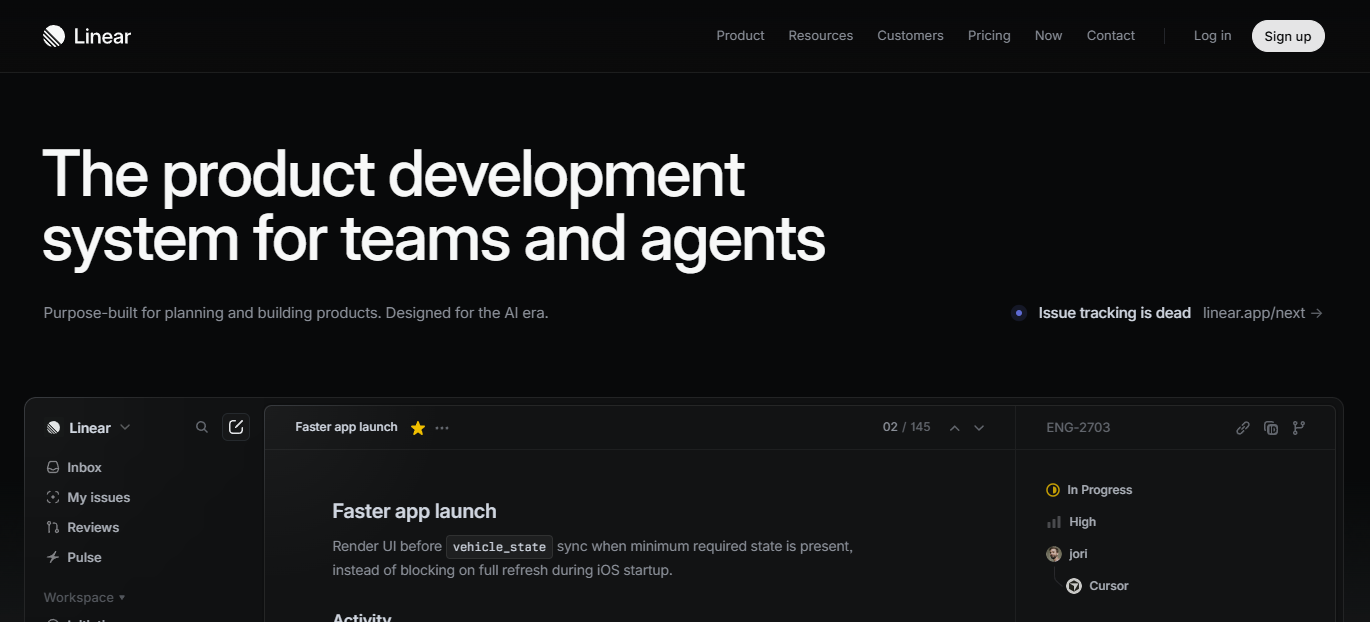
For product teams or engineering teams that prioritize speed and simplicity, Linear is the ideal choice. Designed to help teams move faster, Linear focuses on issue tracking, task management, and project workflows in the most minimalist and efficient way possible. 🏎️
Why Linear Stands Out 🏅
Linear is lightweight, fast, and designed specifically for product teams. It’s perfect for teams that need to focus on delivering features quickly and efficiently, without unnecessary distractions or complexity. It offers a clean interface and speedy issue tracking, ensuring that engineers spend more time building and less time navigating through complex tools. ⚡
Key Features of Linear 🧩
- Issue Tracking & Project Management 📝
Linear allows you to manage issues, bugs, and tasks with ease. It supports sprints, backlogs, and detailed project planning, ensuring product teams can keep everything organized in a simple way. - Fast Workflow ⚡
Linear is designed for speed, offering ultra-fast load times and intuitive navigation, so product teams can focus on getting their work done quickly and efficiently. - Team Collaboration 🤝
Linear’s commenting system, team updates, and real-time notifications make it easy to collaborate and keep everyone on the same page, without the clutter of unnecessary features. - Customizable Views 🔄
Customize your workflows, boards, and roadmaps to fit your team’s Agile or Scrum processes. Linear allows you to work the way you prefer. - Keyboard Shortcuts ⌨️
Linear includes an extensive set of keyboard shortcuts to help power users move even faster, improving efficiency during work sprints. - Integrations 🔗
Linear integrates with popular tools like GitHub, Slack, Figma, and more, to ensure your work is connected across all platforms.
Linear Pricing 💸
Linear has a simple and affordable pricing structure, which is ideal for startups and growing product teams.
| Plan | Price | Best For |
|---|---|---|
| Free | $0 | Small teams with basic needs |
| Pro | $8/user/month | Growing product teams needing extra features |
| Enterprise | Custom Pricing | Large teams with advanced needs |
- The Pro Plan includes advanced features like integrations, custom workflows, and increased storage.
- Enterprise plans offer dedicated support and custom solutions for large organizations.
Pros & Cons of Linear ⚖️
| Pros ✅ | Cons ❌ |
|---|---|
| Super fast and minimalistic interface ⚡ | Limited features compared to more complex tools like ClickUp or Jira |
| Perfect for product and engineering teams 🏗️ | Not suitable for non-tech teams 🧑💻 |
| Easy to use with a quick learning curve 📚 | Lacks some advanced project management features like Gantt charts and budget tracking 🏷️ |
| Integrates well with GitHub, Slack, Figma 🔗 | Limited support for large organizations 💼 |
Who Should Use Linear? 🎯
- Product & engineering teams that need a fast, minimalist tool for issue tracking, roadmap planning, and sprints.
- Startups and small teams looking for speed and efficiency in managing workflows and tasks.
- Agile teams focused on delivering features quickly without the clutter of complex tools.
My Verdict on Linear 💡
If you need a simple, fast, and efficient solution for managing issues, tasks, and product workflows, Linear is an ideal choice. It’s perfect for tech teams and engineers who want to move quickly without sacrificing organization or clarity. Linear’s minimalist interface and high-speed features are built to support fast product development cycles. 🚀
6. Asana — Best for Team Collaboration & Simplicity 🤝
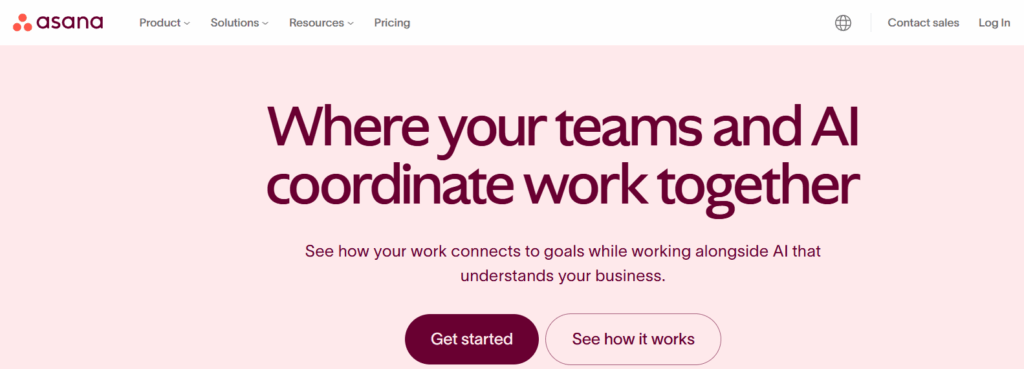
Asana has become a favorite for teams that need simple, intuitive task management and want to focus on collaboration without the complexity. Whether you’re a marketing team, HR department, or cross-functional team, Asana helps you keep everyone aligned and on track. 📝
Why Asana Stands Out 🌟
Asana’s strength lies in its ease of use and flexible workflows. It’s designed for collaboration, allowing everyone on your team to work in sync, track progress, and deliver projects on time. Whether you’re managing tasks, projects, or deadlines, Asana makes it simple, yet powerful. ⚡
Key Features of Asana 🧩
- Task & Project Management 📋
Asana’s intuitive interface makes it easy to create tasks, assign them to team members, set deadlines, and track progress. With Kanban boards, Gantt charts, and list views, your team can organize projects in the way that works best for them. - Team Collaboration 🤝
Asana’s built-in commenting system allows for real-time collaboration. Team members can add notes, tag colleagues, and share files directly in tasks. Notifications and @mentions keep everyone up to date. 📂 - Customizable Workflows 🔄
Asana’s workflows are flexible, so you can create custom task flows to match your team’s needs. Set up automatic task assignments, due date changes, and notifications to ensure work flows smoothly. ⚙️ - Integration with Popular Tools 🔗
Asana connects easily with tools like Slack, Google Drive, Zoom, Dropbox, and Microsoft Teams, making collaboration easier and eliminating the need for constant app-switching. - Project Timelines & Reporting 📊
Asana offers powerful reporting and visual tools to help teams track milestones, timelines, and project status. You can also create custom reports to monitor productivity, team workload, and more.
Asana Pricing 💸
Asana offers a range of pricing options, making it accessible to small teams and large enterprises alike.
| Plan | Price | Best For |
|---|---|---|
| Free | $0 | Small teams or individuals with basic needs |
| Premium | $10.99/user/month | Growing teams that need advanced task management |
| Business | $24.99/user/month | Teams needing advanced reporting and customization |
| Enterprise | Custom Pricing | Large enterprises with complex workflows |
- Free Plan: Includes task management, project views, and limited integrations for small teams.
- Premium Plan: Adds advanced reporting, timeline features, and goal tracking for growing teams.
- Business Plan: Adds custom workflows, advanced automation, and custom reporting for businesses with more complex needs.
- Enterprise Plan: Custom pricing based on the number of users and enterprise requirements.
Pros & Cons of Asana ⚖️
| Pros ✅ | Cons ❌ |
|---|---|
| Easy to use with a quick learning curve 📚 | Some advanced features are only in higher plans 💸 |
| Great for team collaboration and task management 📋 | Lacks advanced features for large enterprises 🏢 |
| Highly customizable workflows 🔄 | Limited reporting features on the free plan 📉 |
| Strong integrations with other tools 🔗 | Mobile app can feel basic at times 📱 |
| Affordable pricing for small teams 💰 | No Gantt charts in the free version 📊 |
Who Should Use Asana? 🎯
- Small teams or freelancers that need a simple task management platform to track projects and collaborate easily.
- Marketing, HR, and sales teams that require clear communication and task tracking.
- Cross-functional teams that need to align multiple departments in a seamless workflow.
- Teams looking for a tool with easy integration options and a focus on collaboration rather than technical features.
My Verdict on Asana 💡
Asana is a fantastic choice for non-technical teams who need a simple yet powerful tool to manage tasks, track projects, and improve collaboration. It’s the perfect solution for small businesses, startups, and teams that prefer visual workflows without the complexity of more advanced platforms. 🌟
7. Trello — Best for Lightweight Kanban Task Management 📋
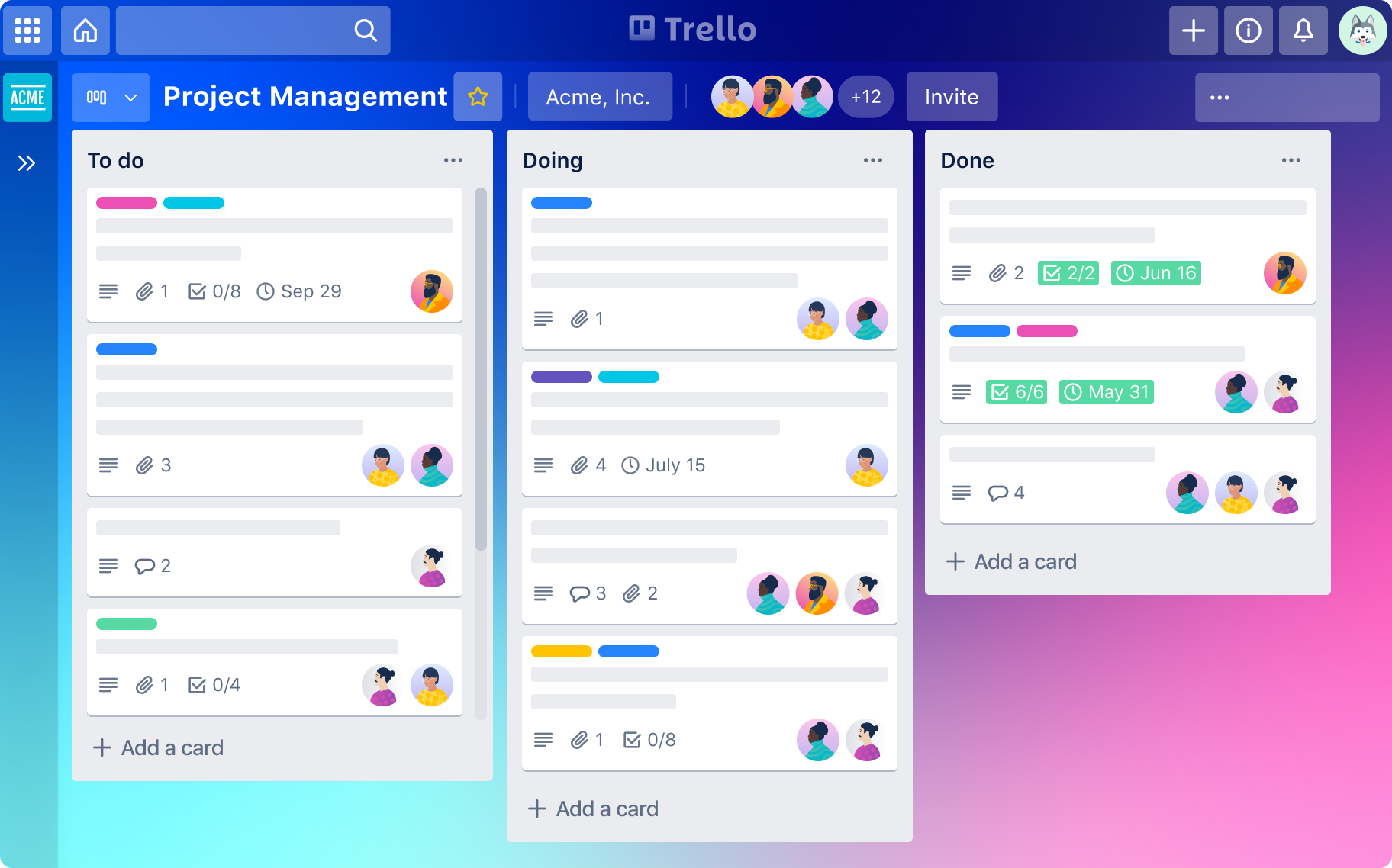
Trello is the go-to choice for simple task management and visual workflows. If you’re a small team, a freelancer, or just need a tool for basic project tracking, Trello is perfect. Known for its Kanban boards, Trello allows teams to visualize workflows, assign tasks, and track progress with ease. 🏅
Why Trello Stands Out 🌟
Trello’s simplicity and intuitive design make it an ideal choice for small teams or individuals who want to manage tasks without complexity. It’s also a great entry point for those just starting with project management tools.
Key Features of Trello 🧩
- Kanban Boards 📊
Trello’s drag-and-drop Kanban boards allow you to organize tasks visually, making it easy to see what’s in progress, what’s completed, and what needs attention. Perfect for task management and visual learners. - Customizable Cards & Lists 📋
You can create task cards with due dates, checklists, attachments, and labels. Lists help you categorize tasks based on stages, priority, or departments. - Collaboration Tools 🤝
Invite team members, assign tasks, and leave comments on task cards to ensure clear communication. Trello makes it easy to work together on the same project in real-time. - Power-Ups (Integrations) 🔌
Trello integrates with tools like Google Drive, Slack, Dropbox, Zapier, and many more. These integrations help connect your existing tools for seamless project management. - Mobile App 📱
Trello’s mobile app allows teams to stay updated on the go. Check task progress, add comments, and move cards around directly from your smartphone.
Trello Pricing 💸
Trello’s pricing is straightforward and affordable, making it a great option for smaller teams or startups.
| Plan | Price | Best For |
|---|---|---|
| Free | $0 | Small teams and personal use |
| Business Class | $10/user/month | Growing teams needing more features |
| Enterprise | Custom Pricing | Large organizations with complex needs |
- Free Plan: Basic task management, unlimited boards, and Power-Ups for a limited number of integrations.
- Business Class: Includes advanced features like unlimited Power-Ups, timeline views, and advanced collaboration tools.
- Enterprise Plan: Custom pricing based on your team’s size and needs. Provides advanced security and enterprise-level support.
Pros & Cons of Trello ⚖️
| Pros ✅ | Cons ❌ |
|---|---|
| Super simple interface 🧑💻 | Limited functionality for complex projects 📉 |
| Affordable and scalable pricing 💰 | Lacks advanced project tracking features 📊 |
| Great for visual task management 🎨 | Mobile app lacks some features 📱 |
| Great for small teams and freelancers 🧑💻 | Not ideal for large teams with complex workflows 💼 |
| Easy to use and setup 🚀 | Not as feature-rich as some alternatives like Monday.com or Asana 🛠️ |
Who Should Use Trello? 🎯
- Small teams that need a lightweight tool for simple project management.
- Freelancers and entrepreneurs who want a visual way to track tasks and deadlines.
- Non-technical users who need a user-friendly tool without the complexity of other platforms.
- Teams who prefer visual task management and work in a Kanban-style format.
My Verdict on Trello 💡
If you’re looking for a simple, visual, and easy-to-use tool for task management, Trello is an excellent choice. It’s perfect for small teams and freelancers who don’t need all the complex features of larger platforms. For teams that want a quick, visual workflow without any bells and whistles, Trello is the way to go. 📋🎯
8. Quick Comparison Table — Best Workforce Management Platforms 📊
Here’s a quick side-by-side comparison of the best workforce management platforms to help you quickly assess which one best fits your team’s needs. Whether you’re a startup, remote team, or enterprise, this table highlights key features, pricing, and target users for each platform. ⚡
| Feature | Payoneer 💼 | ClickUp ⚡ | Linear 🚀 | Asana 🤝 | Trello 📋 |
|---|---|---|---|---|---|
| Best For | Global Workforce | All-in-One Productivity | Fast Product Teams | Team Collaboration | Lightweight Task Management |
| Task Management 📋 | ✅ | ✅ | ✅ | ✅ | ✅ |
| Time Tracking ⏱️ | ✅ | ✅ | ❌ | ✅ | ❌ |
| Payroll Management 💸 | ✅ | ❌ | ❌ | ❌ | ❌ |
| Employee Scheduling ⏰ | ✅ | ✅ | ✅ | ✅ | ✅ |
| Global Coverage 🌍 | ✅ | ❌ | ✅ | ✅ | ✅ |
| Integrations 🔗 | ✅ | ✅ | ✅ | ✅ | ✅ |
| Automation ⚙️ | ✅ | ✅ | ❌ | ✅ | ✅ |
| Pricing 💰 | $297/year | $5/user/month | $8/user/month | $10.99/user/month | Free |
| Free Plan 🆓 | ❌ | ✅ | ✅ | ✅ | ✅ |
| Mobile Access 📱 | ✅ | ✅ | ✅ | ✅ | ✅ |
| Best For Small Teams 📋 | ✅ | ✅ | ❌ | ✅ | ✅ |
| Support 📞 | Standard | 24/7 Support | Standard | Standard | Standard |
Why This Table Helps
Helps with Informed Decisions: Gives you a clear picture of pricing plans, features, and integrations so you can make an informed choice for your business.
Quick Comparison: See which platform suits your needs based on core features, pricing, and target audience.
Highlighting Strengths: Focuses on the key differences between each platform, making it easier to choose based on your team size, workflow, and global presence.
9. Why Workforce Management Platforms Are Essential in 2026 📈
Workforce management platforms have become essential in 2026 to manage remote teams, ensure compliance, and boost productivity. Here’s why they’re more important than ever: 🌟
1. Managing Remote Teams 🌍
With remote work on the rise, these tools help you:
- Track hours ⏱️
- Assign tasks 📝
- Ensure productivity across time zones 🌐
Example: Payoneer and ClickUp excel at global payroll and team collaboration.
2. Reducing Compliance Risks 🛡️
Stay compliant with:
- Labor laws 📑
- Tax filings 💸
- Worker rights 📝
Example: Payoneer automates tax reporting and ensures you remain compliant globally.
3. Streamlining Payroll 💵
Automate payroll and payments to:
- Avoid errors ❌
- Pay on time ⏰
- Save time for HR 🏢
Example: Payoneer simplifies global payments in over 200 countries 🌎.
4. Improving Productivity 🚀
Boost team productivity by:
- Tracking tasks 🧑💻
- Offering reminders ⏰
- Facilitating collaboration 🤝
Example: ClickUp helps teams stay organized and meet deadlines.
5. Data-Driven Decisions 📊
Use data insights to:
- Optimize workflows ⚙️
- Allocate resources better 🔄
- Improve employee engagement 🙌
Example: ClickUp provides advanced reports for better decision-making.
Conclusion
In 2026, workforce management software is essential for managing remote teams, ensuring compliance, and driving productivity.
Whether using Payoneer for global payroll or ClickUp for task management, these platforms make it easier to manage your workforce effectively. 🔥
10. Which Workforce Management Platform Is Best for Your Team? 🤔
Choosing the right platform depends on your team’s size, needs, and workflow. Here’s a quick breakdown to help you decide! 🚀
1. Best for Startups 🚀
Trello — Lightweight, easy to use, and affordable for small teams.
2. Best for Remote Teams 🌍
Payoneer — Great for global payroll and contractor management across borders.
3. Best for Product Teams 💻
Linear — Fast, minimal, and perfect for Agile teams needing quick task management.
4. Best for Large Teams 🏢
ClickUp — All-in-one solution with advanced workflows and customization.
5. Best for Simplicity 🧩
Asana — Ideal for teams that need easy-to-use task tracking and team collaboration.
11. Conclusion 👏
After exploring the 5 best workforce management platforms for 2026, it’s clear that the right tool depends on your team’s size, needs, and goals. Whether you need global payroll, task management, or easy collaboration, there’s a platform that will help streamline your operations and boost productivity. 🚀
Best Overall: Payoneer is the top choice for global teams needing payroll and compliance management.
Best for Customization: ClickUp is ideal for teams that need flexibility and advanced workflows.
Best for Simplicity: Trello and Asana are great options for teams looking for easy-to-use task management tools.
Best for Product Teams: Linear shines for teams who need a fast, minimal interface for managing Agile workflows.
Choosing the right platform can make a huge difference in your team’s efficiency, collaboration, and overall business success. 🌟
Must Read:-
12. FAQs
1. What is workforce management software?
It’s a tool designed to help businesses manage employee tasks, payroll, scheduling, and compliance in one platform.
2. Which workforce management platform is the easiest to use?
Trello is the easiest to use, with its simple Kanban board interface and minimal setup required. 🧑💻
3. Can workforce management software replace HR?
Not entirely. While it helps manage many HR functions, a full-fledged HRIS is still needed for more complex HR tasks.
4. Does ClickUp offer a free plan?
Yes, ClickUp offers a free plan with basic task and project management features, ideal for small teams. 🆓
5. How does Payoneer handle compliance?
Payoneer ensures compliance with global labor laws and tax regulations by offering automated payroll and EOR (Employer of Record) services for remote teams. ✅

👨💻 Hi, I’m Anas Khan, a digital marketing expert with over 5 years of experience in e-commerce and affiliate marketing. I specialize in finding the best coupon codes 💸, Black Friday promotions 🛍️, and discount offers 💥 to help you save big!
I’ve dedicated myself to staying on top of the latest trends 📈 in online deals, so I can offer you the most reliable, tested advice. Whether you’re looking for promo codes or exclusive Black Friday deals, you can trust that my recommendations are based on solid research and personal expertise 🏆.